EasyManua.ls Logo

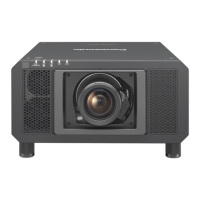
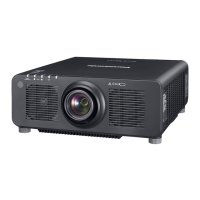
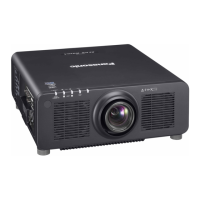
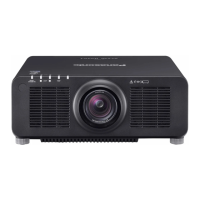
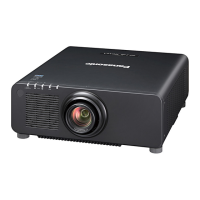
Panasonic PT-RZ120 - User Manual

Panasonic PT-RZ120
220 pages
Print Icon
To Next Page IconTo Next Page
Loading...
Thank you for purchasing this Panasonic product.
The Operating Instructions correspond to the rmware’s main version 2.00 and higher.
This manual is common to all the models regardless of sufxes of the Model No.
z
for Taiwan
BA: Black model, the standard zoom lens supplied
z
for India
BD: Black model, the standard zoom lens supplied LBD: Black model, the lens sold separately
z
for Korea
B: Black model, the standard zoom lens supplied W: White model, the standard zoom lens supplied
z
for Asia (except for Taiwan, India, Korea) / Oceania / Africa
BA/B: Black model, the standard zoom lens supplied LBA/LB: Black model, the lens sold separately
WA/W: White model, the standard zoom lens supplied LWA/LW: White model, the lens sold separately
z
for other countries or regions
B: Black model, the standard zoom lens supplied LB: Black model, the lens sold separately
W: White model, the standard zoom lens supplied LW: White model, the lens sold separately
Before operating this product, please read the instructions carefully and save this manual
for future use.
Before using this product, be sure to read “Read this rst!” (
x
pages 5 to 16).
DPQP1239ZE/X1
DLP™ Projector
Commercial Use
Operating Instructions
Functional Manual
ENGLISH
Model No.
PT-RZ120


Table of Contents

Questions and Answers

  • P
    Pamela GreeneSep 15, 2025
    Panasonic Projector: How to fix image output from DVI?D?
    • W
      wmartinSep 16, 2025
      If the image output from the DVI?D of your computer does not appear on the Panasonic Projector, check if [EDID SELECT] in [DVI-D IN] is set to [EDID3] or [EDID2:PC]. Updating the graphic accelerator driver of the computer to the latest version or performing the [EDID SELECT] setting in [DVI-D IN] and then rebooting the computer may also help.
  • M
    michellebeckAug 25, 2025
    Why Panasonic PT-RZ120 buttons on the control panel do not operate?
    • E
      Elizabeth CarneyAug 25, 2025
      If the buttons on the control panel of your Panasonic Projector are not working, check the following: * Ensure that the [CONTROL PANEL] setting in [CONTROL DEVICE SETUP] is not set to [DISABLE]. * Check if the terminal is being used for contact control.
  • R
    Ricardo MartinezAug 25, 2025
    Why is my Panasonic PT-RZ120 remote control not responding?
    • D
      debra67Aug 26, 2025
      If the remote control for your Panasonic Projector isn't responding, first ensure the batteries aren't depleted and are inserted with the correct polarity. Check for obstructions between the remote and the projector's receiver, and make sure you're within the remote's effective range. Also, verify that other light sources aren't interfering with the projection. Confirm that the [REMOTE CONTROL] setting in [CONTROL DEVICE SETUP] isn't set to [DISABLE], and that the terminal isn't being used for contact control. Finally, ensure the ID number setting operation is correct.
  • A
    Ashley GarnerAug 26, 2025
    What to do if the buttons on Panasonic Projector control panel do not operate?
    • J
      James BestAug 27, 2025
      If the buttons on the control panel of your Panasonic Projector do not operate, check if the [CONTROL PANEL] setting in [CONTROL DEVICE SETUP] is set to [DISABLE]. Also, verify if the terminal is being used for contact control.
  • S
    Sara WilliamsSep 16, 2025
    What to do if lens shift cannot be adjusted on Panasonic Projector?
    • S
      Sheri BaldwinSep 16, 2025
      If the lens shift on your Panasonic Projector cannot be adjusted, perform [LENS CALIBRATION]. Check if the Fixed-focus Lens (Model No.: ET?DLE055) is attached.
  • D
    David RobertsSep 23, 2025
    How to display the menu screen on a Panasonic Projector?
    • R
      Rebekah HillSep 23, 2025
      If the menu screen isn't appearing on your Panasonic Projector, check if the on-screen display function is turned off (hidden).
  • X
    xcombsSep 8, 2025
    What to do if no image appears on my Panasonic Projector?
    • M
      Melissa SnyderSep 8, 2025
      If no image appears on your Panasonic Projector, verify that all connections to external devices are correctly performed and that the input selection setting is correct. Also, ensure that the [BRIGHTNESS] adjustment isn't at its minimum. Check if the external device connected to the projector is working properly and that the shutter function isn't in use. Finally, make sure the lens cover is removed from the lens.
  • K
    kingryanSep 9, 2025
    What to do if video from HDMI device doesn't appear correctly on Panasonic Projector?
    • C
      Christina WilliamsSep 9, 2025
      If video from an HDMI compatible device doesn't appear or appears jumbled on your Panasonic Projector, first ensure the HDMI cable is securely connected. Then, try turning the power of both the projector and the external device off and on. Also, verify that the input signal is compatible with the projector.
  • N
    Nathan ThompsonSep 2, 2025
    Why Panasonic Projector menu screen does not appear?
    • C
      Christine OrtizSep 2, 2025
      If the menu screen is not appearing on your Panasonic Projector, ensure that the on-screen display function is not turned off (hidden).
  • T
    Teresa PenaAug 31, 2025
    How to resolve pale or grayish color on Panasonic Projector?
    • F
      Frank LeeSep 1, 2025
      If the color on your Panasonic Projector appears pale or grayish, consider these adjustments: * Check if [COLOR] and [TINT] are adjusted correctly. * Ensure the external device connected to the projector is adjusted correctly. * Inspect the computer cable for any damage.

Panasonic PT-RZ120 Specifications

General IconGeneral
Brightness12, 000 lumens
Resolution1920 x 1200 (WUXGA)
Light SourceLaser
Contrast Ratio20, 000:1
Projection System3-Chip DLP
Lens OptionsOptional
ConnectivityHDMI, DVI-D, LAN
Light Source Life20, 000 hours
Lens ShiftHorizontal: ±30 %

Related product manuals