EasyManua.ls Logo

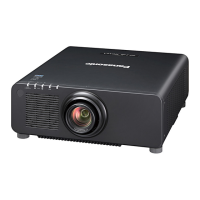
Panasonic PT-RZ570B - User Manual

Panasonic PT-RZ570B
176 pages
Print Icon
To Next Page IconTo Next Page
Loading...
Thank you for purchasing this Panasonic product.
This manual is common to all the models regardless of sufxes of the Model No.
z
for Taiwan
BT: Black model WT: White model
z
for India
BD: Black model WD: White model
z
for Asia (except for Taiwan, India, Korea) / Oceania / Africa
BA: Black model WA: White model
B: Black model W: White model
z
for other countries or regions
B: Black model W: White model
Before operating this product, please read the instructions carefully and save this manual
for future use.
Before using this product, be sure to read “Read this rst!” (
x
pages 5 to 13).
TQBJ0945-1
DLP™ Projector
Commercial Use
Operating Instructions
Functional Manual
ENGLISH
Model No.
PT-RZ570

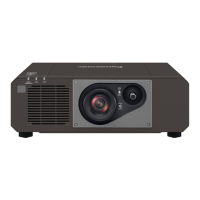
Table of Contents

Questions and Answers

  • G
    Gabriel KingSep 23, 2025
    What to do if buttons on the control panel of Panasonic PT-RZ570B Projector do not operate?
    • A
      aprilshahSep 23, 2025
      If the buttons on the control panel of your Panasonic Projector do not operate, check if the [CONTROL PANEL] setting in [CONTROL DEVICE SETUP] is set to [DISABLE].
  • M
    maureen33Aug 23, 2025
    How to fix a Panasonic Projector when the power does not turn on?
    • D
      David SpencerAug 25, 2025
      If your Panasonic Projector isn't turning on, make sure the power plug is firmly inserted into the outlet. Also, verify that the switch isn't set to and that the wall outlet is actually supplying electricity. Check the circuit breakers and make sure that the light source indicator and the temperature indicator are not lit or blinking.
  • A
    aforbesAug 25, 2025
    What to do if no image appears on my Panasonic PT-RZ570B?
    • J
      John WatkinsAug 26, 2025
      If no image appears on your Panasonic Projector, first verify that all connections to external devices are correctly connected and that the input selection setting is correct. Ensure that the [BRIGHTNESS] adjustment isn't at its minimum. Confirm that the external device connected to the projector is working properly and that the shutter function isn't in use. If the power indicator is blinking red, consult your dealer.
  • W
    wgoodwinAug 27, 2025
    Why is my Panasonic PT-RZ570B Projector remote control not working?
    • E
      Eric HerreraAug 27, 2025
      If the remote control for your Panasonic Projector isn't responding, start by checking if the batteries are depleted or if the polarity is set incorrectly. Ensure there are no obstructions between the remote and the projector's signal receiver, and that you're within the remote's effective range. Also, check if other light sources are interfering with the projection and confirm that the [REMOTE CONTROL] setting in [CONTROL DEVICE SETUP] isn't set to [DISABLE]. Finally, verify that the ID number setting operation is correct.
  • B
    Bradley GriffinAug 27, 2025
    Why doesn't the image from my computer appear on the Panasonic Projector?
    • R
      Rachel Jones DDSAug 27, 2025
      If the image from your computer doesn't appear on the Panasonic Projector, check if the cable is too long. Also, ensure that the external video output on the laptop is set correctly.
  • A
    Angela GillSep 16, 2025
    Why is the image on my Panasonic Projector fuzzy?
    • J
      Jennifer HarrisSep 16, 2025
      If the image from your Panasonic Projector is fuzzy, ensure the lens focus is correctly set. Check that the projection distance is appropriate for the setup. Also, verify the lens is clean and that the projector is installed perpendicular to the screen.
  • C
    Charles StokesSep 13, 2025
    Why don't the buttons on my Panasonic PT-RZ570B Projector control panel operate?
    • K
      Kathy CruzSep 13, 2025
      If the buttons on the control panel of your Panasonic Projector do not operate, check if the [CONTROL PANEL] setting in [CONTROL DEVICE SETUP] is set to [DISABLE].
  • K
    Kimberly MitchellSep 14, 2025
    How to display the menu screen on Panasonic Projector?
    • S
      shintonSep 15, 2025
      If the menu screen does not appear on your Panasonic Projector, check if the on-screen display function is turned off (hidden).
  • J
    John TorresSep 5, 2025
    How to fix a fuzzy image on a Panasonic PT-RZ570B?
    • J
      James StarkSep 5, 2025
      If the image from your Panasonic Projector appears fuzzy, verify that the lens focus is set correctly and that the projection distance is appropriate for your setup. Also, check the lens for any dirt and confirm that the projector is installed perpendicular to the screen.
  • E
    Elizabeth BoltonSep 3, 2025
    Why does image not display correctly on Panasonic Projector?
    • A
      Anthony GutierrezSep 3, 2025
      If the image does not display correctly on your Panasonic Projector, check if the [SYSTEM SELECTOR] is set properly. Verify that the [COMPUTER IN/OUT] setting is correct. Ensure there isn't a problem with the video tape or the image sources. Confirm that the input signal is compatible with the projector.

Panasonic PT-RZ570B Specifications

General IconGeneral
Brightness5, 000 lumens
Resolution1920 x 1200 (WUXGA)
Contrast Ratio20, 000:1
Light SourceLaser
Light Source Life20, 000 hours
Display TechnologyDLP
Keystone CorrectionVertical: ±30°, Horizontal: ±30°
Input TerminalsHDMI
Output TerminalsD-Sub 15-pin x 1
Control TerminalsRS-232C, LAN
Dimensions (W x H x D)420 x 128 x 360 mm

Related product manuals