EasyManua.ls Logo

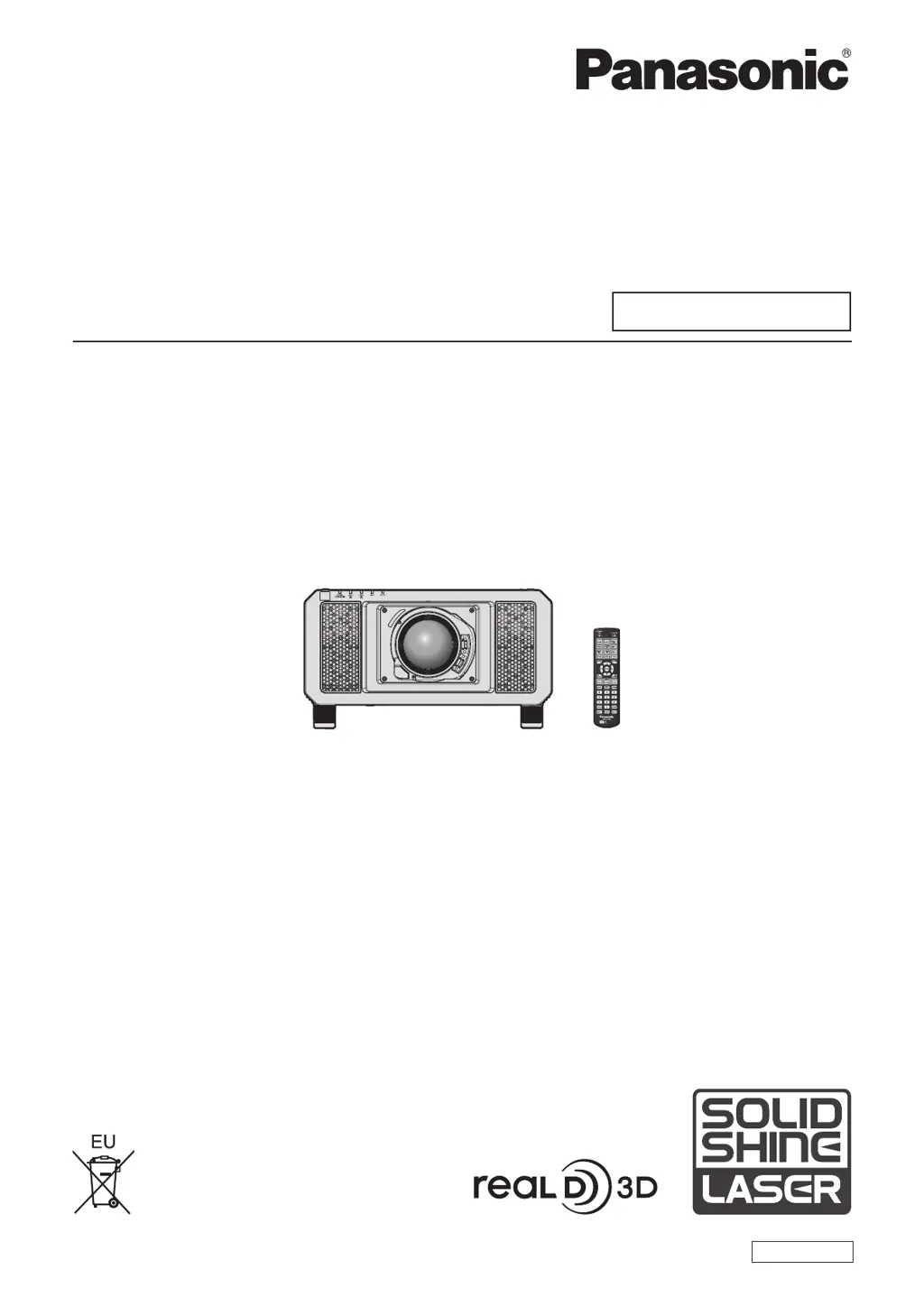
Panasonic PT-RZ11K - User Manual

Panasonic PT-RZ11K
219 pages
Print Icon
To Next Page IconTo Next Page
Loading...
Thank you for purchasing this Panasonic product.
This manual is common to all the models regardless of sufxes of the Model No.
z
for India
PT-RZ12KD / PT-RS11KD
z
for other countries or regions
PT-RZ12K
/
PT- RS11K
Before operating this product, please read the instructions carefully and save this manual
for future use.
Before using this product, be sure to read “Read this rst!” (
x
pages 5 to 14).
TQBJ0904
DLP™ Projector
Commercial Use
Operating Instructions
Functional Manual
ENGLISH
Model No.
PT-RZ12K
PT-RS11K
The projection lens is sold separately.

Table of Contents

Questions and Answers

  • M
    mariah02Sep 9, 2025
    Why is the Panasonic PT-RZ11K image not displaying correctly?
    • J
      Jennifer SmithSep 10, 2025
      If the image on your Panasonic Projector is not displaying correctly, verify the [SYSTEM SELECTOR] selection is set correctly and that the [RGB1 INPUT SETTING] is also correctly configured. Check for any problems with the video tape or other image sources. Ensure that the input signal is compatible with the projector.
  • J
    juarezjonathanAug 25, 2025
    What to do if my Panasonic Projector has no image?
    • S
      shelly15Aug 25, 2025
      If you're not seeing an image on your Panasonic Projector, make sure all connections to external devices are correctly connected, and the input selection setting is correct. Verify that the [BRIGHTNESS] adjustment isn't at its minimum. Ensure the external device connected to the projector is working correctly. Check if the shutter function is in use or if the lens cover is still attached. If the power indicator is blinking red, it is recommended to consult your dealer.
  • E
    Elizabeth BeardAug 25, 2025
    How to fix Panasonic PT-RZ11K Projector when image from computer does not appear?
    • H
      Holly MorganAug 26, 2025
      If the image from a computer is not appearing on your Panasonic Projector, and you're using a D-Sub cable, ensure the cable is not longer than 10 m (32'10"). Also, check the external video output settings on the laptop; these settings may be switched by pressing the “Fn” + “F3” or “Fn” + “F10” simultaneously. Refer to your computer's user manual for specific instructions, as the method varies.
  • M
    Matthew RussellSep 23, 2025
    Why lens shift cannot be adjusted on Panasonic PT-RZ11K?
    • G
      Gary MurraySep 23, 2025
      If the lens shift cannot be adjusted on your Panasonic Projector: * Perform [LENS CALIBRATION]. * Check if the Fixed-focus Lens (Model No.: ET?D75LE50) is attached.
  • D
    david91Sep 12, 2025
    Why can't the lens shift be adjusted on my Panasonic PT-RZ11K Projector?
    • S
      sydneywilsonSep 12, 2025
      If the lens shift on your Panasonic Projector cannot be adjusted, try performing [LENS CALIBRATION]. Also, verify if the Fixed-focus Lens (Model No.: ET?D75LE50) is attached.
  • L
    Laura BoyleSep 15, 2025
    Why is Panasonic Projector 3D function not working?
    • L
      Lori KingSep 15, 2025
      If the 3D function on your Panasonic Projector isn't working, check that the [3D INPUT FORMAT] setting in [3D SETTINGS] is correct. Also, check the 3D eyewear settings and ensure that the input signal is supported by the projector.
  • W
    Willie RamirezSep 4, 2025
    Why does Panasonic PT-RZ11K Projector remote control not respond?
    • J
      Jonathan KirbySep 4, 2025
      If the remote control is not responding with your Panasonic Projector, consider the following: * Check if the batteries are depleted and replace them if necessary. * Ensure the batteries are inserted with the correct polarity. * Make sure there are no obstructions between the remote and the projector's signal receiver. * Verify the remote is within its effective operating range. * Check if other light sources, like fluorescent lights, are affecting the projection. * Confirm that the REMOTE CONTROL setting in CONTROL DEVICE SETUP is not set to DISABLE. * Check if the terminal is used for contact control. * Verify the ID number setting operation is correct.
  • K
    Kimberly WilliamsSep 5, 2025
    Why video from HDMI device does not appear on Panasonic PT-RZ11K Projector?
    • M
      Michael GarrettSep 5, 2025
      If video from an HDMI compatible device doesn't appear or appears jumbled on your Panasonic Projector: * Check that the HDMI cable is securely connected. * Try turning the power of both the projector and the external device off and on again. * Ensure that the input signal is compatible with the projector.
  • T
    tyler24Sep 23, 2025
    Why is 3D eyewear not functioning with Panasonic PT-RZ11K Projector?
    • A
      Aaron BraySep 23, 2025
      If your 3D eyewear is not functioning with the Panasonic Projector: * Check if the battery is dead. Charge the battery for rechargeable eyewear, or replace the battery for battery-type eyewear. * Ensure the [3D SETTINGS] are correct.
  • C
    Craig SmithAug 30, 2025
    What to do if Panasonic PT-RZ11K remote control does not respond?
    • K
      Kristine PetersAug 30, 2025
      If the remote control for your Panasonic Projector isn't responding, first ensure that the batteries aren't depleted and are inserted with the correct polarity. Check for obstructions between the remote and the projector's signal receiver, and make sure you're within the remote's effective range. Also, check if other light sources are interfering with the signal. Verify that the [REMOTE CONTROL] setting in [CONTROL DEVICE SETUP] is not set to [DISABLE] and confirm that the terminal is not being used for contact control. Ensure the ID number setting operation is correct.

Panasonic PT-RZ11K Specifications

General IconGeneral
Light SourceLaser
Contrast Ratio20, 000:1
Brightness10, 000 lumens
Resolution1920x1200 (WUXGA)
Lamp Life20, 000 hours
Lens ShiftVertical: ±60%, Horizontal: ±25 %
Input TerminalsHDMI, DVI-D, 3G-SDI
Output TerminalsHDMI, 3G-SDI, DVI-D
Control TerminalsRS-232C, LAN, USB
Noise Level39 dB
Light Source Life20, 000 hours

Related product manuals