EasyManua.ls Logo

Panasonic PT-RW730 - User Manual

Panasonic PT-RW730
210 pages
Print Icon
To Next Page IconTo Next Page
Loading...
Thank you for purchasing this Panasonic product.
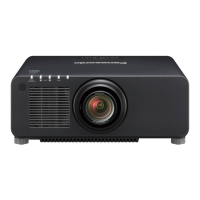
■ This manual is common to all the models regardless of sufxes of the Model No.
z
for Taiwan
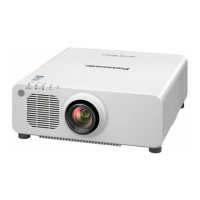
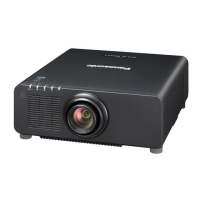
BT: Black model, the standard zoom lens supplied
z
for India
BD: Black model, the standard zoom lens supplied LBD: Black model, the lens sold separately
WD: White model, the standard zoom lens supplied LWD: White model, the lens sold separately
z
for Asia (except for Taiwan, India, Korea) / Oceania / Africa
BA/B: Black model, the standard zoom lens supplied LBA/LB: Black model, the lens sold separately
WA/W: White model, the standard zoom lens supplied LWA/LW: White model, the lens sold separately
z
for other countries or regions
B: Black model, the standard zoom lens supplied LB: Black model, the lens sold separately
W: White model, the standard zoom lens supplied LW: White model, the lens sold separately
■ Before operating this product, please read the instructions carefully and save this manual
for future use.
■ Before using this product, be sure to read “Read this rst!” (
x
pages 5 to 13).
DPQP1064ZA
DLP™ Projector
Commercial Use
Operating Instructions
Functional Manual
ENGLISH
Model No.
PT-RZ770
PT-RW730
PT-RZ660
PT-RW620

Table of Contents

Questions and Answers

  • T
    Tamara SnyderSep 12, 2025
    Why does my Panasonic PT-RW730 have pale or grayish color?
    • L
      linda33Sep 12, 2025
      If the color on your Panasonic Projector appears pale or grayish, try these solutions: * Ensure that [COLOR] and [TINT] are adjusted correctly. * Verify that the external device connected to the projector is adjusted correctly. * Check if the computer cable is damaged.
  • P
    Peter SchmidtSep 12, 2025
    Why is the image on my Panasonic PT-RW730 Projector dark?
    • S
      sara48Sep 12, 2025
      If the image on your Panasonic Projector is dark, try the following: * Check if the [CONTRAST] adjustment is set to a minimum. * Verify if the setting value of [LIGHT OUTPUT] is set too low. * See if the light source indicators / are blinking. * Reattaching the projection lens may improve the image.
  • B
    Benjamin AndersonSep 10, 2025
    How to fix a fuzzy image on a Panasonic PT-RW730 Projector?
    • L
      longchristopherSep 12, 2025
      If the image on your Panasonic Projector appears fuzzy, consider these solutions: * Ensure the lens focus is set correctly. * Verify that the projection distance is appropriate. * Check if the lens is dirty. * Confirm that the projector is installed perpendicular to the screen.
  • S
    Sarah FrostSep 9, 2025
    Why image output from DVI-D does not appear on Panasonic PT-RW730 Projector?
    • J
      jennifer38Sep 9, 2025
      If the image output from DVI?D of the computer does not appear on your Panasonic Projector, try the following: * Check if [EDID SELECT] in [DVI-D IN] is set to [EDID3] or [EDID2:PC]. * Consider updating the graphic accelerator driver of the computer to the latest version. * Performing the [EDID SELECT] setting in [DVI-D IN], and then rebooting the computer may also improve the image.
  • G
    Gregory FrancoSep 8, 2025
    Why DIGITAL LINK input image is not displayed on Panasonic Projector?
    • B
      Beverly HopkinsSep 8, 2025
      If the DIGITAL LINK input image is not displayed on your Panasonic Projector, check these items: * Ensure the cable is compatible with the projector's requirements. * Verify the connections between the twisted-pair-cable transmitter and an external device, and between the twisted-pair-cable transmitter and projector, are correctly done. * Confirm that [DIGITAL LINK MODE] is set to [AUTO] or [DIGITAL LINK], and not [ETHERNET]. * Ensure that the input signal is compatible with the twisted-pair-cable transmitter.
  • J
    John RussoAug 23, 2025
    How to fix Panasonic PT-RW730 Projector when the power does not turn on?
    • S
      Stephanie LevineAug 23, 2025
      If your Panasonic Projector isn't powering on, check these potential solutions: * Ensure the power plug is securely inserted into the outlet. * Verify that the switch is not set to . * Confirm the wall outlet is supplying electricity. * Check if the circuit breakers have tripped. * See if the light source indicators / are blinking. * Examine whether the temperature indicator is lit or blinking.
  • C
    Cynthia WilsonSep 6, 2025
    Why image does not display correctly on Panasonic PT-RW730 Projector?
    • J
      Jimmy DavisSep 6, 2025
      If the image on your Panasonic Projector isn't displaying correctly, try these steps: * Check that [SYSTEM SELECTOR] is set properly. * Ensure [RGB1 INPUT SETTING] is set correctly. * Verify there isn't a problem with the video tape or other image sources. * Confirm that a signal compatible with the projector is being input.
  • R
    Richard HoodSep 5, 2025
    Why is the color pale on my Panasonic PT-RW730?
    • A
      andradethomasSep 5, 2025
      If the color on your Panasonic Projector appears pale or grayish, consider these solutions: * Ensure that [COLOR] and [TINT] are adjusted correctly. * Verify that the external device connected to the projector is adjusted correctly. * Check if the computer cable is damaged.
  • S
    Shane WilsonSep 4, 2025
    Why is my Panasonic PT-RW730 image dark?
    • A
      Amy ReyesSep 4, 2025
      If the image on your Panasonic Projector is dark, try the following: * Ensure the [CONTRAST] adjustment is not set to a minimum. * Check that the setting value of [LIGHT OUTPUT] is not set too low. * See if the light source indicators / are blinking. Reattaching the projection lens may also improve the image.
  • B
    breanna80Sep 3, 2025
    How to fix fuzzy image on Panasonic Projector?
    • A
      Alan FordSep 3, 2025
      If the image from your Panasonic Projector appears fuzzy, check these items: * Ensure the lens focus is set correctly. * Verify the projection distance is appropriate. * Check if the lens is dirty. * Confirm the projector is installed perpendicular to the screen.

Summary

Read this first!

General Safety Warnings

Important warnings regarding electrical shock, fire hazards, moisture, and proper grounding.

Laser Safety Notice

Safety information specific to the Class 3R laser product, avoiding eye exposure.

Electrical Safety and Plug Information

Details on the molded plug, fuse replacement, and proper earthing for electrical safety.

Chapter 2 Getting Started

Setting up the projector

Guidance on selecting installation modes and physical setup.

Connecting Devices

Instructions for connecting various external devices via different terminals.

Chapter 3 Basic Operations

Switching the Projector On and Off

Step-by-step guide for powering the projector on and off.

Chapter 6 Maintenance

Troubleshooting Common Problems

Identifying and resolving common problems like no power or no image.

Panasonic PT-RW730 Specifications

General IconGeneral
Contrast Ratio20, 000:1
Light SourceLaser
Display TechnologyDLP
LensOptional
ResolutionWUXGA (1920 x 1200)
Lamp Life20, 000 hours
Throw RatioVaries depending on lens
Input TerminalsHDMI, DVI-D, VGA, 3G-SDI, Component, Composite
Zoom RatioVaries depending on lens

Related product manuals