Other play methods
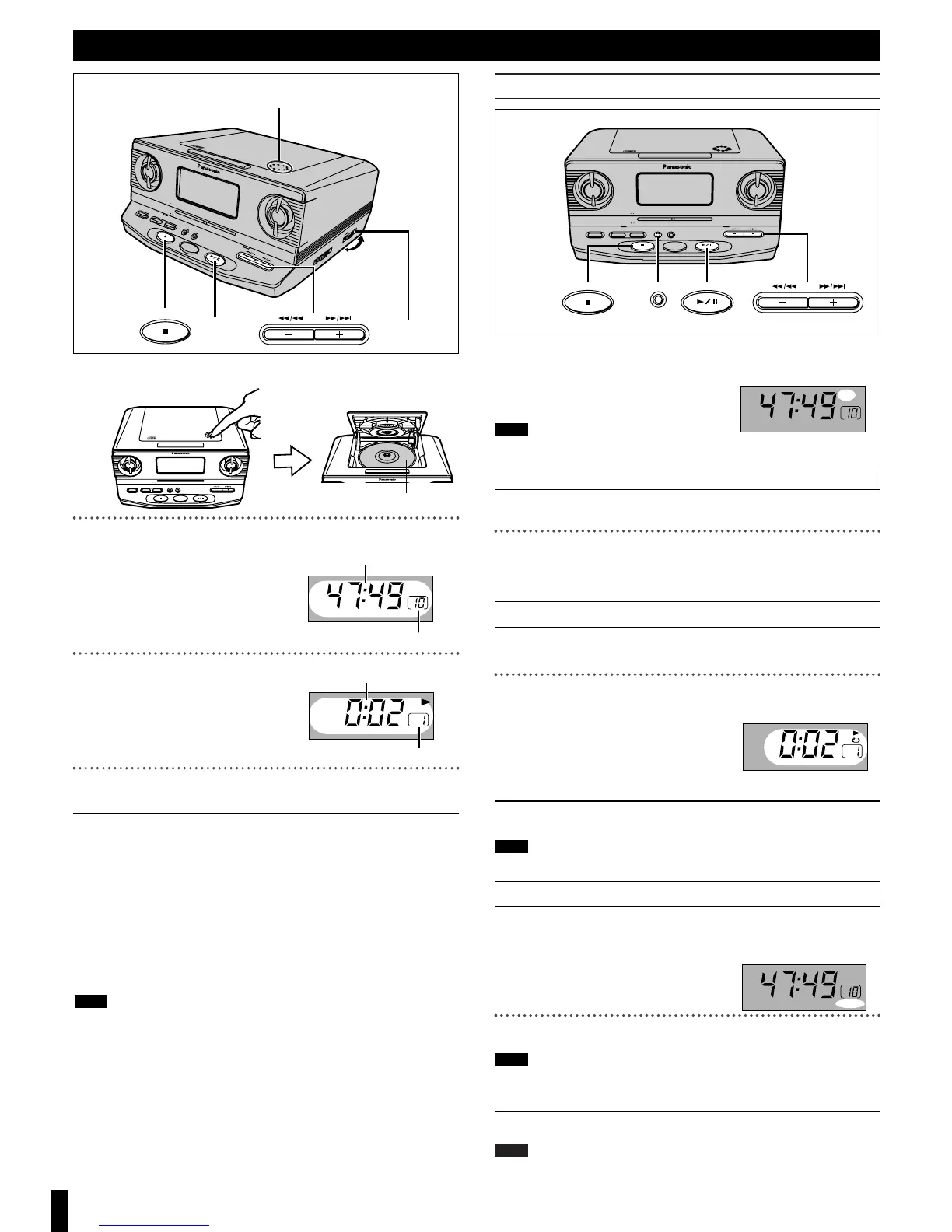
Preparation for skip play and random play
1.
Press [1/ ;, CD].
2. Press [∫, OFF] to stop play.
“CD” must be displayed on the dis-
play for these methods to work.
The CD section is turned off if it is stopped for about 10 minutes.
Skip play
While stopped
Press [i, 5/9] or [j, :/6] to select a track.
Press [
1/ ;, CD] to start play.
Play starts and continues to the last track.
You can also select a track during play.
Repeat play
Plays a track or all tracks repeatedly.
Press [1/ ;, CD] to start play.
Press [MODE] to select the repeat mode.
Each time [MODE] is pressed
1` ) ` ) RANDOM
^----- Off (no indication),}
1
`
: One track repeated
`
: All tracks repeated
ª To cancel
Press [MODE] until “1`” and “`” are cleared.
The mode is also canceled if the CD lid is opened.
Random play
Plays the tracks once each in random order.
While stopped
Press [MODE] to select “RANDOM”.
Each time [MODE] is pressed
1` ) ` ) RANDOM
^----- Off (no indication),}
Press [1/ ;, CD] to start play.
≥You cannot skip to tracks already played.
≥Search can be done within a track only.
ª To cancel
Press [MODE] to clear “RANDOM”.
≥If canceled during play, play continues to the end of the disc.
≥The mode is also canceled if the CD lid is opened.
Note
Note
Note
Note
ª To stop play
Press [∫, OFF].
The CD section is turned off if you press [∫, OFF] again.
ª To pause play
Press [1/ ;, CD] during playback.
To resume, press [1/ ;, CD].
ª To search forward/backward
Press and hold [i, 5/9] (forward) or [j, :/6] (backward)
during playback.
ª To skip forward/backward
Press [i, 5/9] (forward) or [j, :/6] (backward).
≥The clock is displayed after about 10 seconds after you perform opera-
tions.
≥The CD section is turned off if it is stopped for about 10 minutes.
≥Do not press [PUSH, OPEN/CLOSE] during play, pause or immediately
after you inserted a CD and closed the CD lid. CD may be scratched.
Note
4


 To Next Page