EasyManua.ls Logo

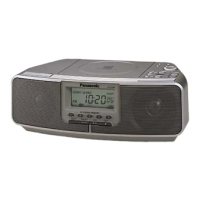
Panasonic RC-CD500 - Unit Maintenance and Specifications; Maintaining the Lens; Product Service Information; Listening Cautions

Panasonic RC-CD500
8 pages
Print Icon
To Previous Page IconTo Previous Page
Loading...
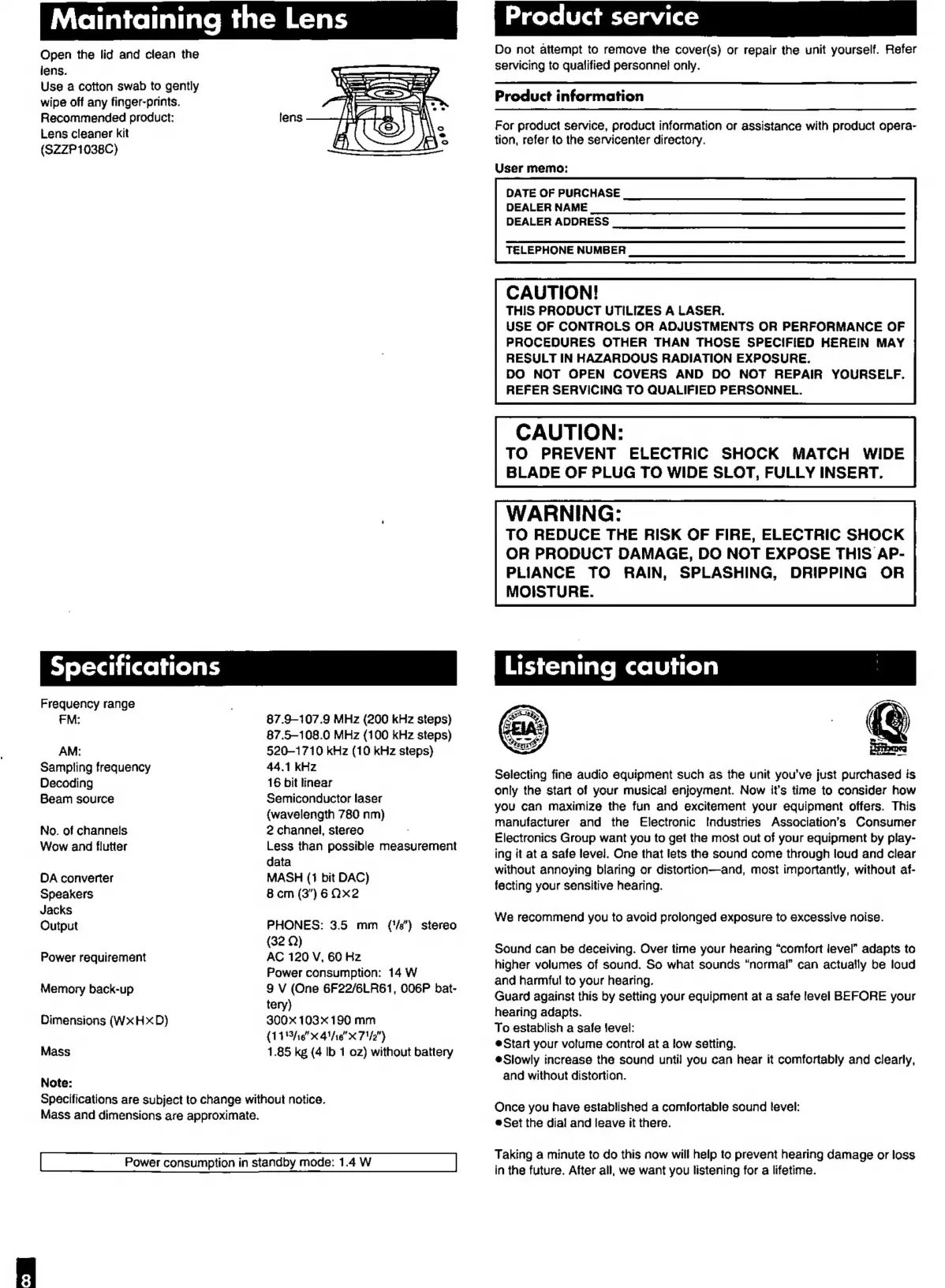
Maintaining
the
Lens
Open
the
lid
and
clean
the
iens.
Use
a
cotton
swab
to
gently
wipe
off
any
finger-prints.
Recommended
product:
Lens
cleaner
kit
(SZZP1038C)
Frequency
range
FM:
87.9-107.9
MHz
(200
kHz
steps)
87.5-108.0
MHz
{100
kHz
steps)
AM:
520-1710
kHz
(10
kHz
steps}
Sampling
frequency
44.1
kHz
Decoding
16
bit
linear
Semiconductor
laser
{wavelength
780
nm)
2
channel,
stereo
Less
than
possible
measurement
data
MASH
(1
bit
DAC)
Beam
source
No.
of
channels
Wow
and
flutter
DA
converter
Speakers
8
cm
(3")6
Ox2
Jacks
Output
PHONES:
3.5
mm
({'/e")
stereo
(32
Q)
AC
120
V,
60
Hz
Power
consumption:
14
W
9
V
(One
6GF22/6LR61,
006P
bat-
Power
requirement
Memory
back-up
tery)
Dimensions
(WxHxD)
300x
103 190
mm
(114/16
4/16"
x
71/2")
Mass
1.85
kg
(4
Ib
1
oz)
without
battery
Note:
Specifications
are
subject
to
change
without
notice.
Mass
and
dimensions
are
approximate.
Power
consumption
in
standby
mode:
1.4
W
Product
service
Do
not
attempt
to
remove
the
cover(s)
or
repair
the
unit
yourself.
Refer
servicing
to
qualified
personnel
only.
Product
information
For
product
service,
product
information
or
assistance
with
product
opera-
tion,
refer
to
the
servicenter
directory.
User
memo:
DATE
OF
PURCHASE
DEALER
NAME
DEALER
ADDRESS
TELEPHONE
NUMBER
CAUTION!
THIS
PRODUCT
UTILIZES
A
LASER.
USE
OF
CONTROLS
OR
ADJUSTMENTS
OR
PERFORMANCE
OF
PROCEDURES
OTHER
THAN
THOSE
SPECIFIED
HEREIN
MAY
RESULT
IN
HAZARDOUS
RADIATION
EXPOSURE.
DO
NOT
OPEN
COVERS
AND
DO
NOT
REPAIR
YOURSELF.
REFER
SERVICING
TO
QUALIFIED
PERSONNEL.
CAUTION:
TO
PREVENT
ELECTRIC
SHOCK
MATCH
WIDE
BLADE
OF
PLUG
TO
WIDE
SLOT,
FULLY
INSERT.
WARNING:
TO
REDUCE
THE
RISK
OF
FIRE,
ELECTRIC
SHOCK
OR
PRODUCT
DAMAGE,
DO
NOT
EXPOSE
THIS
AP-
PLIANCE
TO
RAIN,
SPLASHING,
DRIPPING
OR
MOISTURE.
&
Selecting
fine
audio
equipment
such
as
the
unit
you’ve
just
purchased
is
only
the
start
of
your
musical
enjoyment.
Now
it's
time
to
consider
how
you
can
maximize
the fun
and
excitement
your
equipment
offers.
This
manufacturer
and
the
Electronic
Industries
Association’s
Consumer
Electronics
Group
want
you
to
get
the
most
out
of
your
equipment
by
play-
ing
it
at
a
safe
level.
One
that
lets
the
sound
come
through
loud
and
clear
without
annoying
blaring
or
distortion-——and,
most
importantly,
without
af-
facting
your
sensitive
hearing.
We
recommend
you
to
avoid
prolonged
exposure
to
excessive
noise.
Sound
can
be
deceiving.
Over
time
your
hearing
“comfort
level”
adapts
to
higher
volumes
of
sound.
So
what
sounds
“normal”
can
actually
be
loud
and
harmful
to
your
hearing.
Guard
against
this
by
setting
your
equipment
at
a
safe
level
BEFORE
your
hearing
adapts.
To
establish
a
safe
level:
eStart
your
volume
control
at
a
low
setting.
@Slowly
increase
the
sound
until
you
can
hear
it
comfortably
and
clearly,
and
without
distortion.
Once
you
have
established
a
comfortable
sound
level:
Set
the
dial
and
leave
it
there.
Taking
a
minute
to
do
this
now
will
help
to
prevent
hearing
damage
or
loss
in
the
future.
After
all,
we
want
you
listening
for
a
lifetime.

Other manuals for Panasonic RC-CD500

Related product manuals