EasyManua.ls Logo

Panasonic RC-CD500 - Sleep Timer and CD Care; Using the Sleep Timer; Handling Compact Discs; Troubleshooting Common Problems

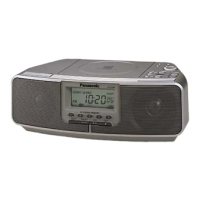
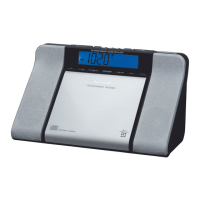
Panasonic RC-CD500
8 pages
Print Icon
To Next Page IconTo Next Page
To Previous Page IconTo Previous Page
Loading...
Using
the
sleep
timer
Concerning
Compact
Discs
1
|
b
eJ)
tS
'
.—
'
STS!
5
ano
or
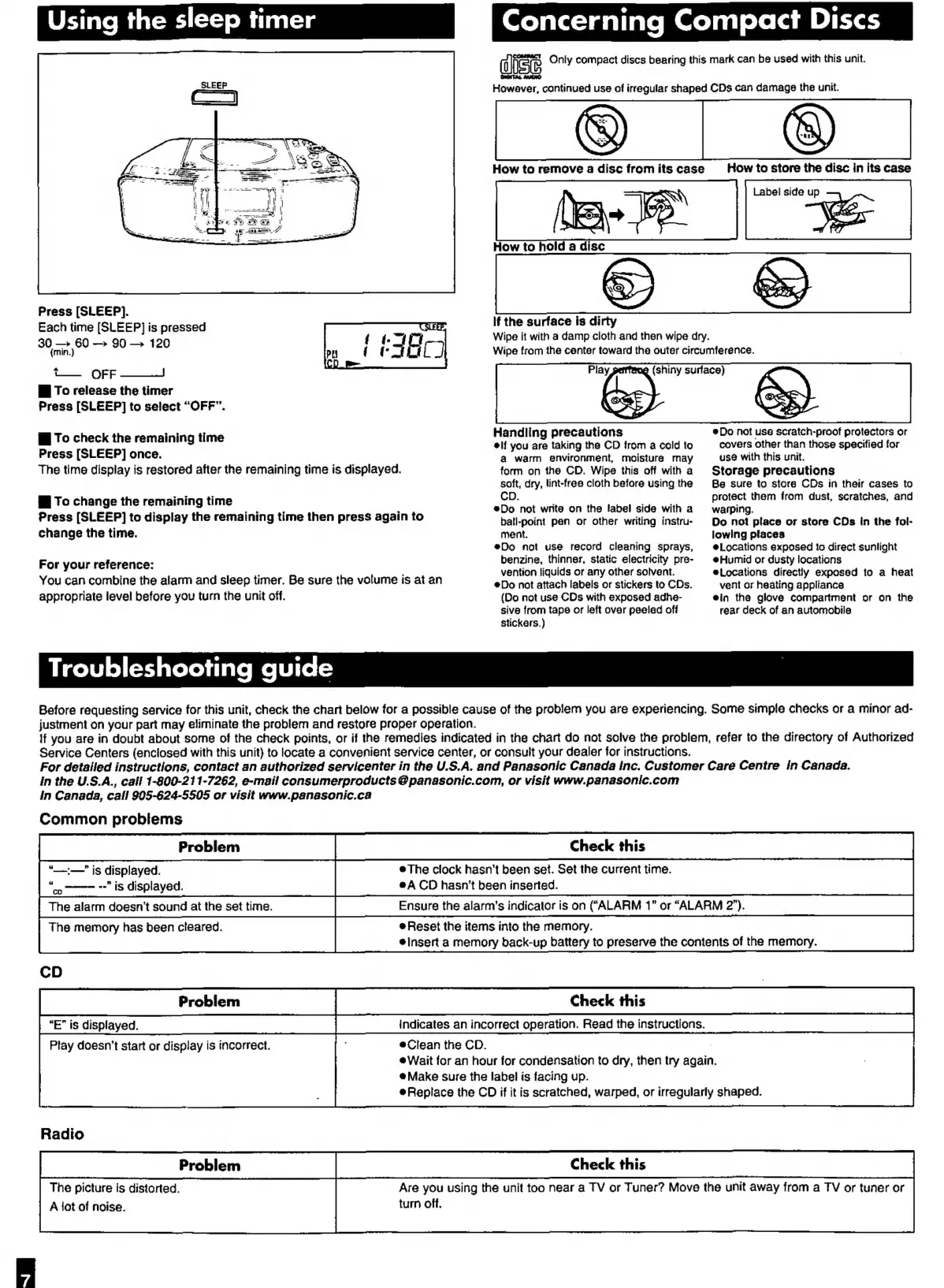
Press
[SLEEP].
Each
time
[SLEEP]
is
pressed
30
e
90
120
t—
OFF
—~
fi
To
release
the
timer
Press
[SLEEP]
to
select
“OFF”.
fj
To
check
the
remaining
time
Press
[SLEEP]
once.
The
time
display
is
restored
after
the
remaining
time
is
displayed.
fj
To
change
the
remaining
time
Press
[SLEEP]
to
display
the
remaining
time
then
press
again
to
change
the
time.
For
your
reference:
You
can
combine
the
alarm
and
sleep
timer.
Be
sure
the
volume
is
at
an
appropriate
level
before
you
turn
the
unit
off.
alist
Only
compact
discs
bearing
this
mark
can
be
used
with
this
unit.
Catt
Tid
De
However,
continued
use
of
irregular
shaped
CDs
can
damage
the
unit.
How
to
remove
a
disc
from
its
case
=>
How
to
hold
a
disc
How
to
store
the
disc
in
its
case
Label
side
up
7
)
if
the
surface
is
dirty
Wipe
it
with
a
damp
cloth
and
then
wipe
dry.
Wipe
from
the
center
toward
the
outer
circumference.
Play
(shiny
surface)
Handling
precautions
elf
you
are
taking
the
CD
from
a
cold
to
a
warm
environment,
moisture
may
form
on
the
CD.
Wipe
this
off
with
a
soft,
dry,
lint-free
cloth
before
using
the
CD.
Do
not
write
on
the
label
side
with
a
ball-point
pen
or
other
writing
instru-
ment.
Do
not
use
record
cleaning
sprays,
benzine,
thinner,
static
electricity
pre-
vention
liquids
or
any
other
solvent.
¢Do
not
attach
labels
or
stickers
to
CDs.
(Do
not
use
CDs
with
exposed
adhe-
sive
from
tape
or
left
over
peeled
off
stickers.)
Do
not
use
scratch-proof
protectors
or
covers
other
than
those
specified
for
use
with
this
unit.
Storage
precautions
Bs
sure
to
stora
CDs
in
their
cases
to
protect
them
from
dust,
scratches,
and
warping.
Do
not
place
or
store
CDs
in
the
fol-
lowing
places
@Locations
exposed
to
direct
sunlight
@Humid
or
dusty
locations
Locations
directly
exposed
to
a
heat
vent
or
heating
appliance
ein
the
glove
compartment
or
on
the
rear
deck
of
an
automobile
Troubleshooting
guide
|
Before
requesting
service
for
this
unit,
check
the
chart
below
for
a
possible
cause
of
the
problem
you
are
experiencing.
Some
simple
checks
or
a
minor
ad-
justment
on
your
part
may
eliminate
the
problem
and
restore
proper
operation.
lf
you
are
in
doubt
about
some
of
the
check
points,
or
if
the
remedies
indicated
in
the
chart
do
not
solve
the
problem,
refer
to
the
directory
of
Authorized
Service
Centers
(enclosed
with
this
unit)
to
locate
a
convenient
service
center,
or
consult
your
dealer
for
instructions.
For
detailed
instructions,
contact
an
authorized
servicenter
in
the
U.S.A.
and
Panasonic
Canada
inc.
Customer
Care
Centre
in
Canada.
in
the
U.S.A.,
call
1-800-211-7262,
e-mail
consumerproducts
@
panasonic.com,
or
visit
www.panasonic.com
in
Canada,
call
905-624-5505
or
visit
www.panasonic.ca
Common
problems
e
‘_—"
is
displayed.
The
clock
hasn't
been
set.
Set
the
current
time.
“co
--"
is
displayed.
eA
CD
hasn't
been
inserted.
The
alarm
doesn’t
sound
at
the
set
time.
Ensure
the
alarm’s
indicator
is
on
(“ALARM
1”
or
“ALARM
2”).
The
memory
has
been
cleared.
Reset
the
items
into
the
memory.
@Insert
a
memory
back-up
battery
to
preserve
the
contents
of
the
memory.
CD
|
iste
e
“E”
is
displayed.
Indicates
an
incorrect
operation.
Read
the
instructions.
Play
doesn’t
start
or
display
is
incorrect.
eClean
the
CD.
.
Wait
for
an
hour
for
condensation
to
dry,
then
try
again.
Make
sure
the
label
is
facing
up.
è
Replace
the
CD
if
it
is
scratched,
warped,
or
irregularly
shaped.
Radio
The
picture
is
distorted.
A
lot
of
noise.
Are
you
using
the
unit
too
near
a
TV
or
Tuner?
Move
the
unit
away
from
a
TV
or
tuner
or
turn
off.

Other manuals for Panasonic RC-CD500

Related product manuals