EasyManua.ls Logo

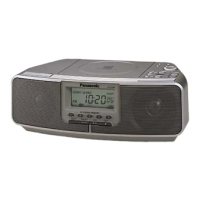
Panasonic RC-CD500 - Radio Tuning and Headphone Use; Preset Station Tuning; Headphone Connection

Panasonic RC-CD500
8 pages
Print Icon
To Next Page IconTo Next Page
To Previous Page IconTo Previous Page
Loading...
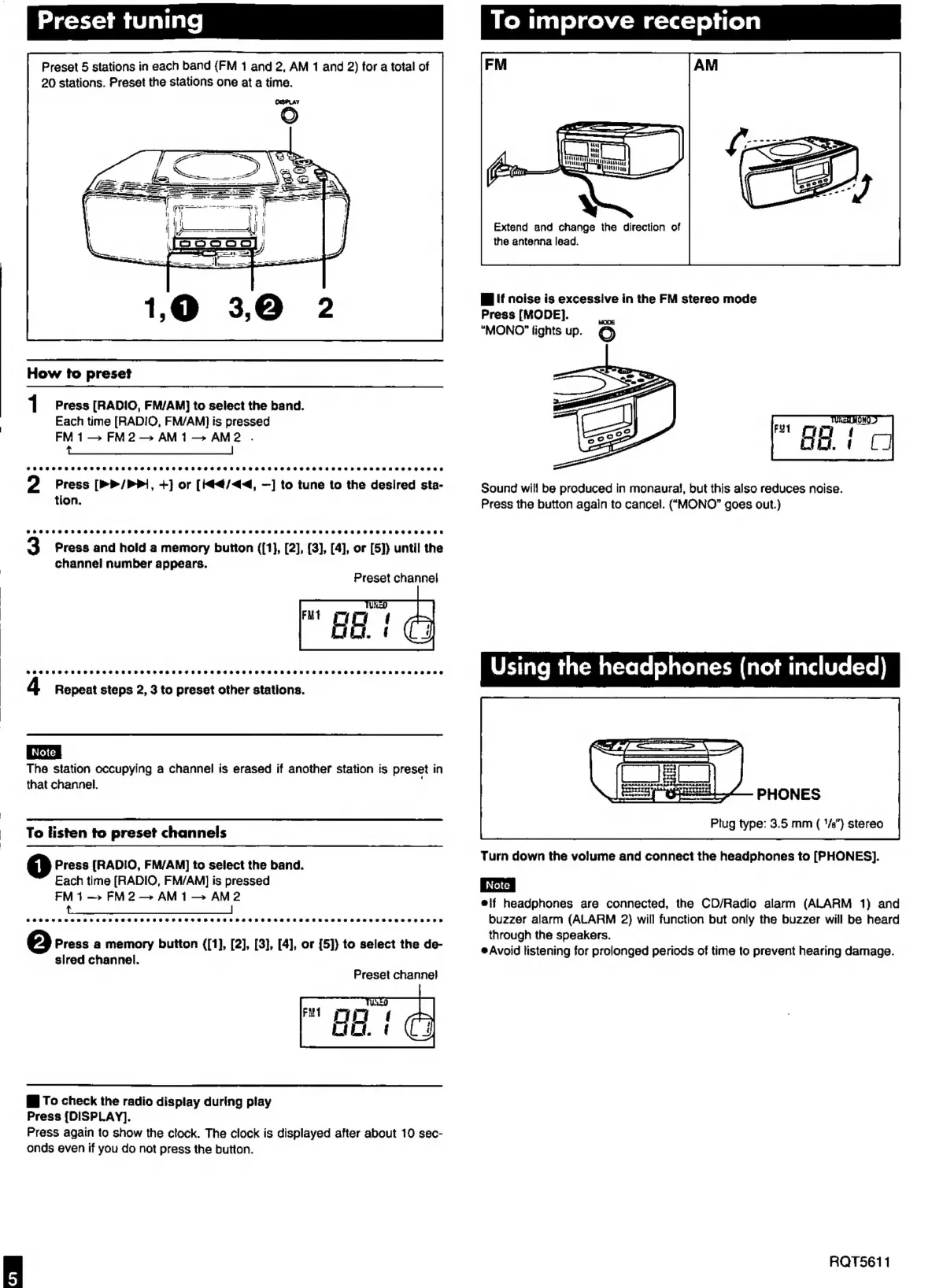
Preset
tuning
Preset
5
stations
in
each
band
(FM
1
and
2,
AM
1
and
2)
for
a
total
of
20
stations.
Preset
the
stations
one
at
a
time.
How
to
preset
1
Press
[RADIO,
FM/AM}
to
select
the
band.
Each
time
[RAD!IO,
FM/AM]
is
pressed
FM1—
FM
2
AM1—
AM2
.
td
2
Press
[>>
/PP1,
+]
or
[i44/4<4,
—]
to
tune
to
the
desired
sta-
tion,
Press
and
hold
a
memory
button
((1},
[2],
{3},
[4],
or
[5]}
until
the
channel
number
appears.
Preset
channel
S@eeseee
eee
ee
eeeseeeeeeseaeeseeeeeeseeeeaeseeoeeseee
eases
e
seo
ee
ena
teeoeaenneaerennse
Repeat
steps
2,
3
to
preset
other
stations.
The
station
occupying
a
channel
is
erased
if
another
station
is
preset
in
that
channel.
To
listen
to
preset
channels
Press
[RADIO,
FM/AM]
to
select
the
band.
Each
time
(RADIO,
FM/AM]
is
pressed
FM
1—>
FM2—
AM1—
AM2
@#e@eeeosuneaosepeeeceve
eee
eaeeeseeeeseeeeeeeeoeeeeeeeeeettaeeeszreeeoenszeeogaeeoe
never
Press
a
memory
button
([1],
[2],
[3],
[4],
or
[5]}
to
select
the
de-
slred
channel.
Preset
channel
E
To
check
the
radio
display
during
play
Press
[DISPLAY].
Press
again
to
show
the
clock.
The
clock
is
displayed
after
about
10
sec-
onds
even
if
you
do
not
press
the
button.
To
improve
reception
Extend
and
change
the
direction
of
the
antenna
lead.
I
If
noise
is
excessive
in
the
FM
stereo
mode
Press
[MODE].
rm
“MONO”
lights
up.
O
Sound
will
be
produced
in
monaural,
but
this
also
reduces
noise.
Press
the
button
again
to
cancel.
(“MONO”
goes
out.)
Using
the
headphones
(not
included)
PHONES
Plug
type:
3.5
mm
(
‘/e”}
stereo
Turn
down
the
volume
and
connect
the
headphones
to
[PHONES].
|
Note
|
elf
headphones
are
connected,
the
CD/Radio
alarm
(ALARM
1)
and
buzzer
alarm
(ALARM
2)
will
function
but
only
the
buzzer
will
be
heard
through
the
speakers.
è
Avoid
listening
for
prolonged
periods
of
time
to
prevent
hearing
damage.
RQT5611

Other manuals for Panasonic RC-CD500

Related product manuals