EasyManua.ls Logo

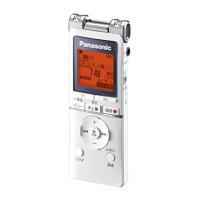
Panasonic RR-XS350 - User Manual

Panasonic RR-XS350
178 pages
Print Icon
To Next Page IconTo Next Page
Loading...
Web Site: http://panasonic.net
© Panasonic Corporation 2012
EU
Pursuant to at the directive 2004/108/EC, article 9(2)
Panasonic Testing Centre
Panasonic Marketing Europe GmbH
Winsbergring 15, 22525 Hamburg, Germany
EU
En Ge It Fr Sp Pr
VQT4J69
VQT4J69RR-XS350-cover.indd2 2012/05/2817:18:41
VQT4J69
M0512KZ0
E
Operating Instructions
Bedienungsanleitung
Istruzioni per l’uso
Mode d’emploi
Instrucciones de funcionamiento
Manual de Instruções
IC Recorder
Digitales Diktiergerät
Registratore IC
Magnétophone à puce
Grabadora IC
Gravador de IC
RR-XS350
ENGLISH
DEUTSCH
ITALIANO
FRANÇAIS
PORTUGUÊS
ESPAÑOL
Model No.
VQT4J69RR-XS350-cover.indd1 2012/05/2413:07:07
Question and Answer IconNeed help?

Do you have a question about the Panasonic RR-XS350 and is the answer not in the manual?

Summary

Operating Instructions

Features

Connecting this unit to a computer

Instructions for moving and organizing audio/music/data files.

Advanced Operations

Selecting the recording scene (SCENE SELECT)

Recommended settings for different recording scenes.

Changing the sound quality

Allows adjustment of sound quality for specific purposes.

Switching microphone sensitivity

Adjusts microphone sensitivity based on sound source volume.

Using with a computer

System requirements

Lists the necessary computer system specifications.

Connecting this unit to a computer

Guides on how to connect the unit to a PC.

Opening folders of this unit

Explains how to access unit's folders via computer.

Importing files to a computer;Organising files

Details on transferring and managing files.

Inserting the battery

Turning the Power ON;OFF

Hold function

Explains how to lock/unlock buttons to prevent unintended operations.

Setting the clock

Switching microphone position

Recording

Provides notes and tips for optimal recording quality.

Playing

Deleting files and formatting

Selecting the recording scene (SCENE SELECT)

Changing the sound quality

Preventing unnecessary recording (VAS)

Recording at a specified time (TIMER RECORDING)

Changing the playback speed

A-B Repeat play

Describes setting start and end points for repeating a section.

Playback from a specified position (TIME SEARCH)

Repeat play (REPEAT)

Explains how to set different repeat modes for playback.

Using an SD Card

Listening to music on this unit (MP3 music files)

Recording by connecting an external microphone

Recording from other devices

System requirements

Connecting this unit to a computer

Importing files to a computer;Organising files

Transferring music files to this unit from the computer

Q & A (Frequently Asked Questions)

Error messages

Troubleshooting guide

Specifications

Care and use

Maintenance

Panasonic Warranty

Summary

Operating Instructions

Features

Connecting this unit to a computer

Instructions for moving and organizing audio/music/data files.

Advanced Operations

Selecting the recording scene (SCENE SELECT)

Recommended settings for different recording scenes.

Changing the sound quality

Allows adjustment of sound quality for specific purposes.

Switching microphone sensitivity

Adjusts microphone sensitivity based on sound source volume.

Using with a computer

System requirements

Lists the necessary computer system specifications.

Connecting this unit to a computer

Guides on how to connect the unit to a PC.

Opening folders of this unit

Explains how to access unit's folders via computer.

Importing files to a computer;Organising files

Details on transferring and managing files.

Inserting the battery

Turning the Power ON;OFF

Hold function

Explains how to lock/unlock buttons to prevent unintended operations.

Setting the clock

Switching microphone position

Recording

Provides notes and tips for optimal recording quality.

Playing

Deleting files and formatting

Selecting the recording scene (SCENE SELECT)

Changing the sound quality

Preventing unnecessary recording (VAS)

Recording at a specified time (TIMER RECORDING)

Changing the playback speed

A-B Repeat play

Describes setting start and end points for repeating a section.

Playback from a specified position (TIME SEARCH)

Repeat play (REPEAT)

Explains how to set different repeat modes for playback.

Using an SD Card

Listening to music on this unit (MP3 music files)

Recording by connecting an external microphone

Recording from other devices

System requirements

Connecting this unit to a computer

Importing files to a computer;Organising files

Transferring music files to this unit from the computer

Q & A (Frequently Asked Questions)

Error messages

Troubleshooting guide

Specifications

Care and use

Maintenance

Panasonic Warranty

Panasonic RR-XS350 Specifications

General IconGeneral
Storage Capacity4 GB
Internal Memory4 GB
DisplayLCD
Recording FormatMP3
MicrophoneBuilt-in stereo microphone
PC ConnectivityUSB
Battery TypeAAA battery
Microphone TypeBuilt-in stereo microphone

Related product manuals