EasyManua.ls Logo

Panasonic RX-C300 - Page 5

Panasonic RX-C300
20 pages
Print Icon
To Next Page IconTo Next Page
To Previous Page IconTo Previous Page
Loading...
RX-C300
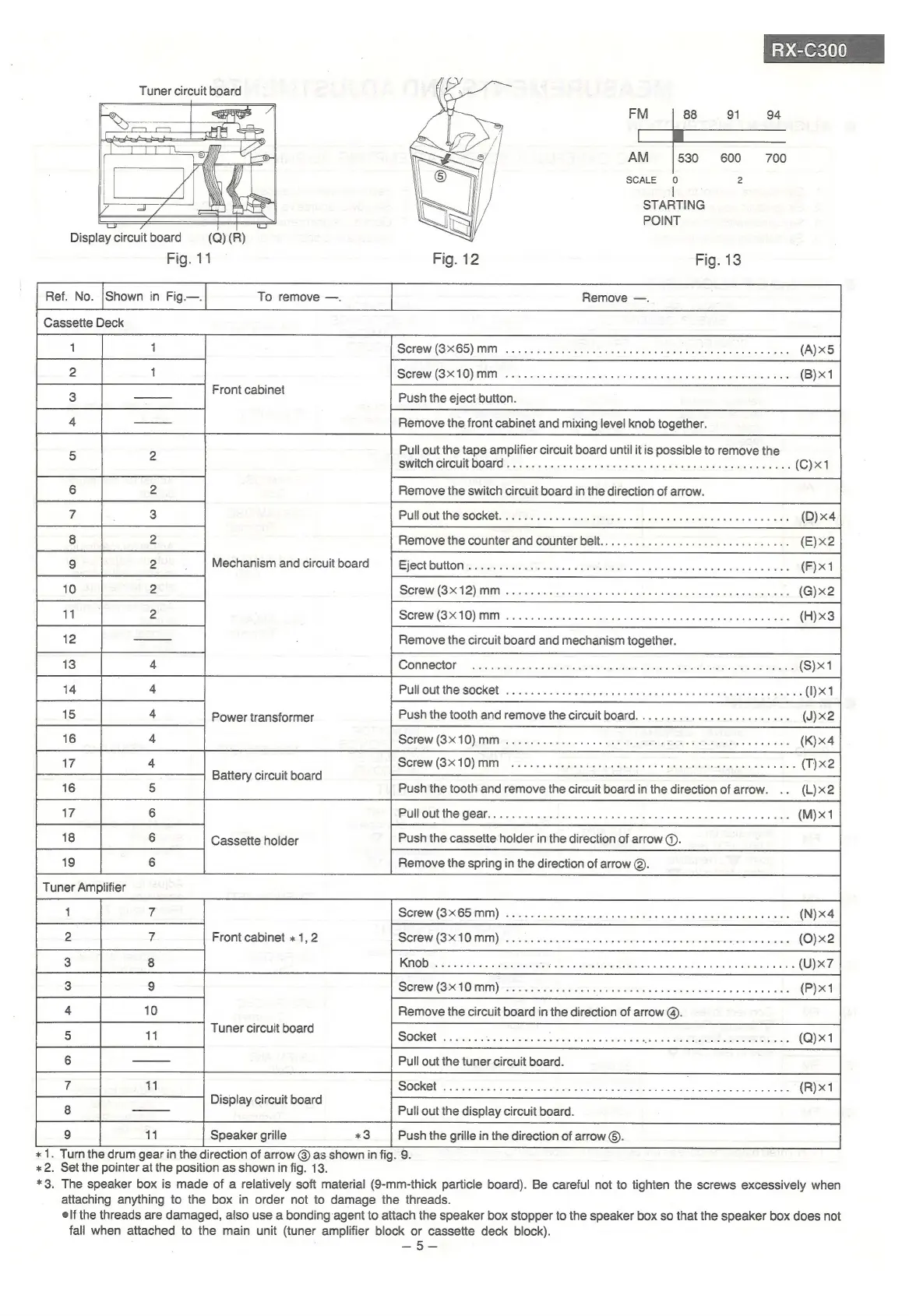
Tuner
circuit
board
oe
o
AM
530
600
700
SCALE
0
2
y
2
STARTING
=
———
POINT
Display
circuit
board
(Q)
(R)
Fig.
11
Fig.
13
k
Cassette
Dec
Front
cabinet
Pull
out
the
tape
amplifier
circuit
board
until
it
is
possible
to
remove
the
switch
circuit
board
Power
transformer
Battery
circuit
board
Push
the
tooth
and
remove
the
circuit
board
in
the
direction
of
arrow.
Pull
out
the
gear
Cassette
holder
Push
the
cassette
holder
in
the
direction
of
arrow
@.
Remove
the
spring
in
the
direction
of
arrow
©.
Front
cabinet
«1,
2
*
1.
Turn
the
drum
gear
in
the
direction
of
arrow
@
as
shown
in
fig.
9.
*2.
Set
the
pointer
at
the
position
as
shown
in
fig.
13.
*3.
The
speaker
box
is
made
of
a
relatively
soft
material
(9-mm-thick
particle
board).
Be
careful
not
to
tighten
the
screws
excessively
when
attaching
anything
to
the
box
in
order
not
to
damage
the
threads.
elf
the
threads
are
damaged,
also
use
a
bonding
agent
to
attach
the
speaker
box
stopper
to
the
speaker
box
so
that
the
speaker
box
does
not
fall
when
attached
to
the
main
unit
(tuner
amplifier
block
or
cassette
deck
block).
=>
Fe

Related product manuals