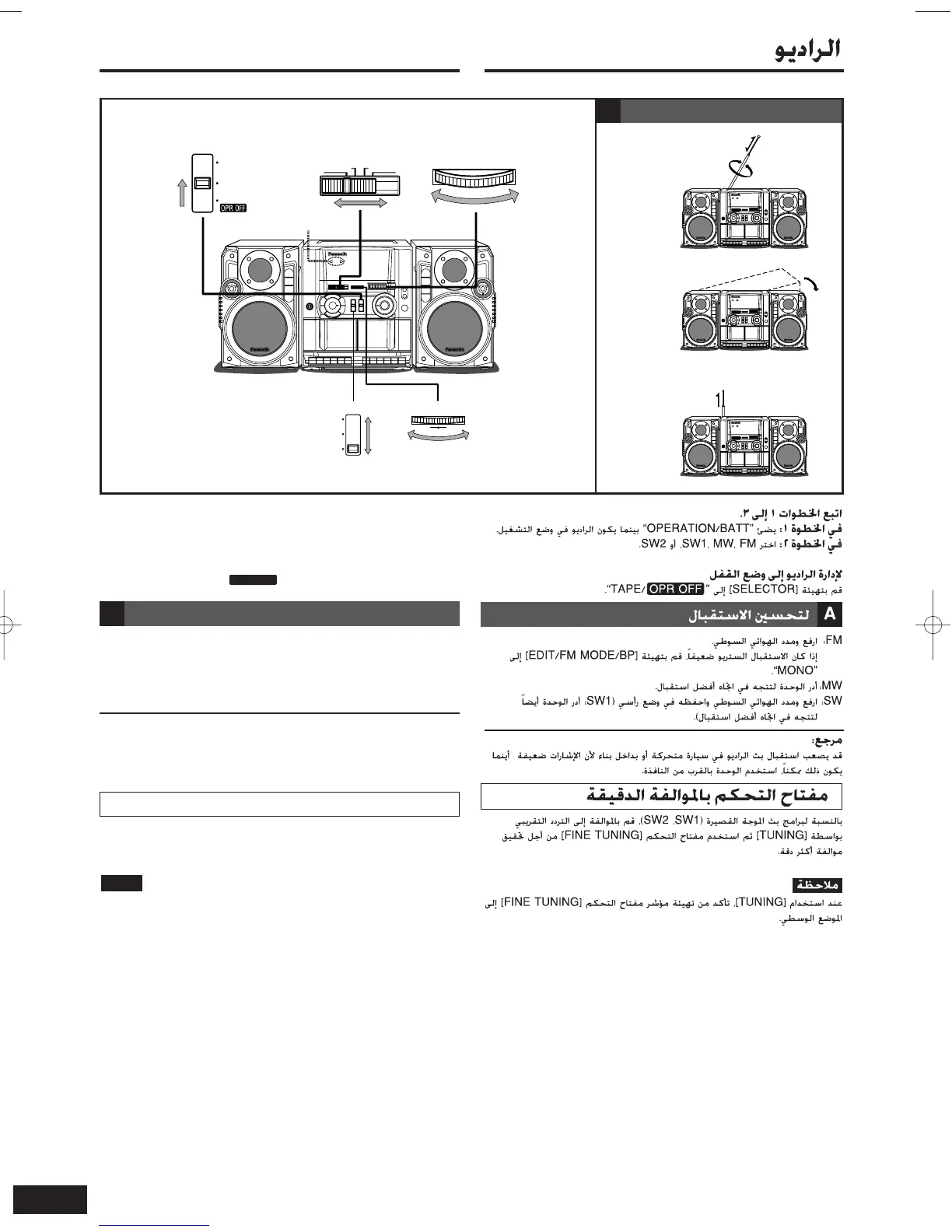
FM: Raise and extend the whip antenna.
If stereo reception is poor, set [EDIT/FM MODE/BP] to “MONO”.
MW:Turn the unit to face in the direction of best reception.
SW:Raise and extend the whip antenna and keep it vertical
(SW1: also turn the unit to face in the direction of best reception).
Reference:
Radio broadcasts may be hard to receive in a moving vehicle or
building because their signals are weak. Whenever possible, use the
unit by a window.
6
RQT7611
To improve reception
A
For short-wave broadcasts (SW1, SW2), tune to the approximate
frequency with [TUNING], and then use [FINE TUNING] control for
more precise tuning.
When using [TUNING], be sure to set [FINE TUNING] control pointer
to the center position.
Note
Fine tuning control
The radio
Follow steps 1 to 3.
In step 1: “OPERATION/BATT” lights while the radio is on.
In step 2: Select FM, MW, SW1 or SW2.
To turn off the radio
Set [SELECTOR] to “TAPE/ ”.
1 23
TUNING
FM MW SW1 SW2
BAND
CD/
LINE IN
RADIO
TAPE/
SELECTOR
HIGH/
STEREO/II
MIC/
MONO/I
NORMAL/
STEREO/II
EDIT/FM MODE/BP
LH
FINE TUNING
OPERATION/BATT
To improve reception
A
RX-CT65RQT761104.2.610:24ページ6










 To Next Page