EasyManua.ls Logo

Panasonic RX-D45 - User Manual

Panasonic RX-D45
8 pages
Print Icon
To Next Page IconTo Next Page
Loading...
RQTX1147-1B
EB
Operating Instructions
Portable Stereo CD System
Model No. RX-D45
Operations in these instructions are described mainly using the remote control, but you can perform the operations
on the main unit if the controls are the same.
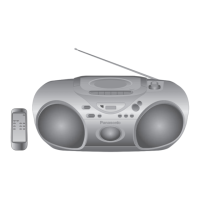
Your unit may not look exactly the same as illustrated.
Note:
“EB” on the packaging indicates the United Kingdom.
Dear Customer
Thank you for purchasing this product.
For optimum performance and safety, please read these instructions thoroughly before connecting,
operating or adjusting this product.
Please keep this manual for future reference.
Supplied accessories
Please check and identify the supplied
accessories.
Use numbers indicated in parentheses when
asking for replacement parts. (As of January 2010)
1 x AC mains lead
(K2CZ3YY00005)
RQTX1147-1B_gb.indd 1RQTX1147-1B_gb.indd 1 3/30/2010 10:24:11 AM3/30/2010 10:24:11 AM

Questions and Answers

  • D
    David KimJul 30, 2025
    How to stop humming sound on Panasonic RX-D45 Stereo System?
    • F
      fgarciaJul 30, 2025
      If you hear a “humming” sound during play on your Panasonic Stereo System, it could be due to an AC mains lead or fluorescent light being too close to the unit. Try to keep other appliances and cords away from the unit.
  • T
    Terry FlemingAug 3, 2025
    How to reduce hum during AM broadcast on Panasonic RX-D45?
    • P
      paulacooperAug 3, 2025
      If you hear a low hum during AM broadcast on your Panasonic Stereo System, separate the antenna from other cables and cords.
  • J
    Joshua SummersAug 7, 2025
    What to do if Panasonic Stereo System displays “ERROR”?
    • M
      Matthew Walker Jr.Aug 7, 2025
      If the Panasonic Stereo System displays 'ERROR', it means an incorrect operation was performed. Review the instructions and try again.
  • M
    Mitchell SchneiderAug 11, 2025
    What does “NOPLAY” mean on my Panasonic RX-D45 Stereo System?
    • S
      Samantha JacksonAug 11, 2025
      If the Panasonic Stereo System displays 'NOPLAY', the disc format is incorrect. Insert the correct disc.
  • A
    Angela MedinaAug 15, 2025
    Why won't my Panasonic Stereo System play the disc?
    • M
      michellegibbsAug 15, 2025
      If you are experiencing incorrect display or the play will not start on your Panasonic Stereo System, consider the following: * Ensure the disc is inserted correctly. * Wipe the disc clean. * Replace the disc if it is scratched, warped, or non-standard. * Wait 1 to 2 hours for condensation to evaporate.
  • R
    Rachel Brown DDSAug 20, 2025
    What to do if Panasonic RX-D45 cassette won't eject?
    • I
      Ian NguyenAug 20, 2025
      If the cassette cannot be ejected or the deck cannot be closed when loading a cassette on your Panasonic Stereo System, it could be due to flat batteries. Replace the batteries or connect to household AC power. You can also try pressing [4, PLAY] then [8/x, STOP/EJECT].
  • S
    sheacraigAug 25, 2025
    How to eliminate beat sound from Panasonic RX-D45 Stereo System?
    • D
      David McdowellAug 25, 2025
      If you hear a beat sound from your Panasonic Stereo System, turn the television off or move it away from the unit.

Summary

Caution for AC Mains Lead

Safety Precautions

Use of Batteries

Power Sources

Using the Household Mains Socket

Connect the AC mains lead firmly to the unit and the household mains socket.

Using Batteries

Operate the unit using batteries when the AC power cord is disconnected.

Discs

Using the FM;AM Radio

Cassette Tape - Play and Record

Basic Play

Instructions for inserting a cassette and playing it.

Recording

Steps to record from radio or disc onto a cassette tape.

Using the Clock and Timers

Using the Play Timer

Set the unit to turn on at a specific time to wake you up.

Troubleshooting Guide

Panasonic RX-D45 Specifications

General IconGeneral
EqualizerYes
Equalizer bands quantity4
Output power description2x 2 W
Speakers2
RMS rated power4 W
Device typePortable CD player
Product colorWhite
Display typeLCD
Headphone outputs1
Battery typeLR14
Dimensions (WxDxH)408 x 255 x 148 mm
Weight and Dimensions IconWeight and Dimensions
Weight3200 g

Related product manuals