8
RQT7611
Erasure preventionA
Recording the radio
Erasure preventionA
Use normal position/TYPE
I
tape only.
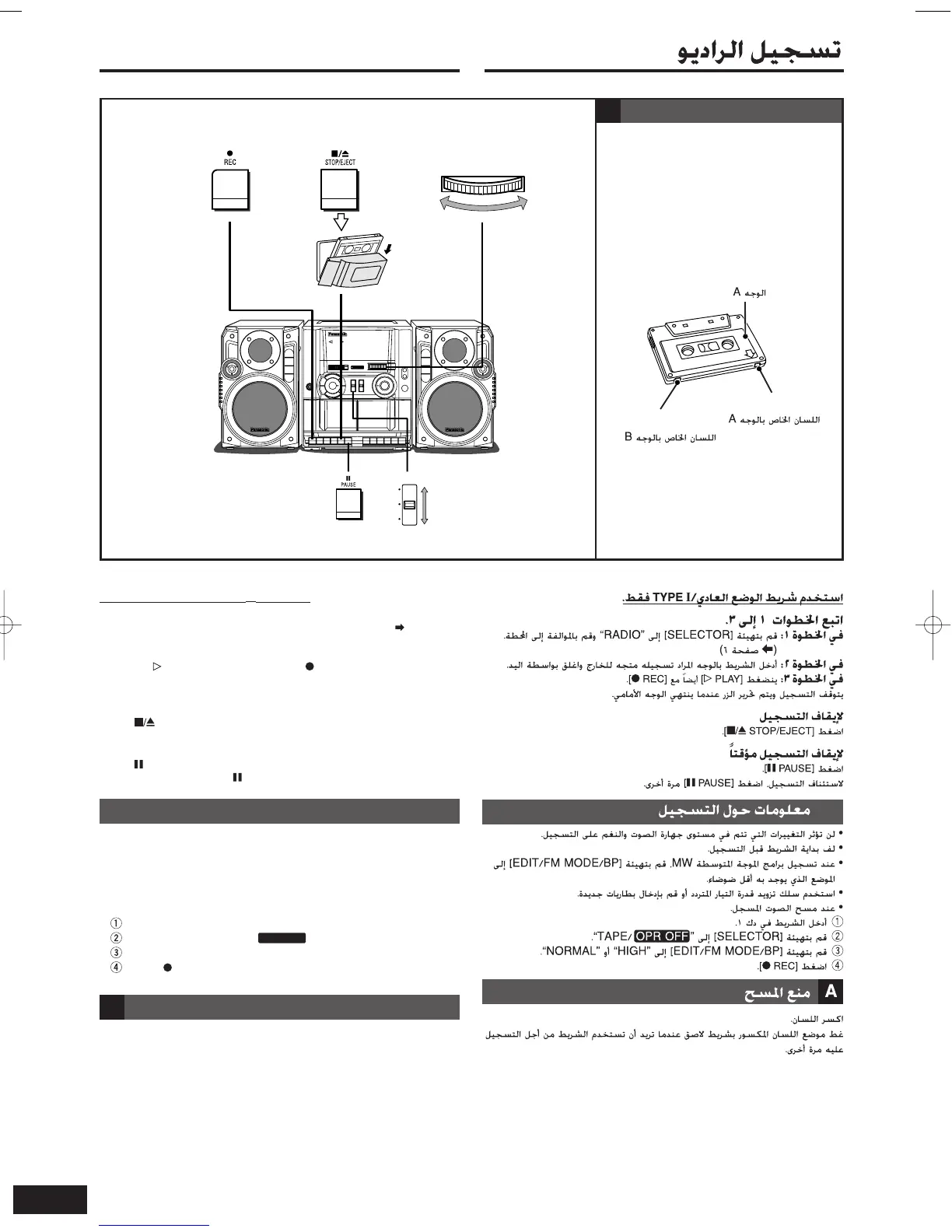
Follow steps 1 to 3.
In step 1: Set [SELECTOR] to “RADIO” and tune to the station. ( page 6)
In step 2: Insert the tape inside with the side to be recorded facing out and
close by hand.
In step 3: [ PLAY] is also depressed with [ REC].
Recording stops and the button is released when the front side finishes.
To stop recording
Press [ STOP/EJECT].
To pause recording
Press [ PAUSE].
To resume recording, press [ PAUSE] again.
• Changes to volume and tone will not affect the recording.
• Wind up the leader tape before recording.
• When recording MW, set [EDIT/FM MODE/BP] to the position
where there is less noise.
• Use the AC power supply cord or insert fresh batteries.
• When erasing recorded sound,
Insert the tape in Deck 1.
Set [SELECTOR] to “TAPE/ ”.
Set [EDIT/FM MODE/BP] to “HIGH” or “NORMAL” .
Press [ REC].
Break out the tab.
Cover the tab with adhesive tape when you want to use the tape for
recording again.
Recording tips
HIGH/
STEREO/II
MIC/
MONO/I
NORMAL/
STEREO/II
EDIT/FM MODE/BP
TUNING
123
Side A
Tab for Side B
Tab for Side A
RX-CT65RQT761104.2.610:24ページ8










 To Next Page