1. Press and hold STOP button for 5 seconds.
2. FL indicator shows “CLEAR” for 1 second and change to “T”.
9.4. Cancelling the Self-Diagnostic mode
1. Press the “Power” button to turn off the system. Press the
“Power” button again to turn on the system.
9.5. Description of error code
9.5.1. Power Amplifier Failure (F61)
When power amplifier output failure for power supply failure.
9.5.2. Error detection for CD Block
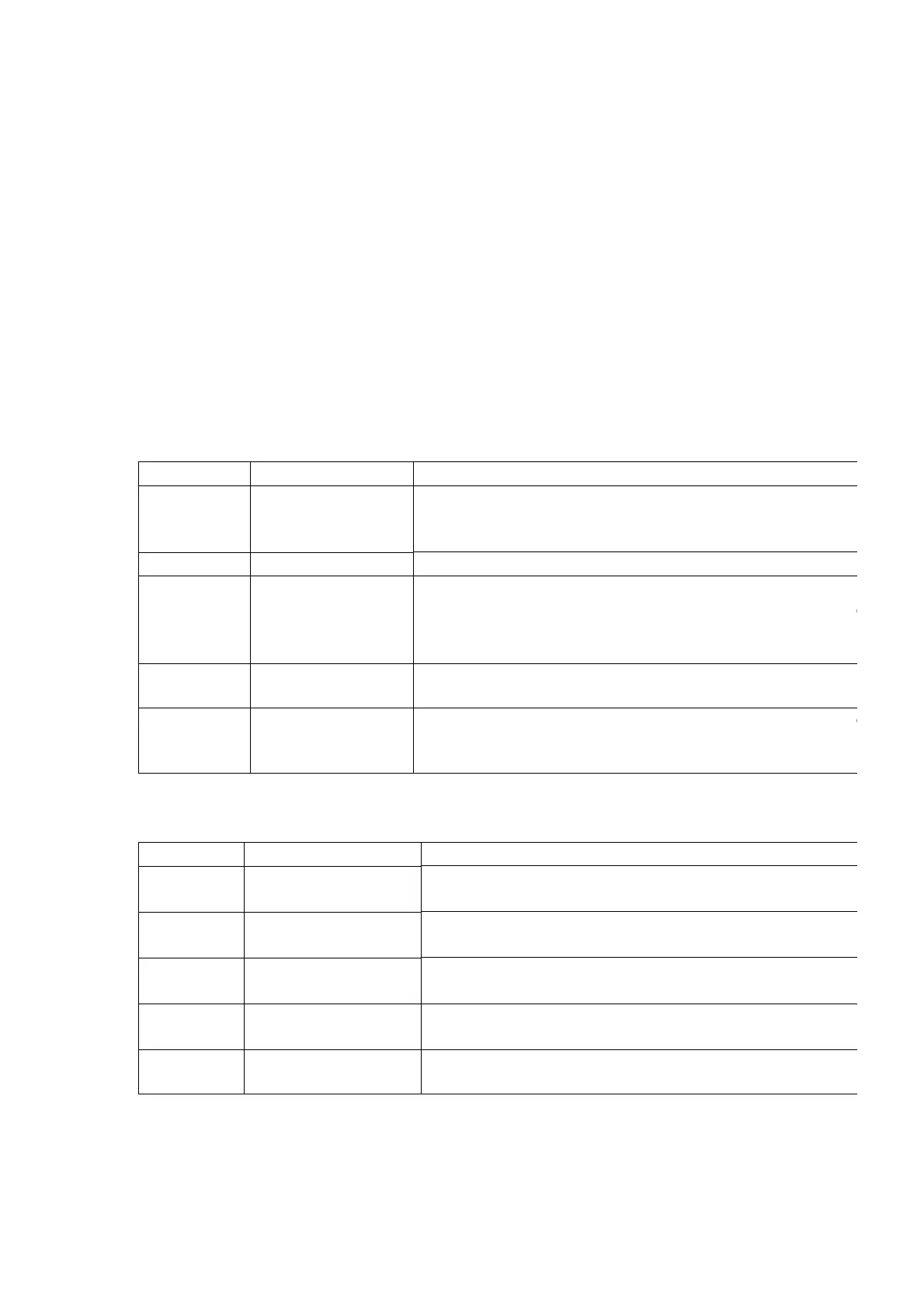
Error Code Problem Condition Possible Cause
F15 CD does not function REST SW detection error.
This error occurs when the Optical Pick Up REST SW (
detected within the specified time. (about 8 seconds).
H15 The CD tray closes CD disc tray detect switch NG. (Check and replace)
F26 CD does not function Transmission error between CD servo LSI and micon.
This error occurs between CD servo LSI and micon. This
when the POWER is ON for the CD block and an error is
the transmission has started.
Abnormal
item
Error Display Method of detection
F75 CD power abnormal Under normal operation (self-diagnostic mode inclusive),
CDRST is H for SELECTOR at CD. If it is not H after 1 sec, it
memorised as an error.
9.5.3. Error detection code for Cassette Mechanism Block
Error Code Problem Condition Possible Cause
H01 Cassette deck main
functions
MODE SW detection error.
Faulty contact or short circuit of mechanism mode switch.
H02 Recording not possible REC INH SW detection error.
Faulty contact or short circuit of REC INH switch. (S974,
H03 Playback cannot
perform.
HALF SW detection error.
Faulty contact or short circuit of HALF switch. (S972)
F01 The tape advances
slightly and then stops.
Reel pulse detection error.
Faulty reel pulse, faulty hole detect IC. (IC971)
F02 Cassette deck will not
perform TPS function.
Faulty TPS drive IC. (IC303)
10. Precaution of Laser Diode
33









 To Next Page