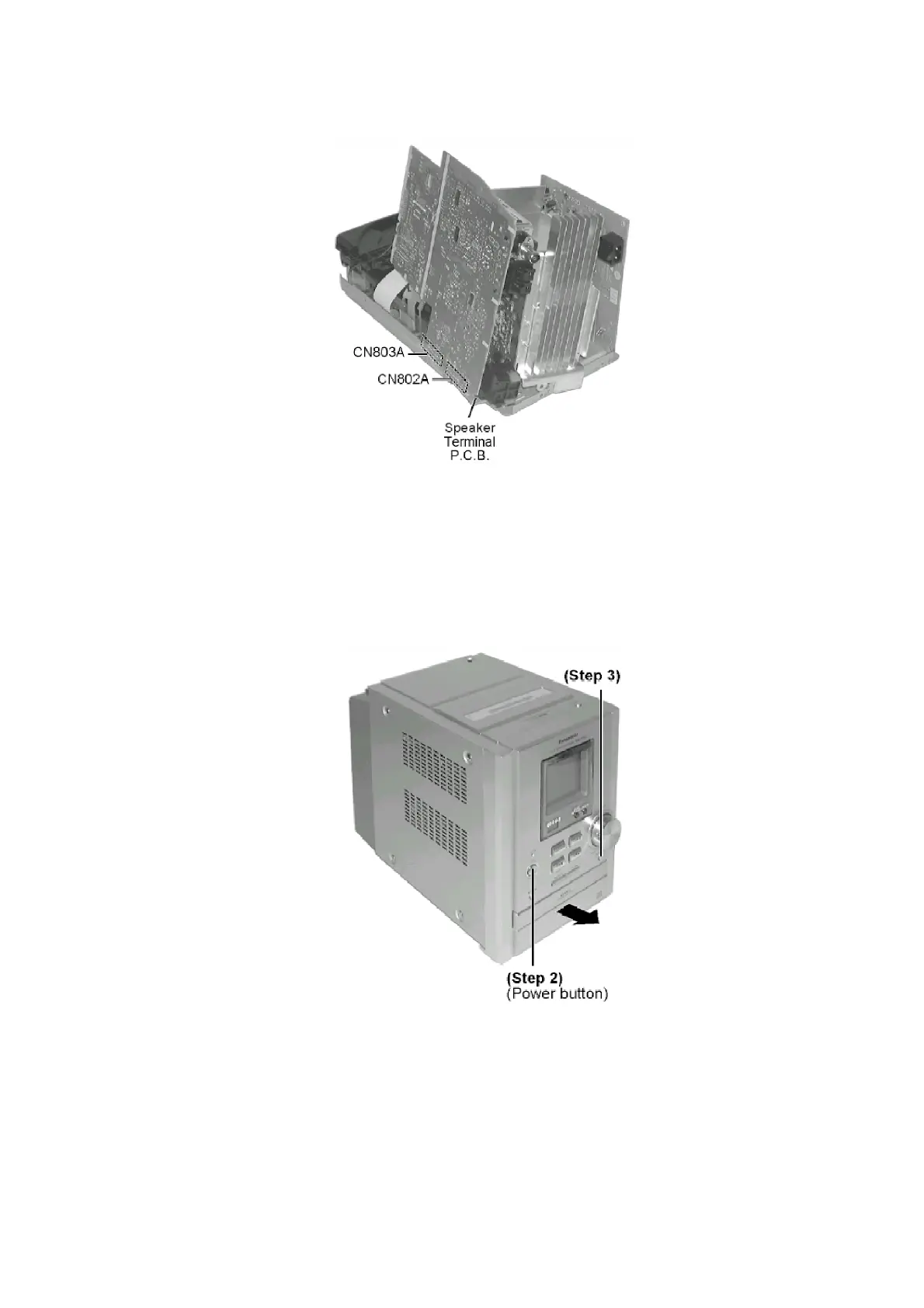
Step 8 Reconnect 2 connectors (CN802A & CN803A).
[For operation checking of main unit]
Step 9 Reverse Step 1 of Item 8.1.3. to attach top cabinet. (Deck mechanism)
- Replacement of CD Lid
When opening the disc tray automatically (Using Power Supply)
Step 1 Connect AC power cord.
Step 2 Press the POWER button to power up the main unit.
Step 3 Press the OPEN button, the disc tray will open automatically.
Step 4 Release the 2 claws, and then remove the CD lid.
16





 To Next Page