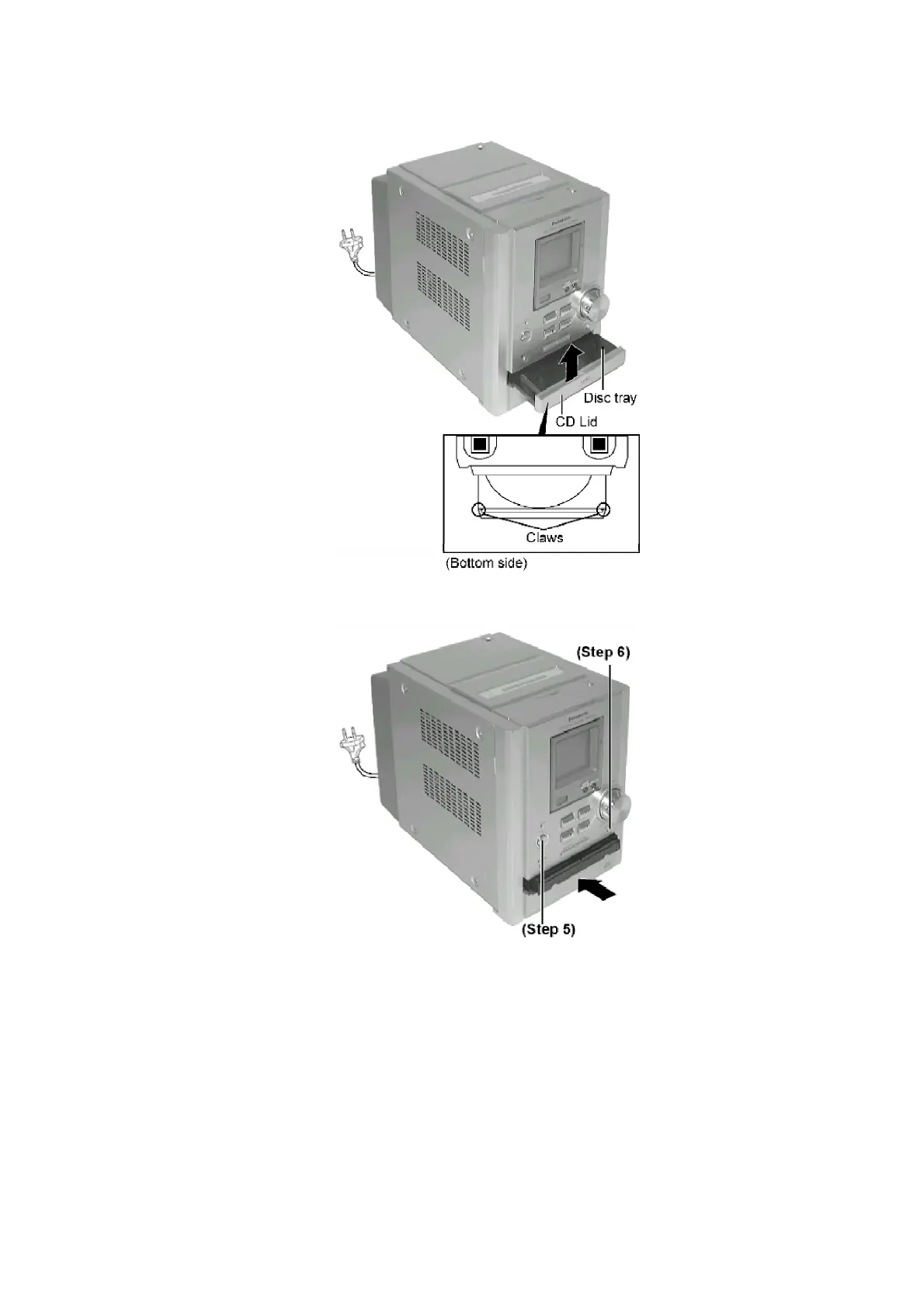
Step 5 Press the POWER button to turn the power only.
Step 6 Press the OPEN/CLOSE button, the disc tray will be close.
[Open the disc tray manually (Using service tools)]
- Follow the (Step 1) - (Step 4) of Item 8.1.1.
- Follow the (Step 1) - (Step 4) of Item 8.1.2.
- Follow the (Step 1) of Item 8.2.1.
8.1.4. Checking for the CD Servo P.C.B.
- Follow the (Step 1) - (Step 4) of Item 8.1.1.
- Follow the (Step 1) - (Step 5) of Item 8.1.2.
- Follow the (Step 1) - (Step 9) of Item 8.1.3.
17





 To Next Page