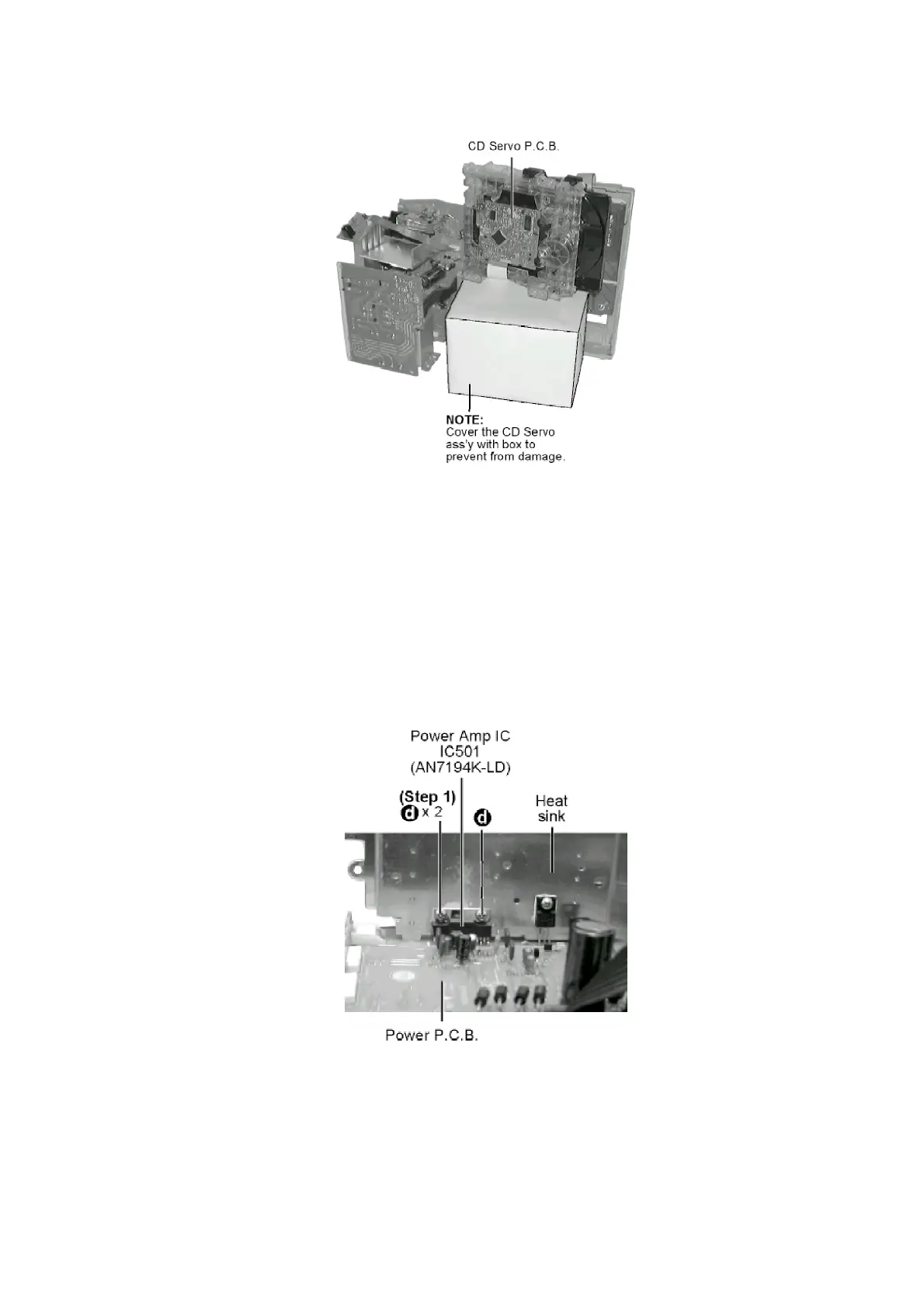
Step 3 Lift up the Main P.C.B. together with the Power P.C.B. and rotate left then place the p.c.b.
as shown in the following figure.
[Service Position]
8.1.5. Replacement of the Power Amplifier IC
- Replacement of the Power Amplifier IC
- Follow the (Step 1) - (Step 4) of Item 8.1.1.
- Follow the (Step 1) - (Step 5) of Item 8.1.2.
- Follow the (Step 1) - (Step 8) of Item 8.1.3.
- Follow the (Step 1) - (Step 3) of Item 8.1.4.
Step 1 Remove 2 screws fixed to the Power Amp I.C.
19







 To Next Page