Disc operations
RQT7125
22
Playing HighMAT discs
Play HighMAT discs as HighMAT discs (A page 36, Others–
HighMAT).
A menu appears when you select the disc.
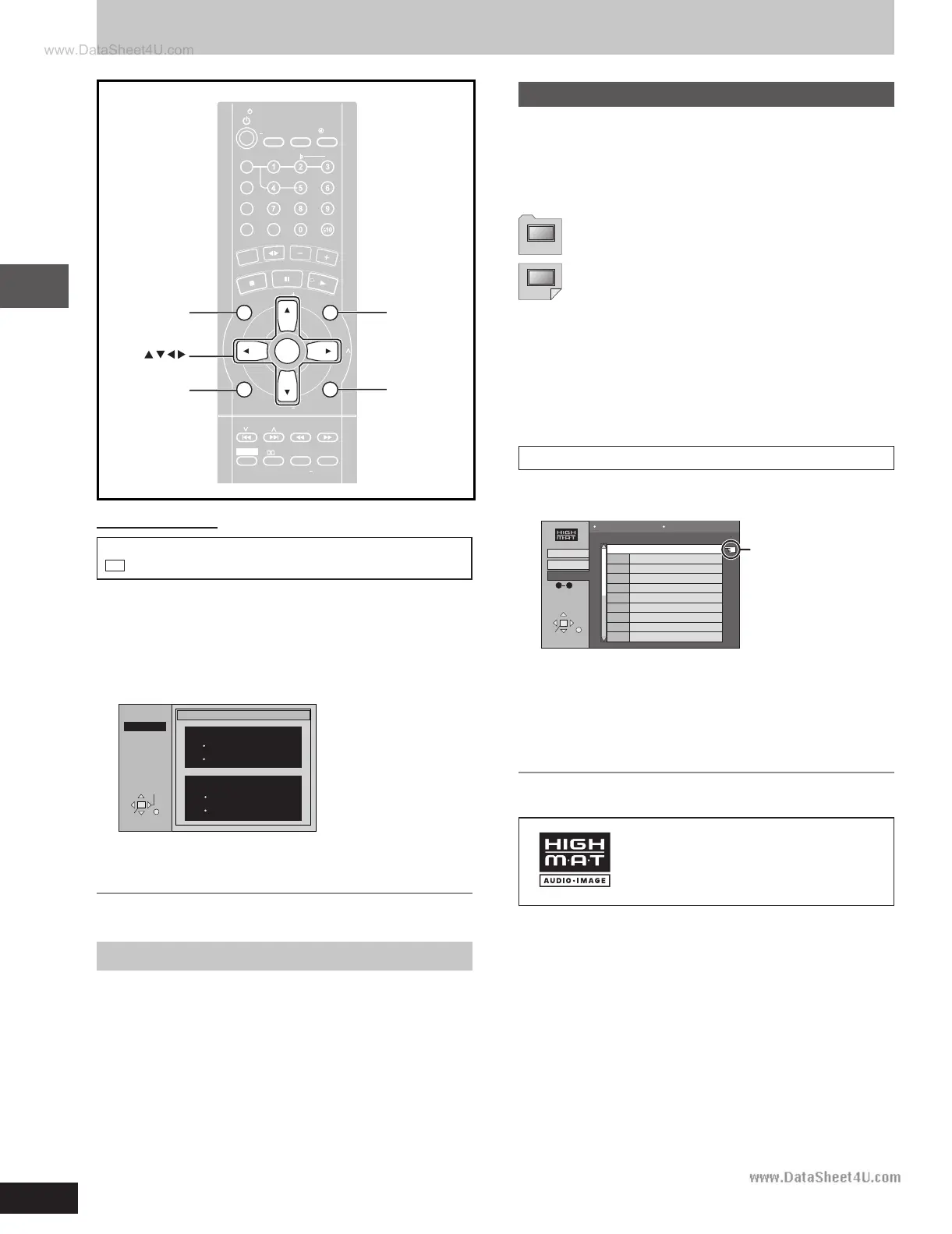
Press [
88
88
8,
99
99
9,
/ /
/ /
/,
--
--
-] to select then press [ENTER].
When you press [ENTER]:
•
To return to the menu screen
Press [TOP MENU].
•
To return to the menu above the current one
Press [RETURN].
•
To change the menu background
Press [GUI DISP].
The background changes to the one recorded on the disc.
Selecting from the lists
1 During play
Press [MENU].
Playlist
Group
Less and less
And when I was born
Quatre gymnopedies
You've made me sad
I can't quit him
Evening glory
Wheeling spin
Velvet Cuppermine
Ziggy Starfish
2
3
4
5
6
7
8
9
10
No Content title
SELECT
ENTER
RETURN
SELECT
NUMBER
09
All By Artist
Content
Group 1
Few times in summer
1
2 Press [
//
//
/] then [
88
88
8,
99
99
9] to switch between the play list,
group and content lists.
3 Press [
--
--
-] then [
88
88
8,
99
99
9] to select an item and press
[ENTER].
To exit the list screen
Press [RETURN].
Menu: Takes you to the next menu which shows
play lists or another menu
Play list: play starts
Indicates the
track currently
playing
HighMAT and the HighMAT logo are
either trademarks or registered
trademarks of Microsoft Corporation in
the United States and/or other countries.
WMA/MP3, CD text and JPEG navigation menus
ENTER
GUI DISP RETURN
MENU
PROGRAM
TV/VIDEO
SETUP
DIMMER
CSM
DISC
REPEA
T
GUI DISP
ENTER
RETURN
SLOW/SEARCH
ZOOM
QUICK REPLA
Y
SOUND EQ
S.SOUND EQ
S.WOOFER
S.SRND
PL
C
A
N
C
E
L
D
I
R
E
C
T
N
A
V
I
G
A
T
O
R
T
O
P
M
E
N
U
P
.
M
E
M
O
R
Y
D
V
D
/
C
D
P
L
A
Y
L
I
S
T
M
E
N
U
V
O
L
U
M
E
SHIFT
MANUAL
EQ
T
A
P
E
T
U
N
E
R
/
A
U
X
TV
VOL
TV
VOL
TV
CH
TV
CH
PAGE
GROUP
D.RE-MASTER
SLEEP
AUT
O OFF
CLOC
K /
T IMER
P L AY /
REC
SKIP
TV
ECHO
MUTING
V.MUTE
AUDIO
C.F
CH SEL
S.POS
TEST
MIX2CH
PLA
Y MODE
#
SUBTITLE
TOP MENU
Remote control only
To use the contents screen to find a track
CD
(CD text only)
You can use the text information recorded on these discs to find a
track to play.
1 While the menu is displayed
Press [
--
--
-] while a track is highlighted to display the
contents screen.
SELECT
ENTER RETURN
T 10 /14
MENU
Contents
Track 10 Title/Artist
Pink Island
Long John Platinum
Disc Title/Artist
SHIPWRECKED
ORIGINAL SOUNDTRACK
2 Press [
//
//
/,
--
--
-] to move through the tracks and press
[ENTER].
To return to the menu
Press [RETURN].
See page 4 for details about WMA, MP3, CD text and JPEG.
RQT7125(20-22)-3 5/27/03, 4:13 PM22







 To Next Page