
 Need help?
Do you have a question about the Panasonic SA-VK470EE and is the answer not in the manual?
Details the amplifier's output power and speaker specifications.
Covers FM/AM tuner capabilities, preset stations, and terminal types.
Information on the cassette deck's type, track system, heads, motor, and tape speed.
Specifies video system compatibility, output levels, and connector types.
Details USB standards, media file format support, and USB port power.
Lists playable disc types and media formats supported.
Provides power supply, consumption, dimensions, mass, and operating conditions.
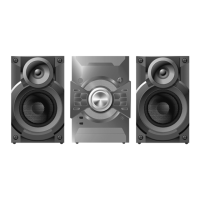
Identifies the system model name and speaker system details.
Provides general safety rules for servicing, including leakage current checks.
Procedure for checking cold leakage current using an ohmmeter.
Procedure for checking hot leakage current using an AC voltmeter.
Guidelines for safely discharging capacitors and performing repairs.
Explains the function and conditions for protection circuitry operation.
Lists critical safety parts and emphasizes using manufacturer-specified replacements.
Provides service cautions related to legal restrictions and lead-free solder usage.
Explains the composition and properties of lead-free solder.
Details precautions for handling the optical pickup unit to prevent ESD damage.
Describes worktable and human body grounding procedures for ESD prevention.
Explains the functions of the main unit's buttons and controls.
Details the functions of the remote control buttons for various operations.
Provides information on disc playability and compatible disc types.
Guides on connecting and playing audio from portable devices via the Music Port.
Information about DivX Video-on-Demand content, registration, and playback limitations.
Instructions for connecting and playing media files from USB devices.
Summarizes service modes for checking DVD and CR14 mechanism units.
Details service modes for checking DVD functions using button combinations.
Describes jitter check, error code display, and initial laser drive current setting.
Explains DVD and CD laser drive current measurement procedures.
Details micro-processor firmware version and EEPROM checksum display.
Describes DVD Module P.C.B. firmware version display and reset procedure.
Explains timer checks and resets for DVD laser, CD laser, and spindle motor.
Procedure for optical pickup self-diagnosis and checking laser drive current.
Details service modes for checking and unlocking the CR14 mechanism unit.
Explains reliability tests for mechanism open/close, playability, and combined cycles.
Lists error codes related to HDMI/DVI communication, attestation, and SRM.
Details error codes for tray loading, spindle servo, traverse servo, and tracking errors.
Lists error codes for abnormalities in power supply and digital amplifier circuits.
Details error codes related to USB device connection and overcurrent detection.
Lists error codes for CD/DVD changer mechanism faults like cam gear and tray assembly.
Details error codes for deck mechanism issues like motor abnormality and sensor faults.
Procedure for prohibiting disc removal and operation of the selector.
Procedure to cancel the sales demonstration lock function.
Steps for recovery processing after replacing FLASH ROM IC or DVD Module P.C.B.
Procedure for updating the DVD player firmware to improve quality and operability.
Process to initialize the unit after replacing FLASH ROM IC or DVD Module P.C.B.
General cautions for servicing, including component handling and screw types.
Visual guide for disassembling the unit and its internal parts.
Diagram showing the location of major components and printed circuit boards.
Step-by-step instructions for removing the top cabinet.
Procedure for removing the CR14 mechanism unit, including cable detachment.
Instructions for disassembling and removing the rear panel.
Steps for disassembling and removing the front panel unit.
Detailed procedure for disassembling various panel and LED circuit boards.
Instructions for removing the microphone circuit board.
Steps for disassembling the USB circuit board and bracket.
Procedure for removing the music port circuit board.
Instructions for removing the CD lid, including spring assembly.
Steps for disassembling the deck mechanism unit.
Procedure for desoldering wires and detaching cables from the deck PCB.
Instructions for removing pinch rollers, head block, and related components.
Detailed steps for replacing key belt and motor components in the deck mechanism.
Procedure for desoldering plunger terminals and removing the deck mechanism PCB.
Instructions for removing the cassette lid and its spring.
Guidance on how to remove a jammed cassette tape from the deck.
Steps for detaching cables and removing the D-Amp PCB.
Procedure for replacing the audio digital power amplifier IC, including heat sink handling.
Steps for detaching various cables and removing the main printed circuit board.
Instructions for detaching wires and removing the SMPS PCB.
Procedure for replacing the switch regulator IC on the SMPS PCB.
Steps for replacing the switch regulator diode on the SMPS PCB.
Procedure for replacing the regulator diode (D5801) on the SMPS PCB.
Steps for replacing the regulator diode (D5802) on the SMPS PCB.
Procedure for replacing the regulator diode (D5803) on the SMPS PCB.
Instructions for removing the AC inlet PCB, including cutting tie wraps.
Steps for removing the DVD module shield plate and PCB.
Procedure for disassembling the traverse unit assembly from the play position.
Steps for assembling the traverse unit, including FFC wire fixation.
Procedure for checking and repairing the main printed circuit board.
Guide for checking and repairing multiple circuit boards including panel and mic.
Procedure for checking and repairing the D-Amp printed circuit board.
Instructions for checking and repairing AC inlet and SMPS printed circuit boards.
Steps to check deck mechanism operation using a cassette tape and power supply.
Procedure for checking deck mechanism operation without a cassette tape.
Requirements and preparations for cassette deck measurements and adjustments.
Procedure for adjusting the tape speed during forward playback.
Steps to check the bias voltage using an electrical voltmeter and test tape.
Procedure to check the bias frequency using a digital frequency counter.
Table listing voltage measurements for various reference numbers on the DVD Module PCB.
Table detailing voltage measurements for different modes and reference numbers on the D-Amp PCB.
Voltage measurements for various reference numbers on the Main PCB in CD PLAY and STANDBY modes.
Voltage measurements for reference numbers on Panel, Mic, and Tact Switch PCBs.
Voltage measurements for reference numbers on Deck and Deck Mechanism PCBs.
Voltage measurements for reference numbers on the SMPS PCB.
Illustrations and descriptions of waveforms for various ICs during playback.
Block diagram illustrating the system control functions and interconnections.
Block diagram detailing the DVD servo system, including optical pickup and motor control.
Block diagram showing the DVD audio signal processing path.
Block diagram illustrating the video signal processing and output.
Block diagram of the deck mechanism, including tape transport and head switching.
Block diagram of the audio signal path, including pre-amplification and tone control.
Block diagram of the digital audio amplifier stage, including PWM modulation.
Block diagram illustrating the power supply circuits and regulators.
Detailed schematic of the DVD module, showing component interconnections.
Schematic diagram of the main circuit board, detailing signal paths.
Schematic for the panel, side bar LEDs, and associated circuitry.
Schematics for tact switches, music port, remote sensor, microphone, and USB circuits.
Schematic diagram of the deck circuit, including tape playback and recording paths.
Schematic diagram of the digital amplifier circuit.
Schematic diagram of the Switched-Mode Power Supply circuit.
Schematics for the deck mechanism control and AC inlet connections.
Layout diagram of the DVD Module P.C.B. (Side A and Side B).
Layout diagram of the Main P.C.B.
Layout diagrams for the Panel, Side Bar (L) LED, and Side Bar (R) LED P.C.B.s.
Layout diagrams for Tact Switch, Music Port, Remote Sensor, Mic, and USB P.C.B.s.
Layout diagrams for Deck, Deck Mechanism, and AC Inlet P.C.B.s.
Layout diagram of the D-Amp P.C.B.
Layout diagram of the SMPS P.C.B.
Checking procedures for F61/F76 errors related to SMPS, D-Amp, and Main P.C.B.
Detailed troubleshooting steps for specific symptoms like FL display blinking and power issues.
Identifies key components on the SMPS PCB for troubleshooting.
Highlights IC 5000, IC 5200, and Muting Circuit on the D-Amp PCB.
Table showing IC 5000 pin configuration for VK470EE model.
Identifies transistors and DC-DC converters on the Main PCB.
Troubleshooting common issues with the traverse unit and DVD module.
Troubleshooting steps for HDMI output problems like no display or color issues.
Detailed pin terminal functions for the IC System Control IC2801.
Pin terminal functions for the IC FL Driver IC6901.
Diagram showing the location of cabinet parts for assembly and disassembly.
Diagram illustrating the location of parts within the deck mechanism.
Diagram showing the packaging contents and arrangement of the product.
Comprehensive list of all components with part numbers, names, and remarks.
 General
| Number of Channels | 5.1 |
|---|---|
| CD Player | Yes |
| FM/AM Tuner | Yes |
| Bluetooth | No |
| USB Port | Yes |
| Type | Mini Hi-Fi System |
| Number of Discs | 5 |
| Playable Media | CD, CD-R/RW, MP3 |
| Outputs | Headphone |
| Audio formats supported | MP3 |
| Inputs | AUX |











 To Next Page