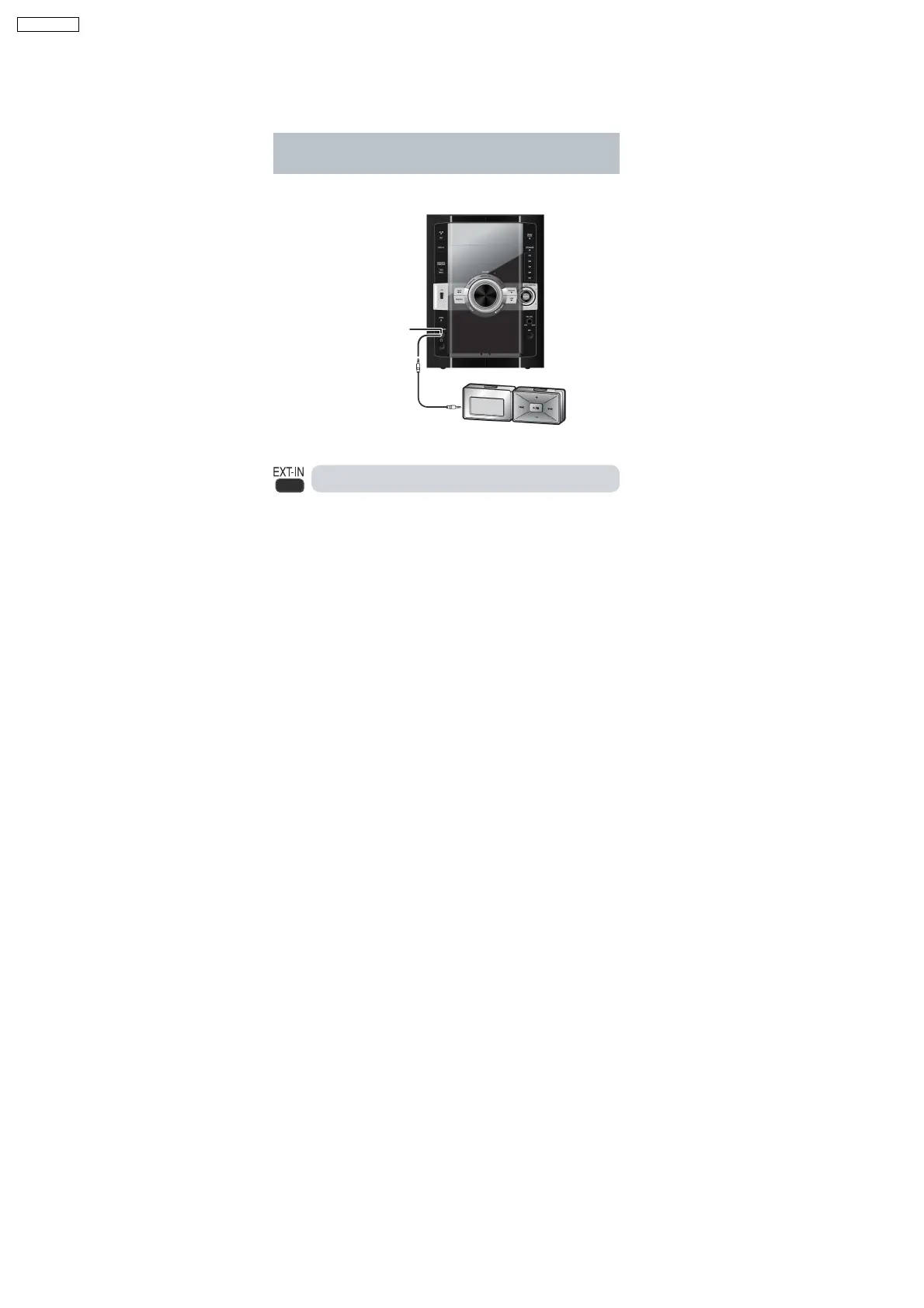
7.4. Using the Music Port
This feature enables you to enjoy music from a portable audio equipment.
Connecting to a portable audio equipment
This feature enables you to enjoy music from a portable audio
equipment.
Portable audio equipment
(not included)
Audio cord
(not included)
MUSIC PORT jack
Playing from a portable audio equipment
Switch off the equalizer function (if there is any) of the portable audio
equipment before you plug into the MUSIC PORT jack. Otherwise,
sound from the speaker may be distorted.
IMPORTANT
Reduce the volume of the main unit and the portable audio
equipment before you plug or unplug the equipment into the
MUSIC PORT jack.
1 Plug the audio cord into the MUSIC PORT jack and press
[EXT-IN] to select MUS IC PORT .
2 Play the portable audio equipment. (See the portable audio
equipment s instruction manual.)
18
SA-VK470EE



 To Next Page