EasyManua.ls Logo

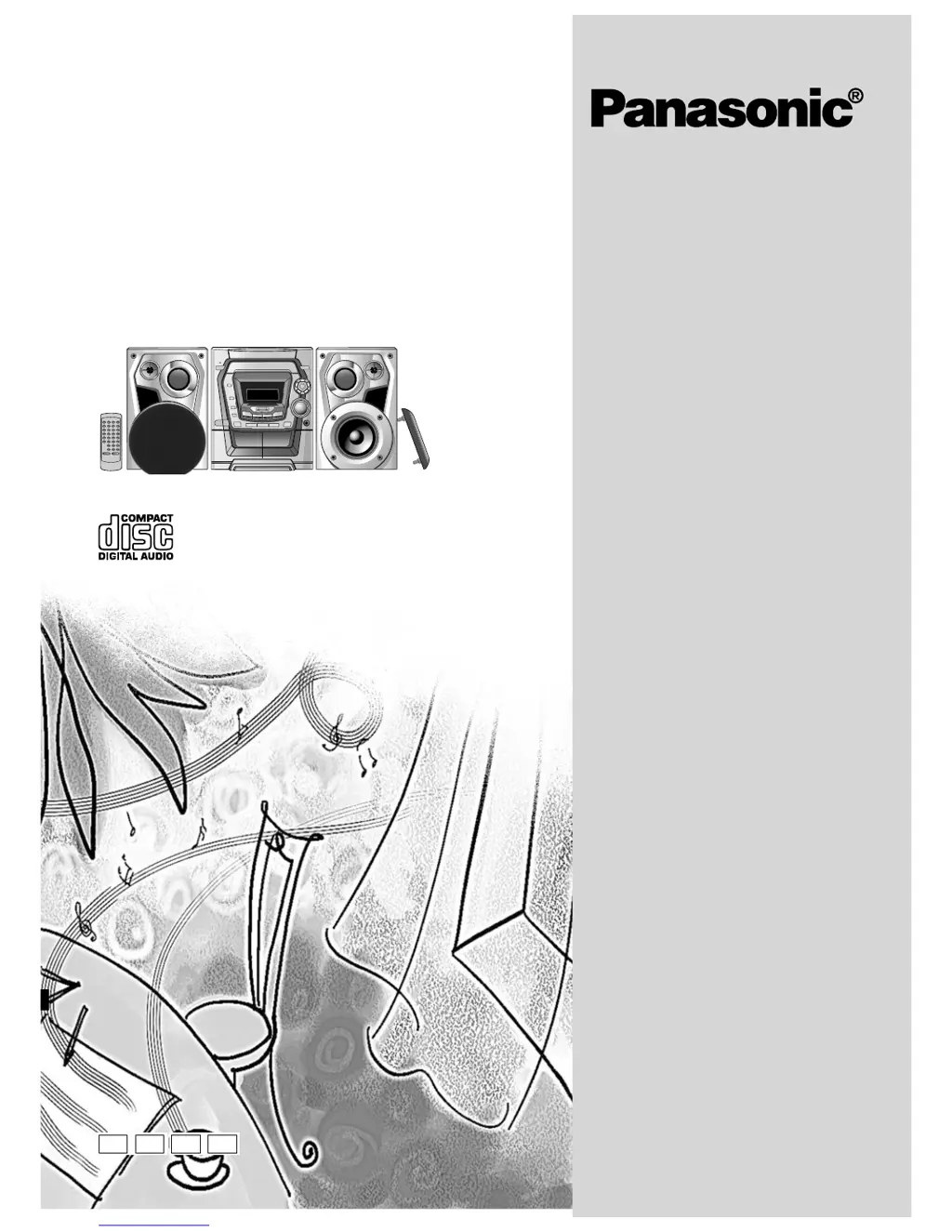
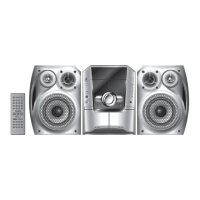
Panasonic SC-AK300 - User Manual

Panasonic SC-AK300
28 pages
Print Icon
To Next Page IconTo Next Page
Loading...
RQT6131-1B
CD Stereo System
Operating Instructions
Model No. SC-AK300
SC-AK200
Note:
“EB” on the packaging indicates the United
Kingdom.
Before connecting, operating or adjusting this pro-
duct, please read these instructions completely.
Please keep this manual for future reference.
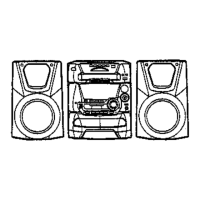
The illustrations show SC-AK300.
E EB EE GN

Questions and Answers

  • K
    Kimberly DillonJul 30, 2025
    How to fix a Panasonic SC-AK300 Stereo System remote control that is not working?
    • A
      Alicia HernandezJul 31, 2025
      If the remote control for your Panasonic Stereo System isn't working, first check if the batteries are inserted correctly. If they are, try replacing the batteries, as they may be worn out.
  • A
    Alexis HudsonAug 4, 2025
    How to improve poor sound quality or fix recording issues on a Panasonic Stereo System?
    • P
      phillipsjoshuaAug 5, 2025
      To address poor sound quality or the inability to record on your Panasonic Stereo System, clean the heads. If the erasure prevention tabs have been removed, cover the holes with adhesive tape.
  • S
    sarah40Aug 10, 2025
    Why does my Panasonic SC-AK300 Stereo System have no sound?
    • A
      anthonyhawkinsAug 10, 2025
      There are several potential reasons why your Panasonic Stereo System might have no sound or experience sound issues. It could be due to shorted speaker wires, speakers strained by excessive volume, or a hot environment. Try turning up the volume and then switching the unit off and back on after correcting the cause. Also, check the speaker connections and ensure that AC mains leads or fluorescent lights are not near the cables. Keep other appliances and cords away from the unit's cables. If you plugged in the mains lead for the first time or there was a recent power failure, set the time and check the speaker cords. If the problem persists, it may indicate a power supply issue, and you should consult a dealer.
  • T
    tallenAug 14, 2025
    What to do if my Panasonic SC-AK300 display is wrong or play won’t start?
    • J
      Jasmin DodsonAug 14, 2025
      If your Panasonic Stereo System's display is showing errors, play won't start, CD-RW discs can't be read, or the changer malfunctions, there are a few things you can try. Ensure the disc is not upside down and wipe it clean. If the disc is scratched, warped, or non-standard, replace it. If condensation has formed inside the unit due to a sudden temperature change, wait about an hour for it to clear. For discs that were incompletely formatted, use recording equipment to fully format them before recording. If there is a problem with the disc mechanism (possibly due to a power failure), the tray will open automatically; remove the disc, ensure the tray is empty, and then close it. The unit will make disc-changing noises and then should operate normally. Also, ensure that 1-SONG mode is off.
  • C
    Catherine Clark MDAug 20, 2025
    Why does my Panasonic SC-AK300 make noise or have distorted sound?
    • T
      Tammy TranAug 20, 2025
      If you are experiencing noise, a flickering stereo indicator, distorted sound, a beat sound, or a low hum during AM broadcasts with your Panasonic Stereo System, try using an outdoor antenna. Also, turn off any nearby TVs or separate them from the unit, and keep the antenna separated from other cables and cords.
  • J
    Jessica FlemingAug 25, 2025
    What to do if the TV picture disappears or stripes appear when using my Panasonic Stereo System?
    • G
      Geoffrey AvilaAug 25, 2025
      If the picture on your TV disappears or stripes appear on the screen when using your Panasonic Stereo System, it may be due to the antenna's location or orientation. If you're using an indoor antenna, switch to an outdoor antenna. Also, ensure the TV antenna wire is not too close to the unit; separate it.

Summary

Supplied Accessories

Safety Precautions

Unit Placement Guidelines

Instructions for positioning the unit to ensure proper ventilation and avoid damage.

Voltage and Power Source Safety

Warnings against using incorrect power sources to prevent fire hazards.

AC Mains Lead Protection

Guidelines for safe handling and connection of the power cord to prevent shock.

Foreign Matter and Liquid Precautions

Precautions against inserting metal objects or liquids into the unit.

Service and Repair Advice

Instructions on when to contact service personnel for repairs.

Caution for AC Mains Lead (UK)

Concerning the Remote Control

Battery Installation

Proper methods for inserting batteries to avoid damage and leakage.

Correct Remote Control Usage

Guidelines for aiming the remote and keeping sensors clean for optimal function.

Speaker Placement Recommendations

Advice on speaker positioning for the SC-AK300 and SC-AK200 models.

System Connections

Basic Connections for Supplied Accessories

Step-by-step guide for connecting antennas, speakers, and power.

Optional Antenna Connections

FM Outdoor Antenna Setup

Instructions for connecting an external FM antenna for better signal reception.

AM Outdoor Antenna Setup

Guidance on connecting an AM loop antenna for improved reception.

External Unit Connection

Connecting Analogue Equipment

How to connect external analogue audio players.

Connecting Digital Equipment

Instructions for connecting digital devices via optical cable.

Front Panel Controls (Main Unit)

Main Unit Controls Overview

Identifies and explains the functions of buttons and indicators on the main system unit.

Front Panel Controls (Remote)

Remote Control Overview

Details the functions of buttons on the remote control for operating the system.

Convenient Functions

Turning the Demo Function Off

How to disable the display demonstration mode when the unit is in standby.

Display Dimming

Adjusting the brightness of the unit's display for different viewing conditions.

Muting the Volume

Quickly lowering the volume using the mute function for interruptions.

Timer Settings

Auto-off Function

Automatically turns off the unit after a period of inactivity to save power.

Setting the Clock

How to set the 24-hour clock for accurate time display and timer functions.

Radio Operations

Listening to Radio Broadcasts

Steps for tuning into FM and AM radio stations, adjusting volume, and using auto-tuning.

RDS Broadcasting Information

How to display radio text data (PS, PTY) transmitted via RDS signals.

FM Mono Reception

How to switch to mono reception for improved sound quality in weak FM signals.

Presetting Radio Broadcasts

Automatic Presetting

Automatically scans and stores all receivable radio stations.

Manual Presetting

Manually selects and stores desired radio stations into memory channels.

Selecting Preset Channels

How to recall preset radio stations using numeric buttons or play mode.

Compact Disc Operations

About Compact Discs

Information on compatible CD types and precautions for handling, cleaning, and storage.

Handling and Storage Precautions

Guidelines to prevent disc damage from environmental factors and improper handling.

Preventing Disc and Unit Damage

Tips to avoid damage to the unit and discs during playback and changing.

Listening to Compact Discs

Playing a Disc

Steps to insert, select, and play CDs, including one-touch play and track navigation.

Disc Playback Controls

Explains how to stop, pause, search, and skip tracks during CD playback.

Compact Disc Program Play

Program Play Function

How to program a sequence of tracks from one or more CDs for custom playback.

Compact Disc Play Modes and Repeat

CD Play Mode Function

Selecting specific playback modes like All-Disc, 1-Song, or Random play.

Repeat Play Functionality

How to set the unit to repeat a single track, disc, or all discs.

CD Display Options

How to switch the display between elapsed and remaining track playtime.

Compact Disc Direct Access and Display

Direct Access Play

How to select and play a specific track number directly from any loaded CD.

Repeat Play Activation

Instructions on how to activate and deactivate repeat play for tracks or discs.

CD Display Options

How to switch the display between elapsed and remaining track playtime.

Cassette Deck Operations

Listening to Tapes

Steps for inserting tapes, starting playback, stopping, and adjusting volume for both decks.

Tape Control Functions

Using fast-forward, rewind, and changing the active cassette deck.

Recording Operations

Before Recording (Deck 2)

Information on tape types, preventing recording, and preparing the deck.

Erasure Prevention

How to remove tabs to prevent accidental overwriting of tapes.

Recording from Sources

Recording from Compact Discs

Steps to record selected tracks or entire discs from CDs onto cassette tapes.

Recording from Radio Broadcasts

How to record radio stations onto cassette tapes, including stopping and resuming.

AM Recording Noise Reduction

Using the Beat Proof function to reduce noise during AM radio recording.

Tape-to-Tape Recording

Tape-to-Tape Recording Procedure

Instructions for copying cassette tapes from one deck to another.

Sound Quality Operations

Built-in Sound Quality Settings

How to select preset EQ modes (Heavy, Soft, Clear, Vocal) for different music genres.

Enhancing Sound Quality

Using the Super Sound EQ feature to boost bass and treble effects.

Timer Operations

Play;Record Timer Setup

Setting the unit to automatically play music or record radio at a specific time.

Setting Timer ON;OFF Times

How to define the start and finish times for the play or record timer functions.

Timer Operation Details

Checking Timer Settings

How to verify the set timer parameters (start time, source, volume).

Using Timer with Desired Source

Steps to ensure the correct source is selected and ready for timer operation.

Sleep Timer Function

Sleep Timer Functionality

Setting the system to automatically turn off after a specified listening period.

Reference Section

Using an External Audio Unit

How to connect and play audio from an external source via the AUX input.

Recording from External Sources

Steps to record audio from an external source onto a cassette tape.

Listening with Headphones

How to connect headphones and adjust volume for private listening.

Troubleshooting Guide

Common Problems and Solutions

Lists common issues like no sound, distorted sound, or display errors with their causes and fixes.

Radio Troubleshooting

Specific checks for radio reception issues like noise or stereo indicator problems.

Cassette Deck and Disc Playback Issues

Solutions for poor sound quality, recording failures, and disc playback errors.

Maintenance and Cleaning

Unit Cleaning and Care

Instructions for cleaning the unit's exterior and audio heads for optimal performance.

Specifications

Amplifier, Cassette Deck, and Speaker Specs

Detailed technical specifications for the amplifier, cassette deck, and speaker systems.

CD and Tuner Section Specifications

Technical details for the CD player and FM/AM tuner sections, including power consumption.

Safety and Precautions

Laser Safety Warning

Cautions regarding laser product safety, avoiding exposure, and servicing.

General Installation and Usage Warnings

Warnings about ventilation, flame sources, battery disposal, and environmental conditions.

Panasonic SC-AK300 Specifications

General IconGeneral
BrandPanasonic
ModelSC-AK300
CategoryStereo System
LanguageEnglish

Related product manuals