EasyManua.ls Logo

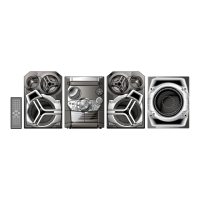
Panasonic SC-AK321 - User Manual

Panasonic SC-AK321
40 pages
Print Icon
To Next Page IconTo Next Page
Loading...
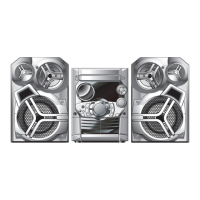
CD Stereo System
Operating Instructions
Model No. SC-AK321
Before connecting, operating or adjusting this product, please read these
instructions completely.
Please keep this manual for future reference.
: For areas using power supply of 120 V.
: For areas using power supply of 110/127/220-230/240 V.
PL
GCP
RQT7340-2M
G1103TS2034
GCPPL
En Sp

Table of Contents

Questions and Answers

  • T
    Traci PhillipsAug 1, 2025
    What to do if my Panasonic Stereo System displays 'TAKE OUT/DISC'?
    • J
      James UnderwoodAug 1, 2025
      If your Panasonic Stereo System displays 'TAKE OUT/DISC', it indicates a problem with the disc mechanism. Remove the disc from the tray. Ensure there is no disc in the tray, then close it.
  • J
    Julie SextonAug 8, 2025
    Why does my Panasonic SC-AK321 sound stop?
    • D
      Danielle BrightAug 8, 2025
      Sound from your Panasonic Stereo System might stop for several reasons. First, ensure the volume isn't too low. Also, check the speaker connections and cords; incorrect connections can cause this issue. Keep the unit's cables away from AC power cords and fluorescent lights. If the problem persists and there is a power supply issue, consult the dealer. If you plugged in the AC power cord for the first time or there was a recent power failure, set the time. If the positive and negative speaker wires are shorting, or the speakers are strained due to excessive volume or power, switch off the unit, correct the cause, and then switch it back on. If an incorrect operation was performed, read the instructions and try again.
  • M
    maryjoyceAug 15, 2025
    Why does Panasonic SC-AK321 Stereo System display lights up continuously?
    • T
      taylorgarciaAug 15, 2025
      If, although your Panasonic Stereo System is in standby mode, the display lights up and changes continuously, turn off the demo function. Setting the clock will automatically turn off the demo function.
  • B
    Billy WilliamsAug 23, 2025
    What does 'VBR–' mean on Panasonic Stereo System?
    • C
      Cory CampbellAug 23, 2025
      The unit cannot display the remaining play time for variable bit rate (VBR) tracks.

Summary

Critical Safety Information

Electrical Safety and Fire Prevention

Covers hazards related to electricity and fire.

Ventilation and Environmental Safety

Guidelines for unit placement and battery disposal.

CD and MP3 Disc Handling

CD Usage and Damage Prevention

Guidelines for handling CDs to avoid damage.

Connecting the System

Speaker and Power Cord Connections

How to connect speakers and the power supply.

System Control Interfaces

Main Unit Front Panel Controls

Detailed descriptions of buttons on the stereo unit.

Remote Control Button Functions

Explanations of the remote control's operational buttons.

CD Playback Basics

Standard CD Play and Control

How to play, pause, stop, and search CD tracks.

Advanced CD Playback Techniques

Program Play for Track Sequencing

Creating custom playback order for tracks.

MP3 Specific Play Modes

Modes tailored for playing MP3 files on discs.

Title Search and Track Selection

Album and Track Title Searching

Using keywords to find music titles.

Track Marking and Radio Tuning

Radio Station Presets and Tuning

Storing and selecting radio stations.

Cassette Tape Operations

Cassette Playback Guide

Instructions for inserting and playing tapes.

Timer and Scheduling Functions

Problem Solving and Maintenance

Troubleshooting Common Issues

Diagnosing and resolving system malfunctions.

System Specifications

Panasonic SC-AK321 Specifications

General IconGeneral
BluetoothNo
CD PlayerYes
FM RadioYes
USB PortNo
Number of Discs1
Tuner BandsFM
Cassette DeckNo
Speakers2
TypeMini System
Speaker Configuration2.0

Related product manuals