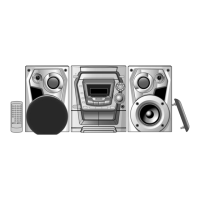
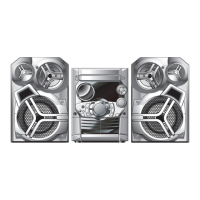
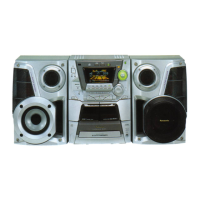
This document provides operating instructions for the Panasonic CD Stereo System, Model Nos. SC-AK340, SC-AK343, and SC-AK240. The system features a compact disc player, a cassette deck, and an AM/FM tuner, designed for home audio entertainment.
General Features
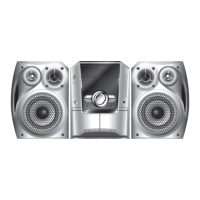
The system is designed for ease of use, with most operations controllable via a remote control. Illustrations in the manual primarily depict the SC-AK340 model for the U.S.A. and Canada, but operations are generally consistent across models where controls are the same. The unit is ENERGY STAR® certified, indicating it meets guidelines for energy efficiency.
Important Safety Instructions
The device utilizes a laser, and users are cautioned against opening covers or attempting repairs themselves due to hazardous radiation exposure. It is also warned against exposure to rain, moisture, dripping, or splashing liquids, and objects filled with liquids should not be placed on the apparatus. Proper ventilation is crucial to prevent electric shock or fire hazards from overheating, ensuring that curtains or other materials do not obstruct the ventilation vents. The socket outlet should be easily accessible.
The manual emphasizes protecting the power cord, using only manufacturer-specified attachments and accessories, and exercising caution when moving the unit with a cart to avoid tip-over. It also advises unplugging the apparatus during lightning storms or when unused for long periods. Servicing by qualified personnel is required if the apparatus is damaged in any way, including issues with the power-supply cord, liquid spills, fallen objects, exposure to rain or moisture, abnormal operation, or if it has been dropped.
For disposal outside the European Union, users are advised to contact local authorities or dealers for the correct method.
Supplied Accessories
The system comes with:
- 1 x AC power supply cord (K2CB2CB00018)
- 2 x Remote control batteries
- 1 x FM indoor antenna (RSA0006-L)
- 1 x AM loop antenna (N1DAAAA00001)
- 1 x Remote Control (Silver N2QAHB000065 for AK340/AK240; Black N2QAYB000028 for AK343, U.S.A. only)
Speaker Placement
For the SC-AK340 and SC-AK343 models, the front speakers should be placed with the tweeter on the inside. For the SC-AK240, speakers are designed identically, so left or right channel orientation is not necessary. Only the supplied speakers should be used, as using other speakers can damage the unit and negatively affect sound quality. Speakers should be kept at least 10mm (13/32") away from the system for proper ventilation and should not be placed near televisions, personal computers, or other devices sensitive to magnetism, as they are not magnetically shielded. Prolonged high-volume playback or distorted sound can damage speakers. Speakers should not be attached to walls or ceilings.
Overview of Controls (Main Unit)
- AC supply indicator [AC IN]: Lights when connected to AC power.
- Standby/on switch [/I, POWER]: Switches unit between on and standby.
- Multiple discs change: For disc management.
- Display panel: Shows system information.
- Volume control: Adjusts sound level.
- Tuner/Band selection: Selects FM/AM tuner and band.
- Music port selection: Selects the music port input.
- Music port jack: Input for external audio devices.
- Deck 1 open: Opens cassette deck 1.
- Disc skip/search, tape fast-forward/rewind, tune/preset channel selection, time adjustment: Multi-function control.
- Record: Initiates recording.
- Display, demonstration: Toggles display modes and demo function.
- H.BASS selection: Enhances bass sound.
- Deck 1 cassette holder: Holds cassette for deck 1.
- Remote control signal sensor: Receives signals from the remote.
- Disc trays: Holds CDs.
- Disc tray open/close: Opens/closes disc trays.
- Single disc change: Changes a single disc.
- Disc direct play: Plays a specific disc directly.
- Disc play/pause: Plays or pauses disc playback.
- Headphone jack (PHONES): For headphone connection (3.5 mm stereo).
- Tape play: Initiates tape playback.
- Deck 2 open: Opens cassette deck 2.
- Stop: Stops playback/recording.
- Deck selection: Selects cassette deck.
- Deck 2 cassette holder: Holds cassette for deck 2.
Overview of Controls (Remote Control)
- Dimmer, Play timer/record timer: Adjusts display brightness and sets timers.
- Sleep timer, Auto off: Sets sleep timer and auto-off function.
- Clock/timer: Sets clock and timers.
- Disc: Selects disc functions.
- Program: Programs tracks.
- Numeric, characters: For direct input and selection.
- Play mode: Selects playback modes.
- Repeat: Repeats tracks/discs.
- Delete: Deletes programmed tracks.
- Stop/program clear: Stops playback and clears programs.
- Disc skip/search, tape fast-forward/rewind, tune/preset channel selection, time adjustment, cursor: Multi-function control.
- Album selection: Selects albums.
- Enter: Confirms selections.
- Intro selection: Initiates intro scan.
- Marker memory/recall: Marks and recalls favorite tracks.
- Title search: Searches for titles.
- Display: Toggles display modes.
- Muting: Mutes sound.
- Preset EQ: Selects preset equalizer settings.
Basic Playback (Discs)
To play a disc:
- Press [스, OPEN/CLOSE] on the main unit to open the tray.
- Load a disc with the label facing up.
- Press [스, OPEN/CLOSE] to close the tray.
- Press [/II, CD] to start play, or press [DISC] and then [1]~[5] to select another loaded disc.
Playback modes include:
- 1-DISC: Plays one selected disc.
- 1-DISC RANDOM: Plays one selected disc randomly.
- ALL-DISC: Plays all loaded discs in succession.
- ALL-DISC RANDOM: Plays all loaded discs randomly.
- 1-SONG (CD): Plays one selected track on the selected disc.
- 1-SONG (MP3/WMA): Plays one selected track on the selected disc, allowing album selection.
- 1-ALBUM (MP3/WMA): Plays one selected album on the selected disc.
- 1-ALBUM RANDOM (MP3/WMA): Plays all tracks in one selected album randomly.
Advanced Playback (Discs)
Program Play: Allows programming up to 24 tracks.
- Press [/II, CD] and then [■, CLEAR].
- Press [PROGRAM].
- Select disc and track using numeric buttons.
- Repeat to program more tracks.
- Press [/II, CD] to start play.
Changing Multiple Discs (MULTI CHANGE):
- Press [스, MULTI CHANGE] to open trays.
- Press the button repeatedly to check and change discs.
Changing a Single Disc (SINGLE CHANGE):
- Press [스, SINGLE CHANGE].
- Press [1~5] to select the desired tray.
- Change the disc.
- Press [스, SINGLE CHANGE] again to close the tray.
Checking Track Information: Press [DISPLAY] during play or pause to view elapsed time, remaining time, artist, track, and album names (for MP3/WMA).
Album/Track Title Search:
- Press [/II, CD] and then [■, CLEAR].
- Press [TITLE SEARCH] once for album title search, twice for track title search.
- Use numeric buttons and [CURSOR →] to enter characters (up to 8).
- Press [ENTER] to search.
- Press [/II, CD] to start play from the found album/track.
Repeat Play: Press [REPEAT] to repeat program play or other selected play mode.
Marking a Track: During play, press and hold [MARKER] until "STORING" blinks to mark a favorite track. Press [MARKER] during play or stop mode to recall and play a marked track.
Album Scan (MP3/WMA only): Press [INTRO] to listen to the first 10 seconds of each track in all albums on the current disc.
Cassette Tape – Play and Record
Basic Playback:
- Press [, TAPE].
- Press [▲ OPEN] for DECK 1 or [OPEN ▲] for DECK 2 and insert the cassette with the side to be played facing towards you and the exposed tape facing down.
- Press [, TAPE] to start play.
Recording:
- Press [OPEN ▲] for DECK 2 and insert the cassette to be recorded.
- Select the source (radio or disc).
- Press [, REC] to start recording.
Tape-to-Tape Recording:
- Press [, TAPE] and then [■, STOP].
- Press [OPEN] for DECK 1 and insert the cassette to record.
- Press [, REC] to start recording.
Erasure Prevention: Remove the tabs on the cassette to prevent accidental recording. To re-record, cover the holes with adhesive tape.
Radio
Manual Tuning:
- Press [TUNER, BAND] to select “FM” or “AM”.
- Press [PLAY MODE] to select “MANUAL”.
- Press [◄◄, REW/V] or [►►, ∧/FF] to select the frequency.
Automatic Presetting:
- Tune to the frequency where pre-setting is to begin.
- Press and hold [PROGRAM] to start presetting. The tuner will preset all receivable stations in ascending order.
Manual Presetting:
- Press [PLAY MODE] to select “MANUAL”.
- Tune to the desired station.
- Press [PROGRAM].
- Press numeric buttons to select a channel.
FM Allocation Setting: The system can receive FM broadcasts in 0.1 MHz steps. To change the step, press and hold [TUNER, BAND].
Improving FM Sound Quality: Press and hold [PLAY MODE] to display "MONO" for monaural reception.
Timer
Setting the Clock:
- Press [CLOCK/TIMER] to select "CLOCK".
- Use [◄◄, REW/V] or [►►, ∧/FF] to set the time.
- Press [CLOCK/TIMER] to confirm.
Using Play or Record Timer:
- Press [CLOCK/TIMER] to select "PLAY" (for play timer) or "REC" (for record timer).
- Use [◄◄, REW/V] or [►►, ∧/FF] to set the starting time.
- Press [CLOCK/TIMER] to confirm.
- Repeat steps 2-3 for the finishing time.
- Press and hold [-PLAY/REC] to activate the timer.
- Press [] to turn off the unit. The unit must be off for timers to operate.
Sleep Timer: Press [SLEEP] repeatedly to select desired time (30, 60, 90, 120 minutes) or "SLEEP OFF". The sleep timer turns off the unit automatically after the set time.
Sound Adjustment
Selecting Sound Effects (Preset EQ): Press [PRESET EQ] repeatedly to select settings like HEAVY, SOFT, CLEAR, VOCAL, DISCO, LIVE, HALL, or FLAT (off).
Enhancing Bass Sound: Press [H.BASS] to activate or deactivate bass enhancement.
External Unit
Connecting to a Portable Audio Equipment:
- Plug an audio cord (not included) into the MUSIC PORT jack.
- Press [MUSIC P.].
- Play the portable audio equipment.
Recording from a Portable Audio Equipment:
- Press [MUSIC P.].
- Play the portable audio equipment.
- Press [, REC] on the main unit to start recording.
Maintenance
Cleaning Surfaces: Wipe with a soft, dry cloth. Avoid alcohol, paint thinner, or benzine.
Cleaning Cassette Deck Heads: Clean regularly with a cleaning tape (not included) for good quality playback and recording.
Moving the Unit:
- Remove all discs.
- Press [/I, POWER] to turn off the unit.
- Disconnect the AC power supply cord.
Troubleshooting Guide
The manual provides a comprehensive troubleshooting guide for common problems, including no sound, humming, display errors, radio noise, poor cassette sound, and disc playback issues. It also details how to perform a memory reset (initialization) by disconnecting the AC power cord, then reconnecting it while holding [/I, POWER] on the main unit.
Technical Specifications
Amplifier Section (SC-AK340/AK343):
- FTC Output power (THD 10%, both channels driven):
- 50 Hz to 3 kHz (Low channel): 81 W per channel (3Ω) for AK340, 77 W per channel (3Ω) for AK343.
- 3 kHz to 12 kHz (High channel): 81 W per channel (3Ω) for AK340, 77 W per channel (3Ω) for AK343.
- Total FTC Bi-Amp power: 324 W for AK340, 308 W for AK343.
- RMS Output power (THD 10%, both channels driven):
- 1 kHz (Low channel): 105 W per channel (3Ω) for AK340, 100 W per channel (3Ω) for AK343.
- 10 kHz (High channel): 105 W per channel (3Ω) for AK340, 100 W per channel (3Ω) for AK343.
- Total Bi-Amp power: 420 W for AK340, 400 W for AK343.
Amplifier Section (SC-AK240):
- FTC Output power (THD 10%, both channels driven): 90 W per channel (3Ω).
- Total FTC power: 180 W.
- RMS Output power (THD 10%, both channels driven): 115 W per channel (3Ω).
- Total output power: 230 W.
Cassette Deck Section:
- Track system: 4 track, 2 channel.
- Heads: Solid permalloy head (record/playback), Double gap ferrite head (erasure).
- Motor: DC servo motor.
- Recording system: AC bias 100 kHz.
- Erase system: AC erase 100 kHz.
- Tape speed: 4.8 cm/s (1 7/8 ips).
- Overall frequency response (+3 dB, -6 dB) at DECK OUT (NORMAL): 35 Hz to 14 kHz.
- S/N Ratio: 50 dB (A weighted).
- Wow and flutter: 0.18% (WRMS).
- Fast forward and rewind time: Approx. 120 seconds with C-60 cassette tape.
Disc Section:
- Disc played: 8 cm (3") or 12 cm (5") CD-Audio (CD-DA), CD-R/RW (CD-DA, MP3, WMA formatted disc), MP3/WMA.
- Bit rate (MP3, WMA): 32 kbps to 320 kbps.
- Sampling frequency (MP3/WMA): 32 kHz, 44.1 kHz, 48 kHz.
- Sampling frequency (CD-DA): 44.1 kHz.
- Decoding: 16 bit linear.
- Digital filter: 8 fs.
- D/A converter: MASH (1 bit DAC).
- Pick up (Wavelength): 780 nm.
- Pick up (Beam Source): Semiconductor laser.
- Audio output (Disc) Number of channels: 2 (Stereo) (FL, FR).
Speaker Section (SC-AK340/AK343):
- Type: 3 way, 3 speaker system (Bass reflex).
- Speaker(s): Woofer (16 cm (6 1/2") cone type), Tweeter (6 cm (2 3/8") cone type), Super tweeter (Piezo type).
- Impedance: HIGH 3Ω, LOW 3Ω.
- Input power (IEC): HIGH 110 W (Max), LOW 110 W (Max).
- Output sound pressure level: 83 dB/W (1.0 m).
- Cross over frequency: 2.6 kHz, 10 kHz.
- Frequency range: 37 Hz to 23 kHz (-16 dB), 44 Hz to 22 kHz (-10 dB).
- Dimensions (WxHxD): 247 x 330 x 221 mm (9 23/32" x 13" x 8 11/16").
- Mass: 3.0 kg (6.6 lb.).
Speaker Section (SC-AK240):
- Type: 2 way, 2 speaker system (Bass reflex).
- Speaker(s): Woofer (16 cm (6 1/2") cone type), Tweeter (6 cm (2 3/8") cone type).
- Impedance: 3Ω.
- Input power (IEC): 115 W (Max).
- Output sound pressure level: 83 dB/W (1.0 m).
- Cross over frequency: 4 kHz.
- Frequency range: 38 Hz to 28 kHz (-16 dB), 55 Hz to 26 kHz (-10 dB).
- Dimensions (WxHxD): 220 x 330 x 208 mm (8 21/32" x 13" x 8 3/16").
- Mass: 2.8 kg (6.2 lb.).
FM/AM Tuner, Terminals Section:
- Preset station: FM 15 stations, AM 15 stations.
- Frequency Modulation (FM) Frequency range: 87.9 to 107.9 MHz (200 kHz step), 87.5 to 108.0 MHz (100 kHz step).
- Sensitivity: 4.0 µV (IHF).
- S/N 26 dB: 2.2 µV.
- Antenna terminal(s): 75Ω (unbalanced).
- Amplitude Modulation (AM) Frequency range: 520 to 1710 kHz (10 kHz step).
- Sensitivity (S/N 20 dB at 1000 kHz): 560 µV/m.
- Music Port input jack (Terminal): Stereo, 3.5 mm (1/8") jack.
- Music Port input jack (Sensitivity): 100 mV, 4.7 KΩ.
- Phone jack (Terminal): Stereo, 3.5 mm (1/8") jack.
General:
- Power supply: AC 120 V, 60 Hz.
- Power consumption: 125 W for AK340/AK343, 100 W for AK240.
- Dimensions (WxHxD): 250 x 330 x 343 mm (9 27/32" x 13" x 13 1/2").
- Mass: 6.6 kg (14.6 lb.).
- Operating temperature range: +5 to +35 °C (+41 to +95°F).
- Operating humidity range: 5 to 90% RH (no condensation).
- Power consumption in standby mode: 0.28 W.

 Need help?
 General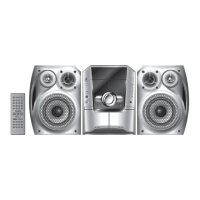





 To Next Page