EasyManua.ls Logo

Panasonic SC-AK410 - User Manual

Panasonic SC-AK410
20 pages
Print Icon
To Next Page IconTo Next Page
Loading...
RQT6699-B
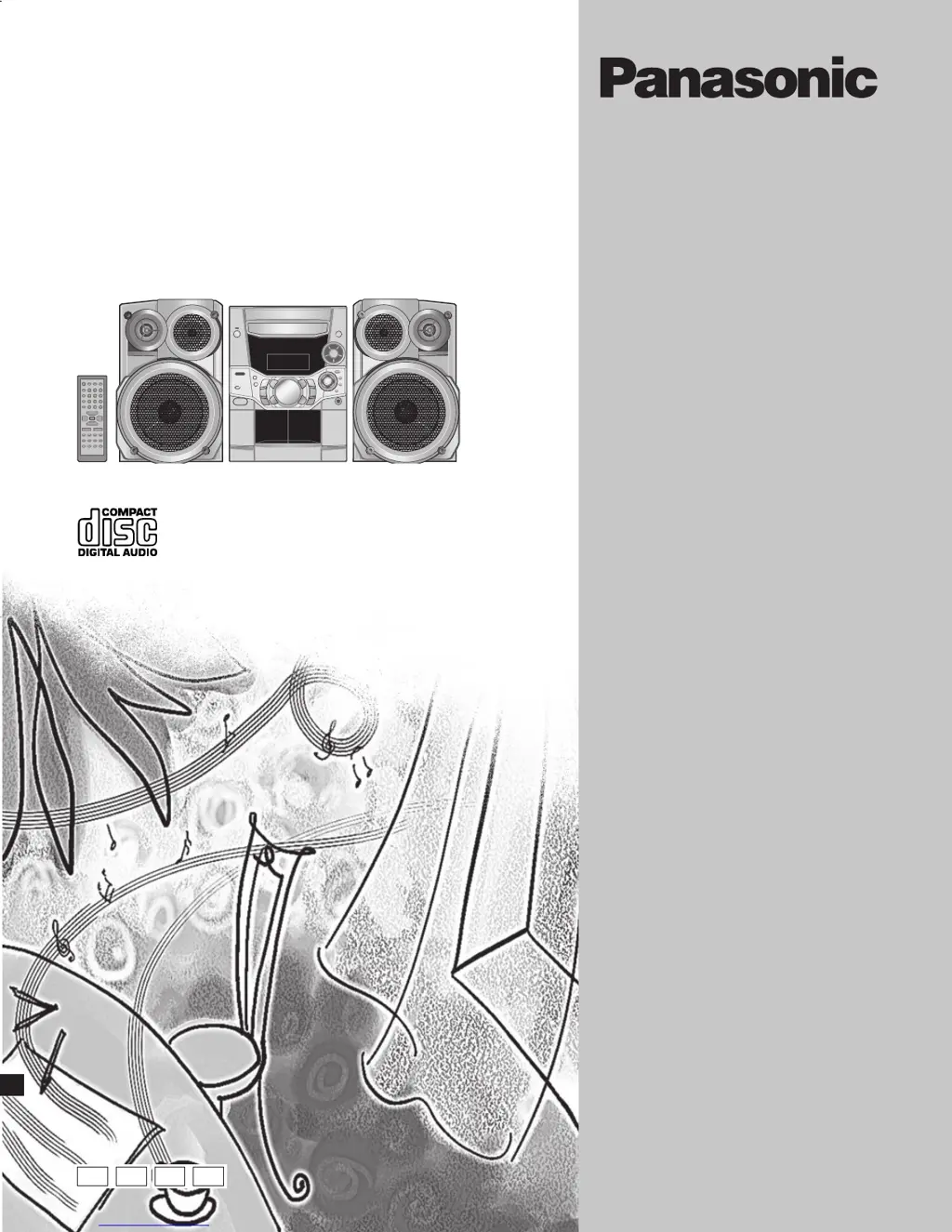
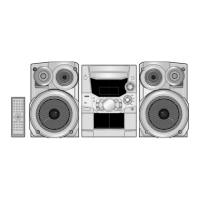
CD Stereo System
Operating Instructions
Model No. SC-AK410
Note:
“EB” on the packaging indicates the United
Kingdom.
Before connecting, operating or adjusting this pro-
duct, please read these instructions completely.
Please keep this manual for future reference.
E EB EE GN
01 SC-AK410 E.EB [En] German 1/16/03, 5:18 PM1

Questions and Answers

  • R
    Rebecca WilliamsonJul 30, 2025
    Why isn't my Panasonic Stereo System remote control working?
    • A
      Albert HenryJul 30, 2025
      If the remote control for your Panasonic Stereo System isn’t working, first, check that the batteries are inserted correctly. If they are, replace the batteries, as they may be worn.
  • K
    kathyblakeAug 4, 2025
    What to do if my Panasonic SC-AK410 has no sound or displays an error?
    • K
      Kayla ClarkAug 4, 2025
      If your Panasonic Stereo System produces no sound, the sound stops, is unfixed, reversed, or only comes from one speaker, or if you hear humming during play, or if the display shows “ERROR”, “– –:– –” at standby, or “F61”, try the following: Turn the volume up. Then, switch off the unit, determine and correct the cause, then switch the unit on. Causes include shorting of the positive and negative speaker wires, straining of the speakers through excessive volume or power, and using the unit in a hot environment. Also, check the speaker connections and set the time. If problems persist, consult the dealer.
  • D
    darlene70Aug 10, 2025
    What to do if my Panasonic Stereo System display is wrong or play won't start?
    • G
      Gregory MorganAug 10, 2025
      If your Panasonic Stereo System display is wrong, play won’t start, the number of tracks displayed differs, unusual sound is heard, CD-RW cannot be read, “VBR–” is displayed, or “TAKE OUT/DISC” appears, try these steps: * Wipe the disc if it is upside down. * Replace the disc if it is scratched or its data is defective. * Wait about an hour for condensation to clear if it has formed inside the unit. * Use recording equipment to fully format the disc if it was incompletely formatted. * Remove the disc from the tray, ensure there is no disc, and close it.
  • C
    Cheryl BrownAug 14, 2025
    How to fix poor quality sound or recording issues on my Panasonic SC-AK410 Stereo System?
    • M
      Michelle JacobsonAug 14, 2025
      To improve poor quality sound or if recording is not possible on your Panasonic Stereo System, try cleaning the heads. Also, if the erasure prevention tabs have been removed, cover the holes with adhesive tape.
  • C
    Christine ReedAug 19, 2025
    How to eliminate noise or distorted sound on my Panasonic SC-AK410 Stereo System?
    • T
      Tamara WilliamsAug 19, 2025
      If you are experiencing noise, a flickering or unlit stereo indicator, distorted sound, a beat sound, or a low hum during AM broadcasts on your Panasonic Stereo System, try the following: * Use an outdoor antenna. * Turn the TV off or separate it from the unit. * Separate the antenna from other cables and cords.
  • A
    Amanda OdonnellAug 25, 2025
    What to do if the TV picture disappears when using my Panasonic SC-AK410 Stereo System?
    • S
      Scott MartinezAug 26, 2025
      If the picture on your TV disappears or stripes appear on the screen when using your Panasonic Stereo System, it may be due to the antenna's location and orientation. If you are using an indoor antenna, switch to an outdoor antenna. Additionally, separate the antenna wire of the TV set from the unit.

Summary

Caution for AC Mains Lead

Safety precautions

AC mains lead protection

Instructions for safe handling and protection of the power cord to prevent fire or shock.

Service

Advice on when to seek professional repair and avoiding self-servicing.

The remote control

Set-up

AC mains lead connection

Instructions for connecting the AC mains lead, with specific cautions for the UK.

Front panel controls

Main unit controls

Identification and function of controls located on the main unit's front panel.

Center console controls

Identification and function of controls located on the center console of the unit.

Remote control buttons

Description and function of various buttons on the remote control.

CDs

CD selection and handling

Guidelines for selecting and handling CDs, including what to avoid to prevent damage.

CD Play Mode function

Program play

How discs with MP3 differ from CDs

MP3 file preparation and limitations

Guidelines for creating MP3 discs and understanding limitations for playback.

MP3 CD Play Mode function

How to use the CD Play Mode function specifically for MP3 discs.

Program play for MP3

Title search function

Album title search

How to search for albums by entering keywords and navigating search results.

Track title search

How to search for tracks by entering keywords and navigating search results.

Marking a track

CD display for MP3

The radio: manual tuning

The radio: preset tuning

Cassettes

Sound quality;sound field

Recording

Recording sources and methods

Instructions for recording from radio, CD (including programmed tracks), or tape-to-tape.

Optional Antenna Connections

External Unit Connectivity and Usage

Auto-off function

Setting the time

Using the timers

Play;record timer operation

Setting timers for automatic playback or recording of radio or external sources.

Troubleshooting guide

Common sound and operation issues

Solutions for problems like no sound, humming, errors, and display issues.

Radio reception problems

Troubleshooting for radio noise, stereo indicator issues, and distorted sound.

Disc playback and remote control issues

Solutions for disc playback errors, unreadable discs, and remote control malfunctions.

Specifications

Amplifier section specifications

Technical details for the amplifier, including power output and input sensitivity.

General specifications

Overall unit specifications, including power supply, consumption, dimensions, and mass.

Panasonic SC-AK410 Specifications

Amplifier Section IconAmplifier Section
RMS power output (low channel)75 W per channel (6 Ω)
RMS power output (high channel)75 W per channel (6 Ω)
Total Bi-Amp power150 W per channel
FM Tuner Section IconFM Tuner Section
Frequency range (Europe)87.50 – 108.00 MHz
Sensitivity (Europe)1.8 ØV (IHF)
Antenna terminal75 Ω (unbalanced)
AM Tuner Section IconAM Tuner Section
Frequency range522 – 1629 kHz (9 kHz steps)
Sensitivity (at 999 kHz)560 ØV/m
S/N ratio20 dB
Cassette Deck Section IconCassette Deck Section
Track system4 track, 2 channel
Tape speed4.8 cm/s
Wow and flutter0.18% (WRMS)
CD Section IconCD Section
Sampling frequency44.1 kHz
Frequency response20 Hz–20 kHz (+1, –2 dB)
Wow and flutterBelow measurable limit
Speaker Section IconSpeaker Section
Type3 way, 3 speaker system
Woofer16 cm cone type
Dimensions (WxHxD)227 x 344 x 243 mm
General IconGeneral
Power supplyAC 230-240 V, 50 Hz
Power consumption242 W
Dimensions (WxHxD)250 x 330 x 370 mm

Related product manuals