_ll_l ii Ill (r.lrdo]ll I ,o] lgl Jl
m
/
_T5067
!2SOUTHASiA !
H3 MIDDLE EAST ""_
_4A'FRICA
NORTHAMERICA1/
8 CENTRAL AMERICAI]
'9 SOUTH AMERICA I/
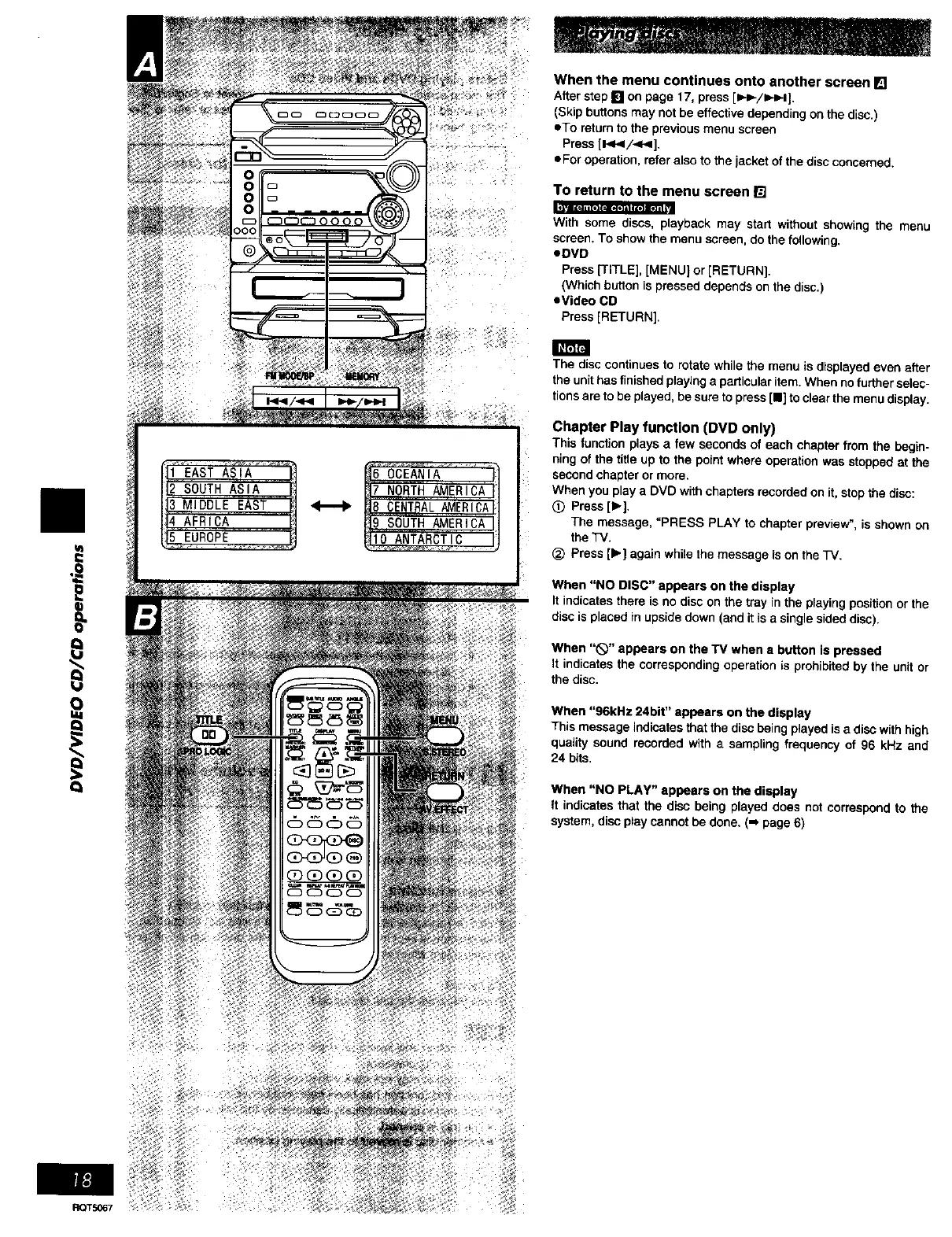
When the menu continues onto another screen []
After step [] on page 17, press [I_.ilHH].
(Skip buttons may not be effective depending on the disc.)
eta return to the previous menu screen
Press [I_HI/<<].
aFar operation, refer also to the jacket of the disc concerned.
To return to the menu screen []
With soma discs, playback may start without showing the menu
screen. To show the menu screen, do the following.
eDVD
Press [TITLE], [MENU] or [RETURN].
(Which button is pressed depends on the disc.)
eVideo CO
Press [RETURN].
The disc continues to rotate while the menu is displayed even after
the unit has finished playing a particular item. When no further selec-
tions are to be played, be sure to press [11_to ¢tear the menu disptay.
Chapter Play function (DVD only)
This 1unction plays a taw seconds of each chapter from the begin-
ning of the title up to the point where operation was stopped at the
second chapter or more.
When you p_aya DVD with chapters recorded on it, stop the disc:
0 Press [1_].
The message, "PRESS PLAY to chapter preview", is shown on
the TV.
(_ Press [_'] again while the message is on the TV.
When "NO DISC" appears on the display
It indicates there is no disc on the tray in the playing position or the
disc isplaced in upside down (and it is a single sided disc).
When "_" appears on the TV when a button is pressed
It indicates the corresponding operation is prohibited by the unit or
the disc.
When "96kHz 24bit" appears on the display
This message indicates that the disc being played is a disc with high
quality sound recorded with a sampling frequency of 96 kHz and
24 bits,
When "NO PLAY" appears on the display
It indicates that the disc being played does not correspond to the
system, disc play cannot be done. ("* page 6)















 To Next Page