_Ti _ ".h ii •WJ[..TITo I _o] IIF_TI i i
II
i
e
e
o
Q
REPEAT
@
....
J,
Repeat play [] }
• Repeat function works only with discs for which the elapsed playing
time appears on the display dudng playback.
• Repeat function may not work correctly with some DVDs.
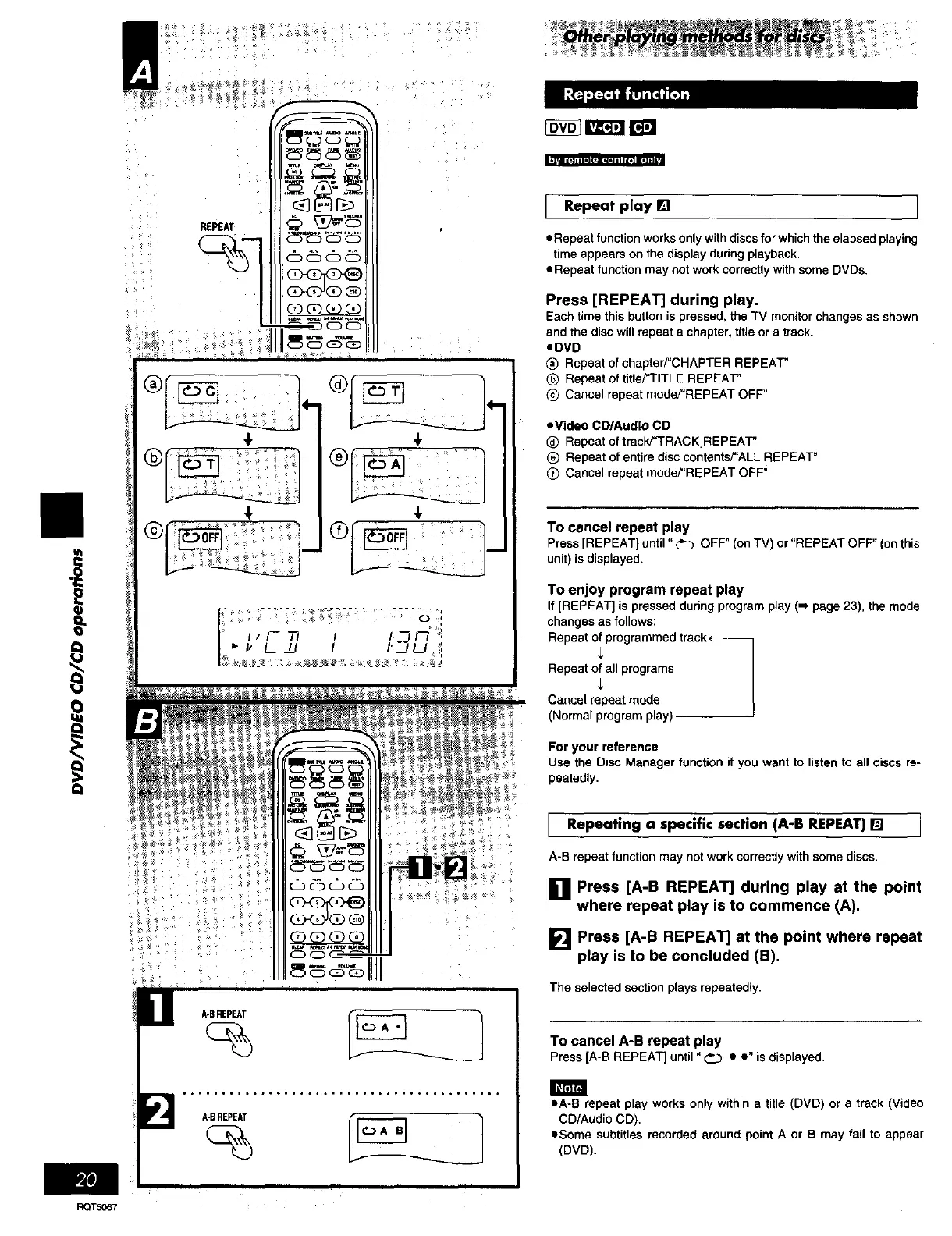
Press [REPEAT] during play.
Each time this button is pressed, the TV monitor changes as shown
and the disc will repeat a chapter, title or a track.
.DVD
(_ Repeat ofchapter/"CHAPTER REPEAT"
O Repeat of title?'TITLE REPEAT"
Q Cancel repeat mode/"REPEAT OFF"
• Video CD/Audlo CD
_) Repeat of track/'TRACK.REPEAT"
_) Repeat of entire disc contentsY'ALL REPEAT"
Cancel repeat moder'REPEAT OFF"
To cancel repeat play
Press [REPEAT] until "_ OFF" (onTV) or "REPEATOFF" (onthis
unit) is displayed.
To enjoy program repeat play
If [REPEAT] is pressed during program play (m page 23), the mode
changes as follows:
Repeat of programmed track,-
Repeat of all programs
Cancel repeat mode
(Normal program play)
For your reference
Use the Disc Manager function if you want to listen to all discs re-
peatedly.
I Repeating a specific section (A-B REPEAT)[] j
A-B repeat function may not work correctly with some discs.
[] Press [A-B REPEAT] during play at the point
where repeat play is to commence (A),
[] Press [A-B REPEAT] at the point where repeat
play is to be concluded (B),
The selected section plays repeatedly.
To cancel A-B repeat play
Press [A-BREPEAT] until"___ • e" is displayed•
eA-B repeat play works only within a title (DVD) or a track (Video
CD/Audio CD).
• Some subtitles recorded around point A or B may fail to appear
(DVD).















 To Next Page