+
Marker functions work only with discs for which the elapsed playing
time appears on the display during playback.
MARKER
,I o= +++
Storing a marker in the [] ]
memory
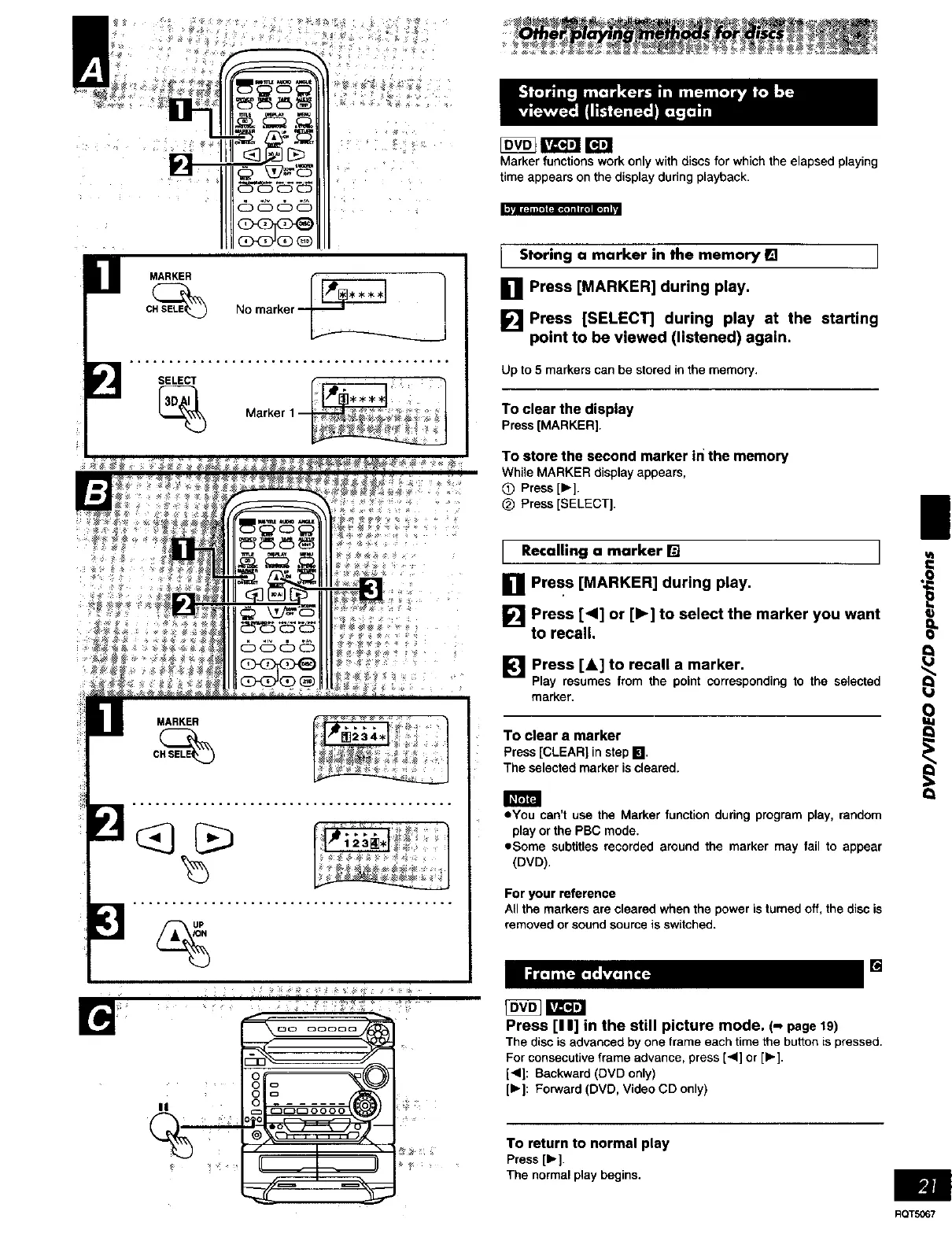
[] Press [MARKER] during play.
[] Press [SELECT] during play at the starting
point to be viewed (listened) again.
Up to 5 markers can be stored in the memon/.
To clear the display
Press [MARKER].
To store the second marker in the memory
While MARKER display appears,
Q Press [1_].
(_ Press [SELECT].
l Recalling a marker [] l
[] Press [MARKER] during play.
[] Press [<I] or [I_] to select the marker you want
to recall•
[] Press [A] to recall a marker•
Play resumes from the point corresponding to the selected
marker.
To clear a marker
Press[CLEAR]in stepI_1,
The selectedmarker iscleared•
• You can't use the Marker function during program play, random
play or the PBC mode.
,,Some subtitles recorded around the marker may fail to appear
(DVD).
For your reference
All the markers are cleared when the power is turned off, the disc is
removed or sound source is switched.
Press [I I] in the still picture mode. (-, page19)
[]
The disc is advanced by one frame each time the button is pressed.
For consecutive frame advance, press [4] or [1_].
[<1]: Backward (DVD only)
[b.]: Forward (DVD, Video CD only)
To return to normal play
Press [1_].
The normalplaybegins,
|
8
e
Q
RQTS067















 To Next Page