13
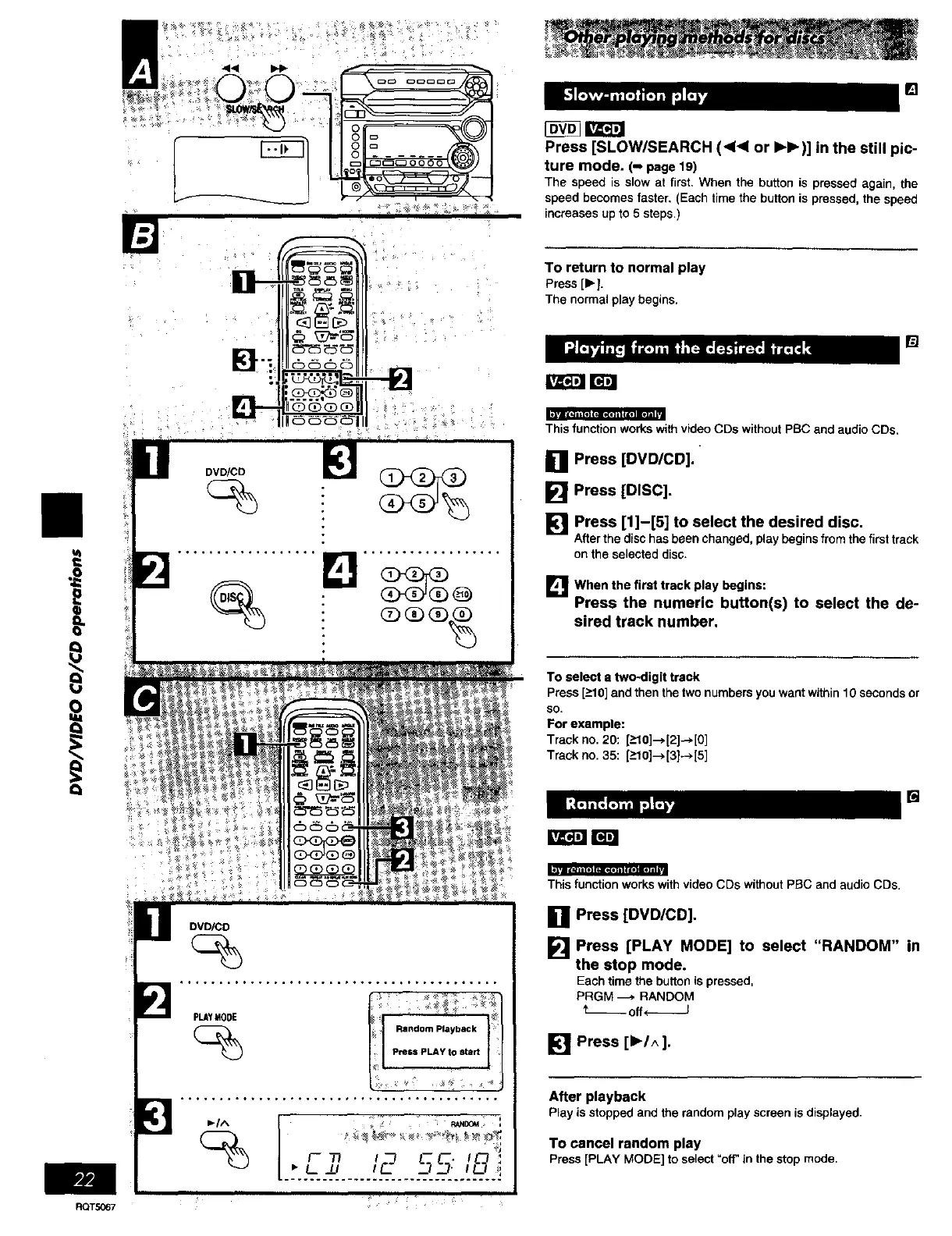
Press [SLOW/SEARCH (<<1 or IH_)] in the still pic-
ture mode. (- page 19)
The speed is slow at first, Whenthe buttonis pressedagain, the
speed becomesfaster,(Eachtimethe buttonis pressed,the speed
increasesupto 5 steps,)
"] 666b
To return to normal play
Press [1_I.
The normal play begins.
[]
I
Q
This function works with video CDs without pBC and audio CDs,
[] Press [DVD/CD].
[] Press [DISC].
[] Press [1]-[5] to select the desired disc,
After the disc has been changed, play begins from the first track
on the selected disc.
L_When the first track play begins:
Press the numeric button(s) to select the de-
sired track number.
To select a two-digit track
Press [>10] and then the two numbers you want within 10 seconds or
so.
For example:
Track no. 20:[_>101-->[2]_,[01
Track no. 35: [->10]--_[3]--*[5]
[]
DVD/CD
*,, .... ,, ..... ., ..... ,o_ .... *,.,o°°,, ....
(_ Random Playback
Press PLAY to start
k;_
This function works with video CDs without PBC and audio CDs.
[] Press [DVD/CD].
[] Press [PLAY MODE] to select "RANDOM" in
the stop mode.
Eachtime thebuttonispressed,
PRGM -_, RANDOM
t--off_
[] Press [ll_/^].
After playback
Playis stoppedand therandomplayscreenisdisplayed.
To cancel random play
Press[PLAYMODE] to select"off' inthestopmode,
RQTS067















 To Next Page