[]
"M'LE
..... ......... .,............ .............
SELECT
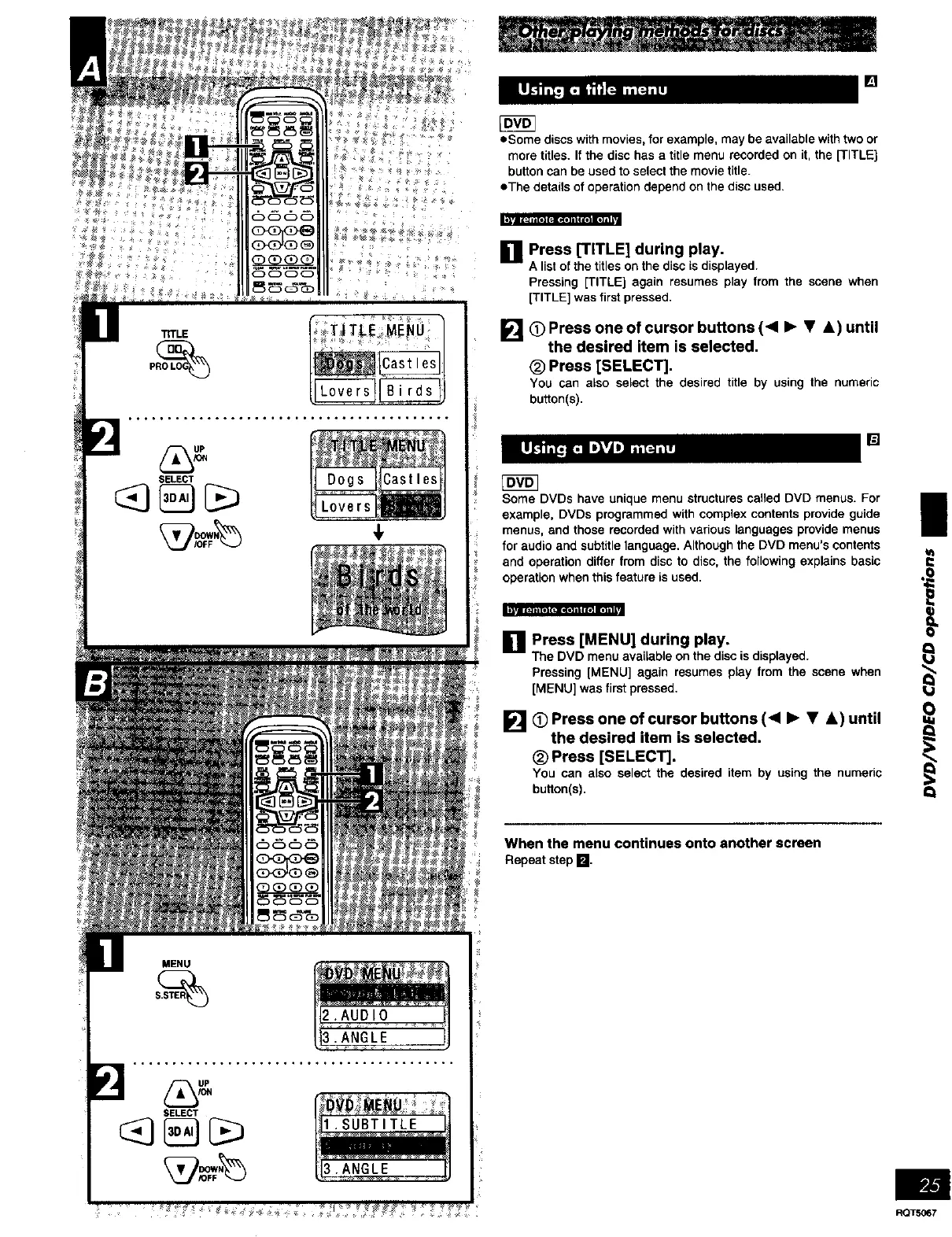
oSome discs with movies, for example, may be available with two or
more titles. If the disc has a title menu recorded on it, the [TITLEI
button can be used to select the movie title.
eThe details of operation depend on the disc used.
[] Press [TITLE] during play.
A list of the titles on the disc is displayed.
Pressing [TITLE] again resumes play from the scene when
[TITLE] was first pressed.
[] (_ Press one of cursor buttons (< • • A) until
the desired item is selected.
(_ Press [SELECT],
You can also select the desired title by using the numeric
button(s),
[]
Some DVDs have unique menu structures called DVD menus. For i
example, DVDs programmed with complex contents provide guide
i
menus, and those recorded with various languages provide menus
for audio and subtitle language. Although the DVD menu's contents
and operation differ from disc to disc, the following explains basic =
operation when this feature is used.
[] Press [MENU] during play. _
The DVD menu available on the disc is displayed.
@
nlP.III[+]I_NI]III i.]ml]ll
Pressing [MENU] again resumes play from the scene when
[MENU] was first pressed.
[] O Press one of cursor buttons (< • • &) until
the desired item is selected.
_) Press [SELECT].
You can also select the desired item by using the numeric
button(s). Q
When the menu continues onto another screen
Repeatstep n,
SELECT
•ANGLE
RQTSO_7















 To Next Page