II
i
a
2
Q
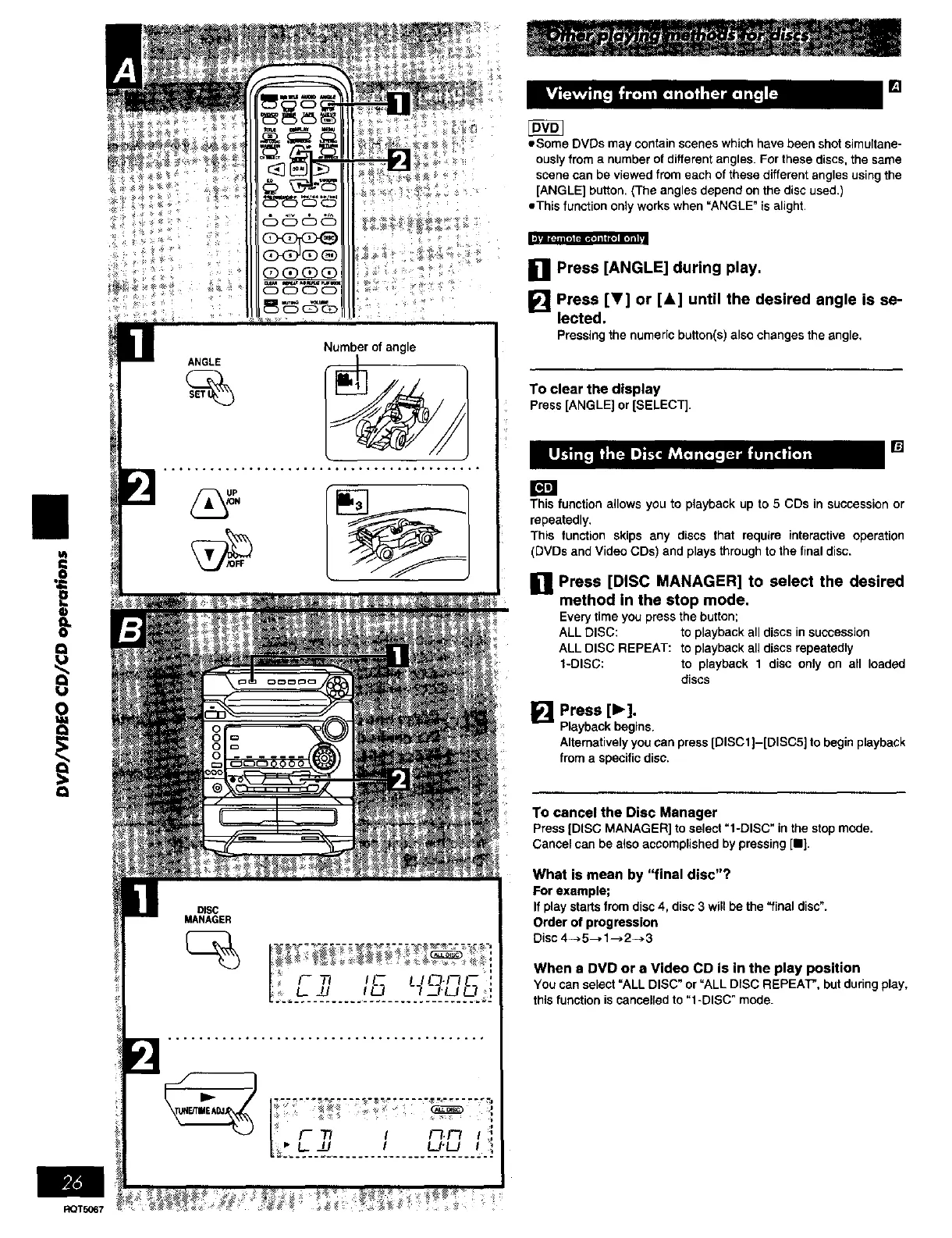
ANGLE
Number of angle
DISC
MANAGER
F "T/ I _._ I
| _L_ I LJ'L/ f _
[]
• Some DVDs may contain scenes which have been shot simultane-
ously from a number of different angles. For these discs, the same
scene can be viewed from each of these different angles using the
[ANGLE] button, (The angles depend on the disc used.]
eThis function only works when _ANGLE" is alight•
[] Press [ANGLE] during play.
[] Press [!r] or [&] until the desired angle is se-
lected.
Pressing thenumericbutton(s) also changes the angle,
To clear the display
Press[ANGLE]or[SELECT].
[]
rm
This function allows you to playback up to 5 CDs in succession or
repeatedly.
This function skips any discs that require interactive operation
(DVDs and Video CDs) and plays through to the final disc.
[] Press [DISC MANAGER] to select the desired
method in the stop mode.
Everytimeyou press the button;
ALL DISC: to playback all discs in succession
ALL DISC REPEAT: to playback all discs repeatedly
1-DISC: to playback 1 disc only on all loaded
discs
[] Press [1_].
Playback begins.
Alternatively you can press [DISC1]-[DISC5] to begin playback
from a specific disc.
To cancel the Disc Manager
Press [DISC MANAGER] to select "l-DISC" in the stop mode.
Cancel can be also accomplished by pressing [11].
What is mean by "final disc"?
For example;
If play starts from disc 4, disc 3 will be the "final disc".
Order of progression
Disc 4_. 5--, 1--) 2--> 3
When a DVD or s Video CD is in the play position
You can select =ALL DISC" or =ALL DISC REPEAT", but during play,
this function is cancelled to "l-DISC" mode.















 To Next Page