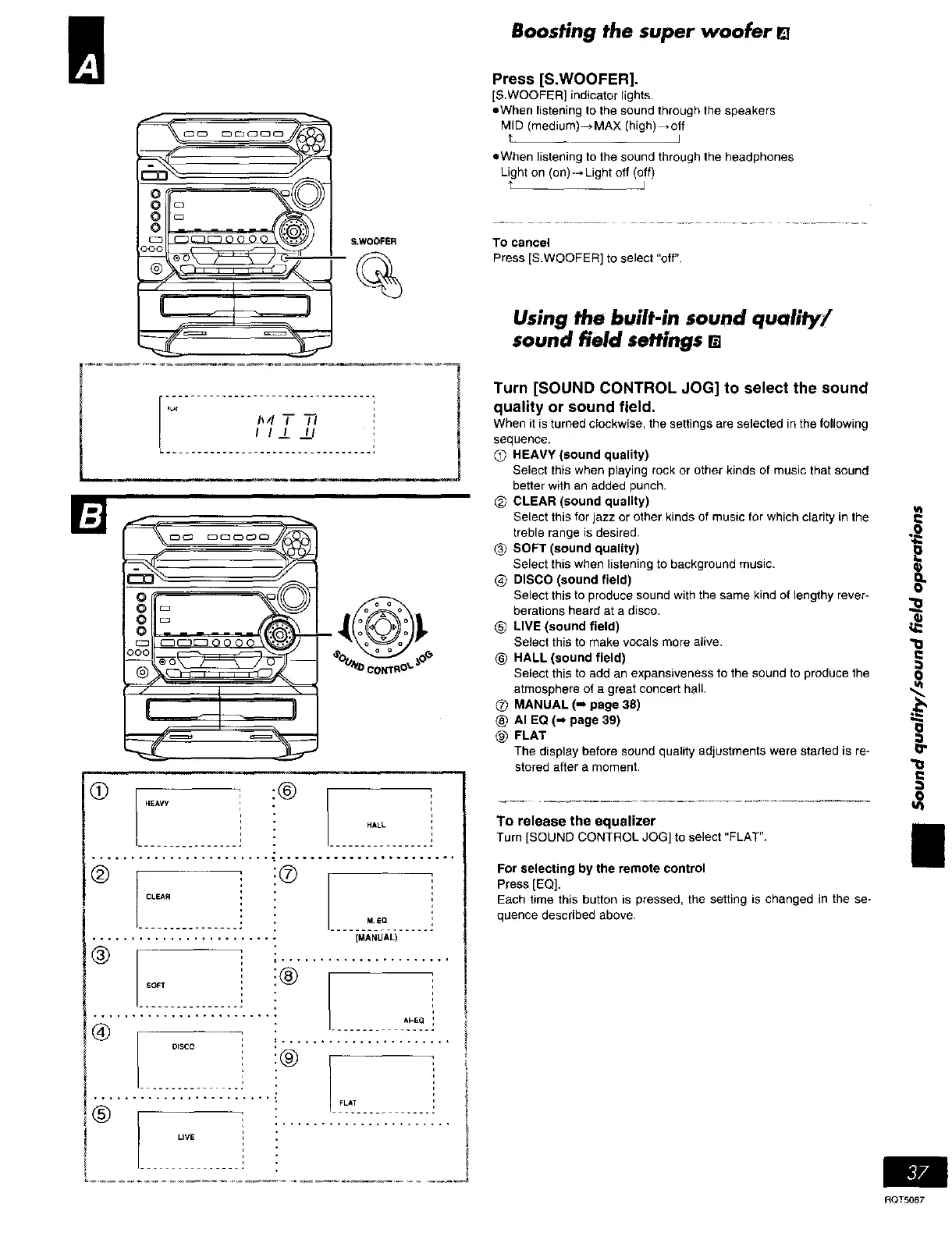
Boosting the super woofer
!_- S.WOOFER
_L*T
1_4T 37
I I_/ _LI
CLEAR
®
SOFT
Press [S.WOOFER].
[S.WOOFER] indicator lights.
eWhen listening to the sound through the speakers
MID (medium)-*MAX (high)_otf
t J
...... .-.-;: --.-. ;-.-; : --.... :
!®
DISCO
®
LIVE
• When listening to the sound through the headphones
Light on (on)-.Light off (off)
t J
To cancel
Press [S.WOOFER] to select "off".
Using the built-in sound quality/
sound field settings []
Turn [SOUND CONTROL JOG] to select the sound
quality or sound field.
When it is turned clockwise, the settings are selected in the following
sequence.
Q HEAVY (sound quality)
Select this when playing rock or other kinds of music that sound
better with an added punch.
@ CLEAR (sound quality) ut
Select this for jazz or other kinds of music for which clarity in the
treble range is desired.
SOFT (sound quality)
Select this when listening to background music.
@ DISCO (sound field) O_
Select this to produce sound with the same kind of lengthy rever-
¢,_oO_--_-'_ berations heard ata disco, _-_
_ LIVE (sound field)
Select this to make vocals more alive.
bO_ _"_'_°"_OeeoNT_O _ HALL (sound field) "_=l
Select this to add an expansiveness to the sound to produce the 0
atmosphere of a great concert hall. ,,_
MANUAL (-. page 38) ._
AI EQ (-_ page 39)
@ FLAT
The display before sound quality adjustments ware started is re-
stored after a moment.
HALL
• ....... ... ....... .
M EO
(MANUAL)
= ......................
AI-EQ
i ......................
:®
FLAT
To release the equalizer
Turn [SOUND CONTROL JOG] to select "FLAT".
g
For selecting by the remote control
Press [EQ].
Each time this button is pressed, the setting is changed in the se-
quence described above,
RQT5067















 To Next Page