-"-i-3.T
It is possible to use the acoustic image equalizer (AI EQ) together
with the surround effect to create your own sound effect.
The AI EQ equalizer uses the SOFT, SHARP, HEAVY and LIGHT
sound quality coordinates to achieve subtle sound quality settings
with ease.
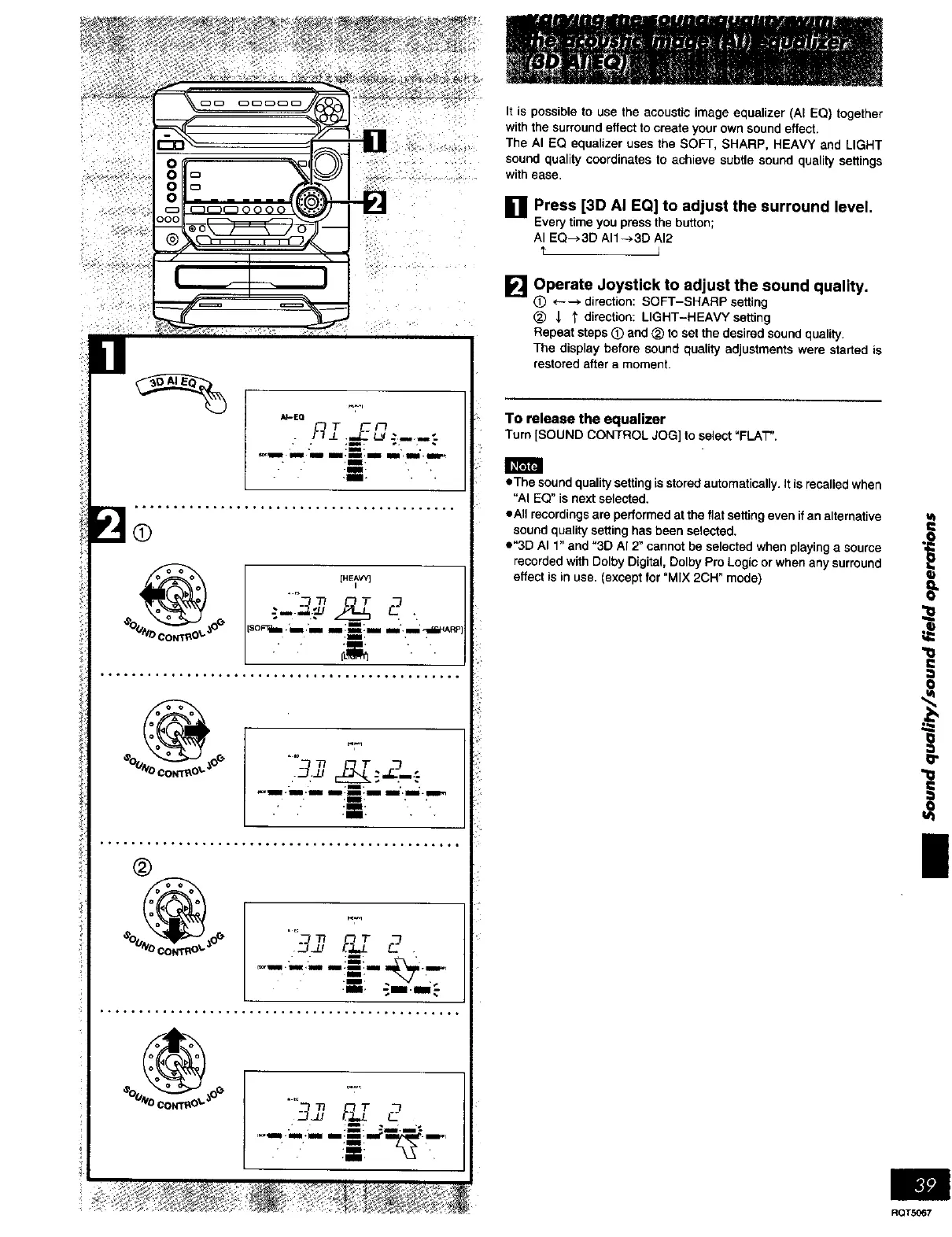
11 Press [3D AI EQ] to adjust the surround level.
Everytime you pressthe button;
AI EQ--*3D AII-*3D AI2
'r I
_'1 Operate Joystick to adjust the sound quality.
(_) *---* direction: SOFT-SHARP setting
_) _ "_ direction: LIGHT-HEAVY setting
Repeat steps (_) and (_ to set the desired sound quality.
The display before sound quality adjustments were started is
restored after a moment.
To release the equalizer
Turn [SOUND CONTROL JOG]to select"FLAT".
• The sound quality setting is stored automatically• It is recalled when
"AI EQ" is next selected.
eAII recordings are performed at the flat setting even if an alternative
sound quality setting has been selected.
e"3D AI 1" and "3D A[ 2" cannot be selected when playing a source
recorded with Dolby Digital, Dolby Pro Logic or when any surround
effect is in use. (except for "MIX 2CH" mode)
i
o
|
RQTS067















 To Next Page