oSelect the surround mode appropriate to the source you are using. Read the following explanations to aid your selection,
I This system doesn't have DTS decoder, so you cannot enjoy the disc encoded with DTS.
This system cannot play DTS discs.
Surround system I Features I Recognizing the sound sources I
and software that can be used
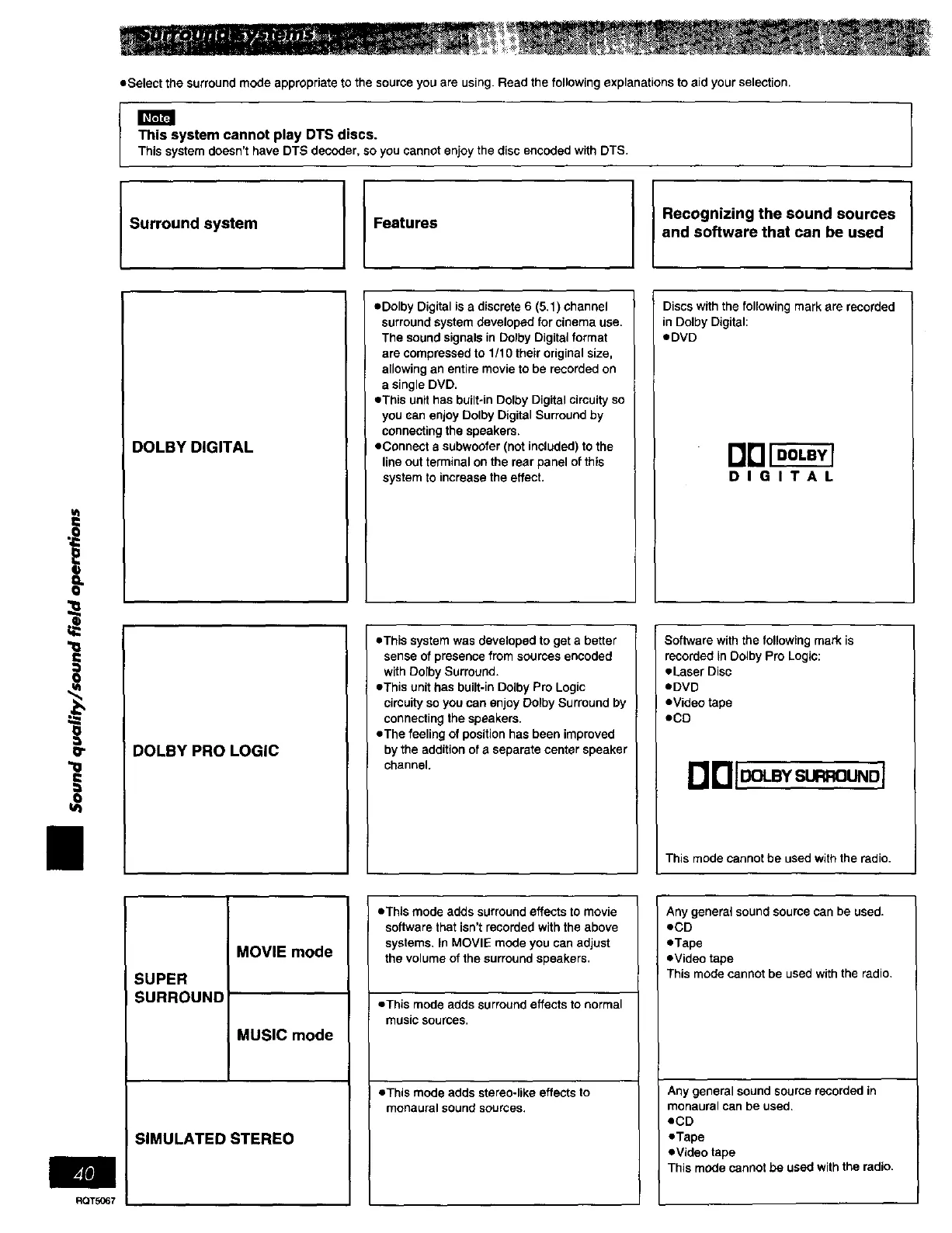
DOLBY DIGITAL
eDolby Digital is a discrete 6 (5.1) channel
surround system developed for cinema use.
The sound signals in Dolby Digital format
are compressed to 1/10 their original size,
allowing an entire movie to be recorded on
a single DVD.
eThis unit has built-in Dolby Digital circuity so
you san enjoy Dolby Digital Surround by
connecting the speakers.
eConnect a subwoofer (not included) to the
line out terminal on the rear panel of this
system to increase the effect.
Discs with the following mark are recorded
in Dolby Digital:
eDVD
DIGITAL
I
eThis system was developed to get a better Software with the following mark is
of from encoded recorded in Pro
senSewithDolbypresenCesurround.sources • Laser Disc
Dolby Logic:
eThis unit has built-in Dolby Pro Logic eDVD
circuity so you can enjoy Dolby Surround by eVideo tape
connecting the speakers.
eThe feeling of position has been improved eCD
._ DOLBY PRO LOGIC by the addition of a separate center speaker
channel.
This mode cannot be used with the radio.
_T5067
MOVIE mode
SUPER
SURROUND
MUSIC mode
SIMULATED STEREO
oThis mode adds surround effects to movie
software that isn't recorded with the above
systems, in MOVIE mode you can adjust
the volume of the surround speakers.
oThis mode adds surround effects to normal
music sources.
eThls mode adds stereo-like effects to
monaural sound sources.
Any general sound source can be used.
eCD
eTape
eVideo tape
This mode cannot be used with the radio.
Any general sound source recorded in
monaural can be used.
eCD
eTape
eVideo tape
This mode cannot be used with the radio,















 To Next Page