Addtheseaudioeffectstoimprovetheexperience
eChecktheset-upof your speakers.
Set your speakers up to suit the surround mode you have selected to get the best surround effect.
These modes cannot be used with the radio.
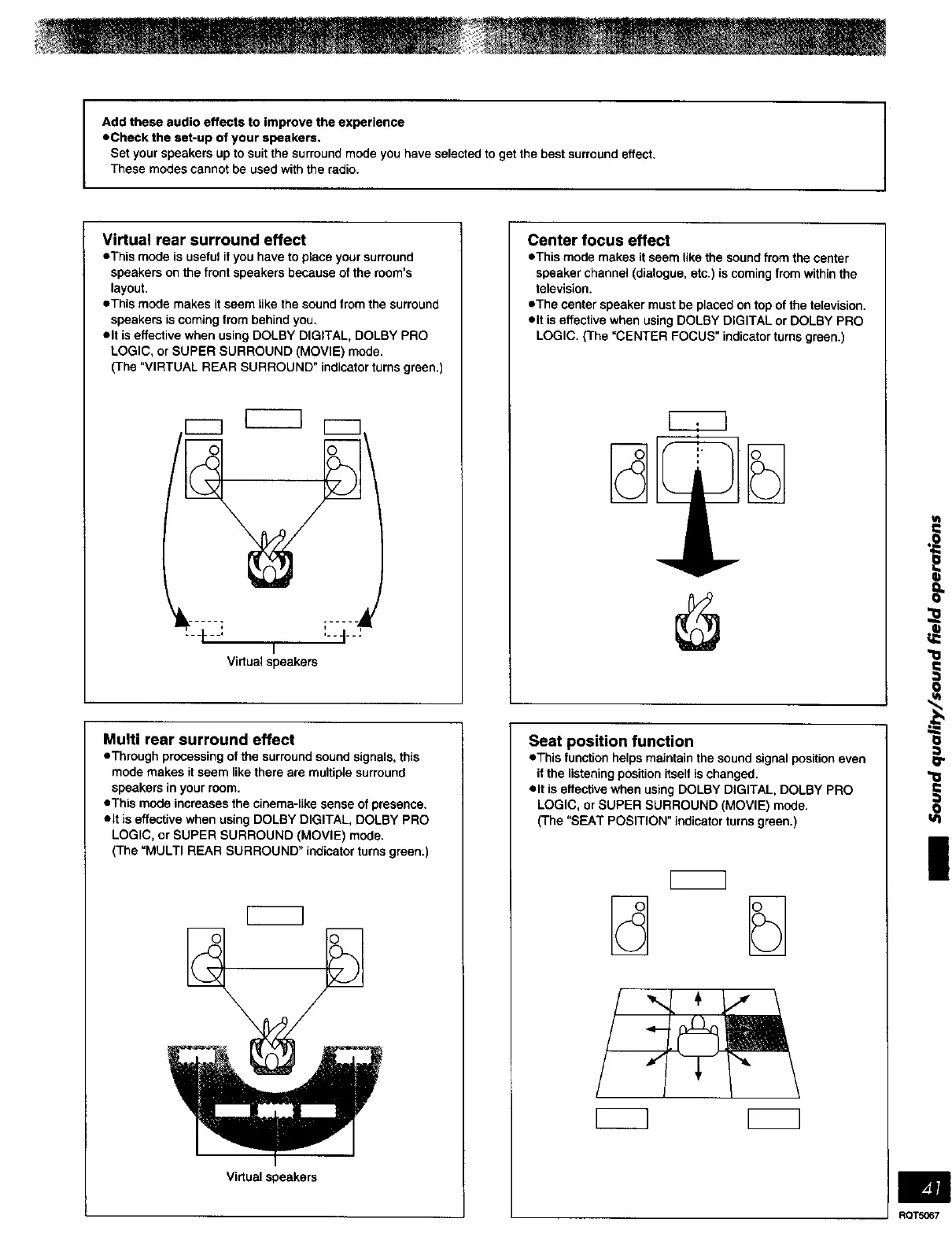
Virtual rear surround effect
eThis mode is useful ifyou have to place your surround
speakers on the front speakers because of the room's
layout.
eThis mode makes it seem _ikethe sound from the surround
speakers is coming from behind you.
elt is effective when using DOLBY DIGITAL, DOLBY PRO
LOGIC, or SUPER SURROUND (MOVIE) mode.
(The "VIRTUAL REAR SURROUND" indicator turns green.)
--I- ...... t--
I
Virtual speakers
Multi rear surround effect
eThreugh processing of the surround sound signals, this
mode makes it seem like there are multiple surround
speakers in your room.
eThis mode increases the cinema-like sense of presence.
elt is effective when using DOLBY DIGITAL, DOLBY PRO
LOGIC, or SUPER SURROUND (MOVIE) mode.
(The "MULTI REAR SURROUND" indicator turns green.)
Vi_ualspeakers
Center focus effect
eThis mode makes it seem like the sound from the center
speaker channel (dialogue, etc.) is coming from within the
television.
eThe center speaker must be placed on top of the television.
elt is effective when using DOLSY DIGITAL or DOLBY PRO
LOGIC. (The "CENTER FOCUS" indicator turns green.)
Seat position function
eThis function helps maintain the sound signal position even
it the listening position itself is changed.
elt is effective when using DOLBY DIGITAL, DOLBY PRO
LOGIC, or SUPER SURROUND (MOVIE) mode.
(The "SEAT POSITION" indicator turns green.)
u_
RQT5067















 To Next Page