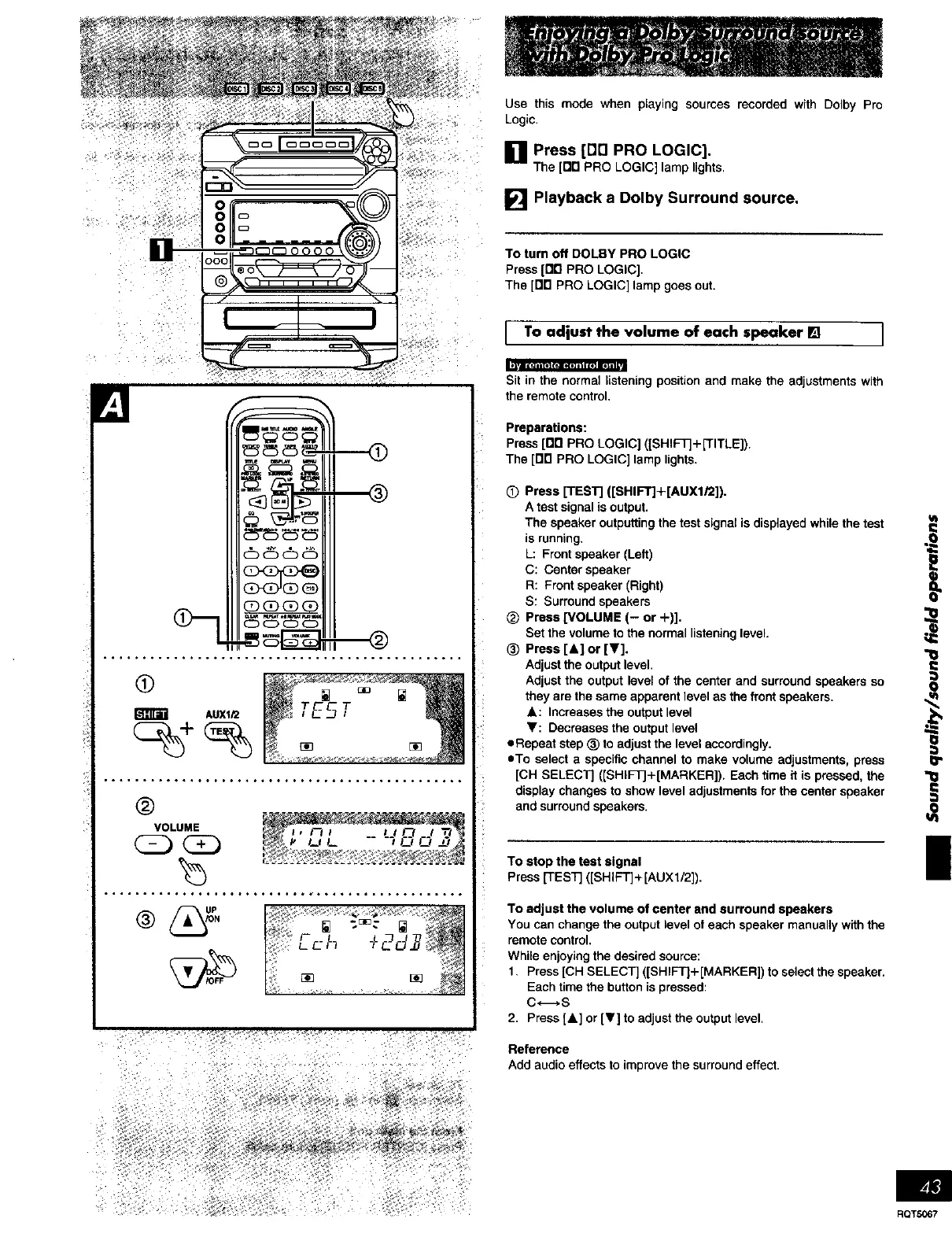
Use this mode when playing sources recorded with Dolby Pro
Logic.
[] Press [DE] PRO LOGIC].
The[On PRO LOGIC] lamplights.
[] Playback a Dolby Surround source.
To turnoff DOLBY PRO LOGIC
Press[1"111PRO LOGIC].
The [no PRO LOGIC] lampgoesout.
[ Toaaiustthe volume of each speaker [] ]
0
AUX1i2
®
VOLUME
......... ......°°*.*....°°_*..**.. .......... °o
Sit in the normal listening position and make the adjustments with
the remote control,
Preparations:
Press [Dn PRO LOGIC] ([SHIFt+[TITLE]).
The [Drl PRO LOGIC] lamp lights.
(_ Press [TEST] ([SHIFT]+[AUX1/2]).
A test signal is output.
The speaker outputting the test signal is displayed while the test
is running.
L: Front speaker (Left)
C: Center speaker
R: Front speaker (Right)
S: Surround speakers
_) Press [VOLUME (- or +)].
Set the volume to the normal listening level.
_) Press [&] or [V].
Adjust the output level.
Adjust the output level of the center and surround speakers so
they are the same apparent level as the front speakers.
A: Increases the output level
'Y: Decreases the output level
oRepeat step _) to adjust the level accordingly.
oTo select a specific channel to make volume adjustments, press
[CH SELECT] ([SHIFTJ+[MARKER]). Each time it is pressed, the
display changes to show level adjustments for the center speaker
and surround speakers.
To stop the test signal
Press [TEST] ([SHIFT]+[AUX1/2]).
To adjust the volume of center and surround speakers
You can change the output level of each speaker manually with the
remote control.
While enjoying the desired source:
1. Press [CH SELECT] ([SHIFT]+ [MARKER]) to select the speaker.
Each time the button is pressed:
C <-_, S
2. Press [&] or [V] to adjust the output level.
Reference
Add audio effects to improve the surround effect.
t
l
RQTS067















 To Next Page