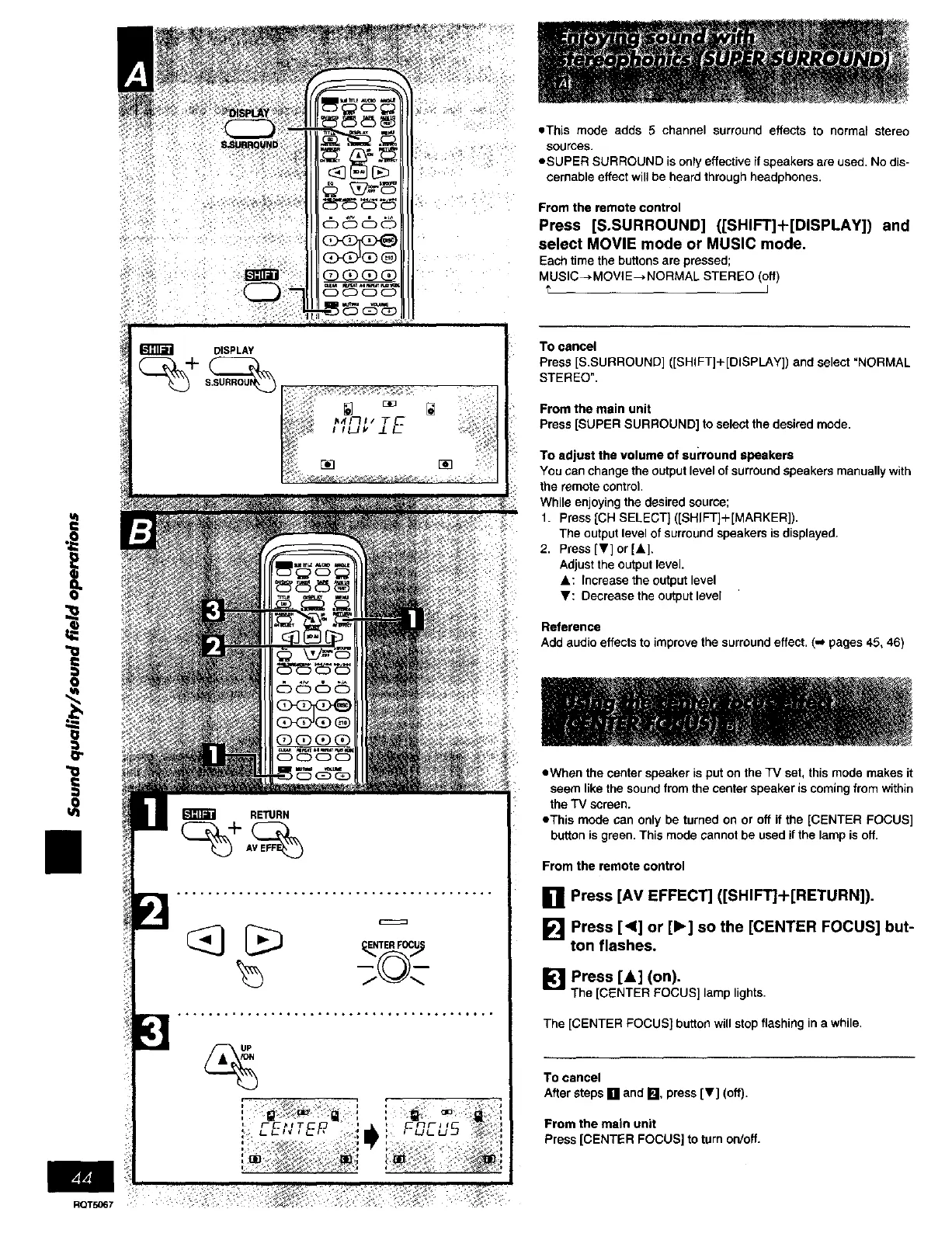
==This mode adds 5 channel surround effects to normal stereo
sources.
eSUPER SURROUND is only effective if speakers are used. No dis-
cernabla effect will be heard through headphones.
From the remote control
Press [S.SURROUND] ([SHIFT]+[DISPLAY]) and
select MOVIE mode or MUSIC mode.
Each time the buttons are pressed;
MUSIC--_MOVIE--_NORMAL STEREO (off)
u_
i
!i
DISPLAY
To cancel
Press[S,SURROUND]([SHIFT]+[DISPLAY])andselact'NORMAL
STEREO".
From the main unit
Press [SUPER SURROUND] to select the desired mode.
To adjust the volume of SUl'round speakers
You can change the output level of surround speakers manually with
the remote control.
While enjoying the desired source;
1. Press [CH SELECT] ([SHIFT]+ [MARKER]).
The output level of surround speakers is displayed.
2. Press IT] or [&].
Adjust the output level.
A: Increase the output level
V: Decrease the output level
Reference
Add audio effects to improve the surround effect. (,,J pages 45, 46)
• When the center speaker is put on the TV set, this mode makes it
seem like the sound from the center speaker is coming from within
the TV screen.
=This mode can only be turned on or off if the [CENTER FOCUS]
button is green. This mode cannot be used if the lamp is off.
From the remote control
[] Press [AV EFFECT] ([SHIFT]+[RETURN]).
[] Press [<1] or [1_] so the [CENTER FOCUS] but-
ton flashes.
[] Press [A] (on).
The [CENTER FOCUS] lamp lights.
The [CENTER FOCUS] button will stop flashing in a while.
To cancel
After steps [] and I_ press [V'] (off).
From the main unit
Press[CENTER FOCUS]to turn orJoff.
RQT5067















 To Next Page