!
: PERP 5P,'_ "
E]
RETURN
%
..... TT ' i PERP '
"_ ' _ _1_ 5P;:_ ',
i *
• When the surround speakers are put on the front speakers, this
mode makes it seem like the sound from the surround speakers is
coming from behind you.
eThis mode can only be fumed on or off it the [VIRTUAL REAR
SRND} button is green. This mode cannot be used if the lamp is off.
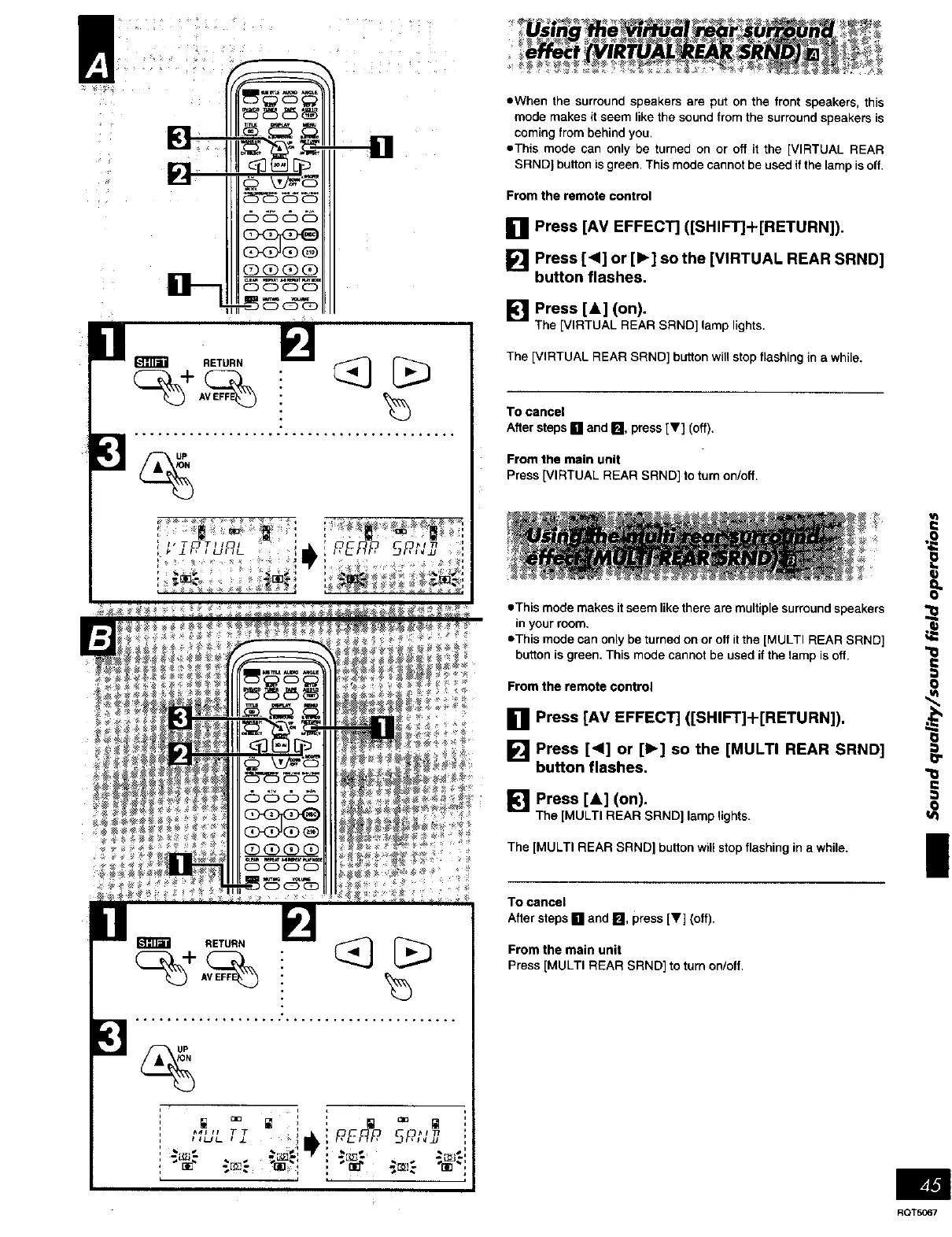
From the remote control
[] Press [AM EFFECT] ([SHIFT]+[RETURN]).
[] Press [<1] or [1_] so the [VIRTUAL REAR SRND]
button flashes.
_] Press [&] (on).
The [VIRTUAL REAR SRND] lamp lights.
The [VIRTUAL REAR SRND] button will stop flashing in a while.
To cancel
After steps [] and [], press [V] (off).
From the main unit
Press [VIRTUAL REAR SRND] to turn on/off.
• This mode makes it seem like there are multiple surround speakers
in your room.
eThis mode can only be turned on or off it the [MULTI REAR SRND] t4_
button is green. This mode cannot be used if the lamp is off.
Fro! ! the remote control
.8
[] Press [AM EFFECT] ([SHIFT]-I ._
[] Press [<1] or [1_] so the [MU t_
button flashes. ._
[] Press [&] (on).
-- The [MULTI REAR SRND] lamp lights, t_O
I
From the remote control
[] Press [AM EFFECT] ([SHIFT]-I-[RETURN]).
[] Press [<1] or [1_] so the [MULTI REAR SRND]
button flashes.
The [MULTI REAR SRND] buttonwillstop flashing ina while.
To cancel
Aftersteps[] and [], press [V] (off).
From the main unit
Press [MULTI REAR SRND] to turn on/off.
RQT5067















 To Next Page