(DQQQ
MENU
5.STEREe
MENU
_ _ , _
, DJ_IlUL_IE.M ' CT n
_, ERE_
iii
. m HI
_ll ; +_ _',';;_ I:: IEII
(:Z_CD 0 _ 4 m
_,,,-_c__ _ _ +_ +,_
b
,,,°,,,°,÷*..., ..... ,,,.*,°° ......... ,,.,
m+u ++;=+:t
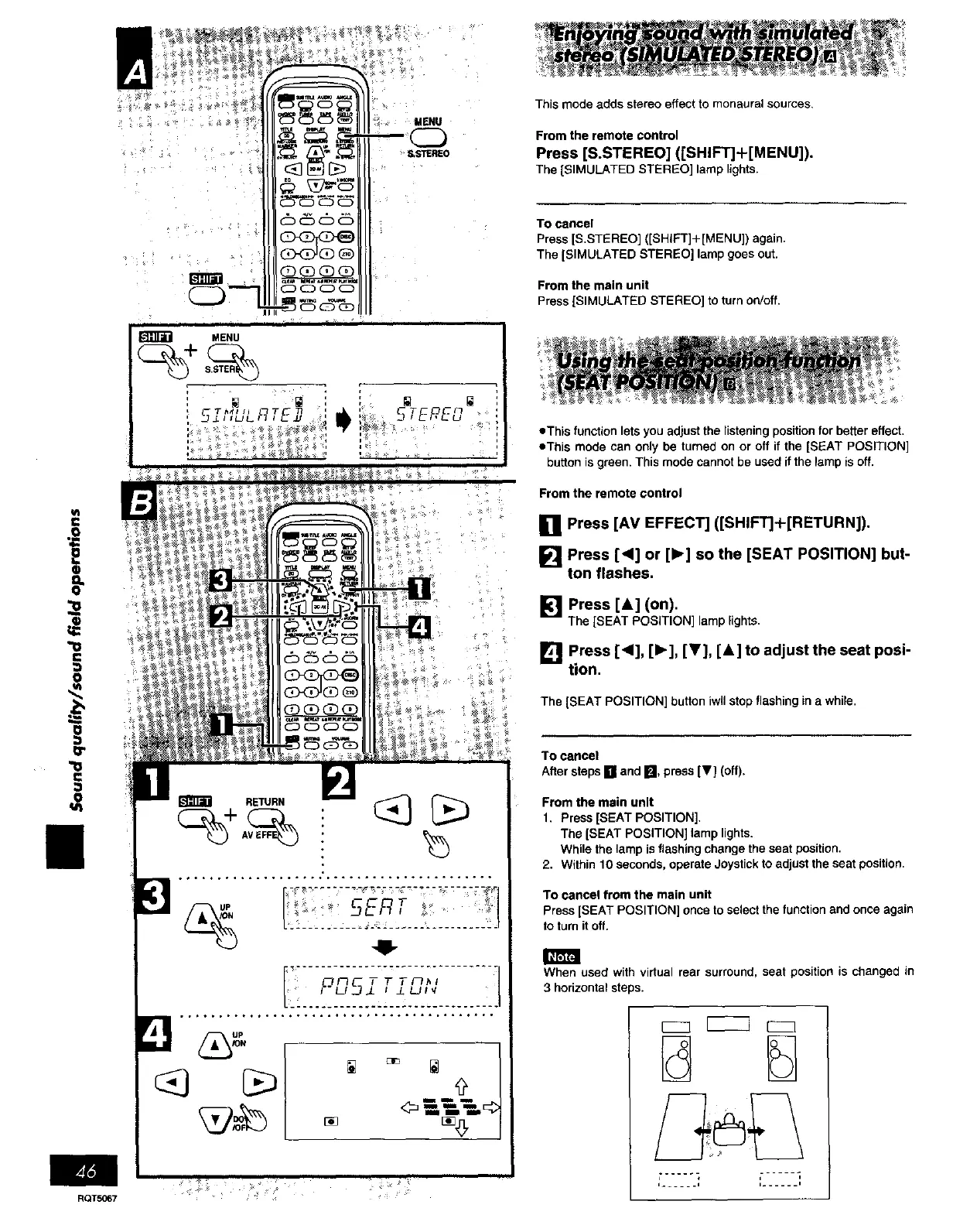
This mode adds stereo effect to monaural sources.
From the remote control
Press [S.STEREO] ([SHIFT]+[MENU]).
The ]SIMULATED STEREO] lamp lights.
To cancel
Press IS.STEREO] ([SHIFT]+[MENU]) again.
The ]SIMULATED STEREO] lamp goes out.
From the main unit
Press ]SIMULATED STEREO] to turn on/off.
• This function lets you adjust the listening position for better effect.
eThis mode can only be tumed on or off if the [SEAT POSITION]
button is green. This mode cannot be used if the lamp is off.
From the remote control
[] Press [AV EFFECT] ([SHIFT]+[RETURN]).
Press [<] or [1_] so the [SEAT POSITION] but-
ton flashes,
[] Press [A] (on),
The ]SEAT POSITION] lamp lights•
[] Press [<], [1_], [_'], [&] to adjust the seat posi-
tion,
The ]SEAT POSITION] button iwUstop flashing in a while.
To cancel
After steps [] and [], press [_] (off).
From the main unit
1. Press ]SEAT POSITION]•
The ]SEAT POSITION] lamp lights.
While the lamp is flashing change the seat position.
2. Within 10 seconds, operate Joystick to adjust the seat position.
To cancel from the main unit
Press [SEAT POSITION] once to select the function and once again
to turn it off.
m
When used with virtual rear surround, seat position is changed in
3 horizontal steps.
E
, + ,-..... i
, ...... , i...... i
RQT5067 +















 To Next Page