< Karaoke function cannot be done to the radio source.
RQ15C67
KARAOKE
%
$
$
$
m
(9
VOLUME
MIC VOL
1 !
Preparation:
Lower volume with [MIC VOL], then connect the microphone(s) to
the MIXING MIC jack. (Plug type: 3.5 mm monaural)
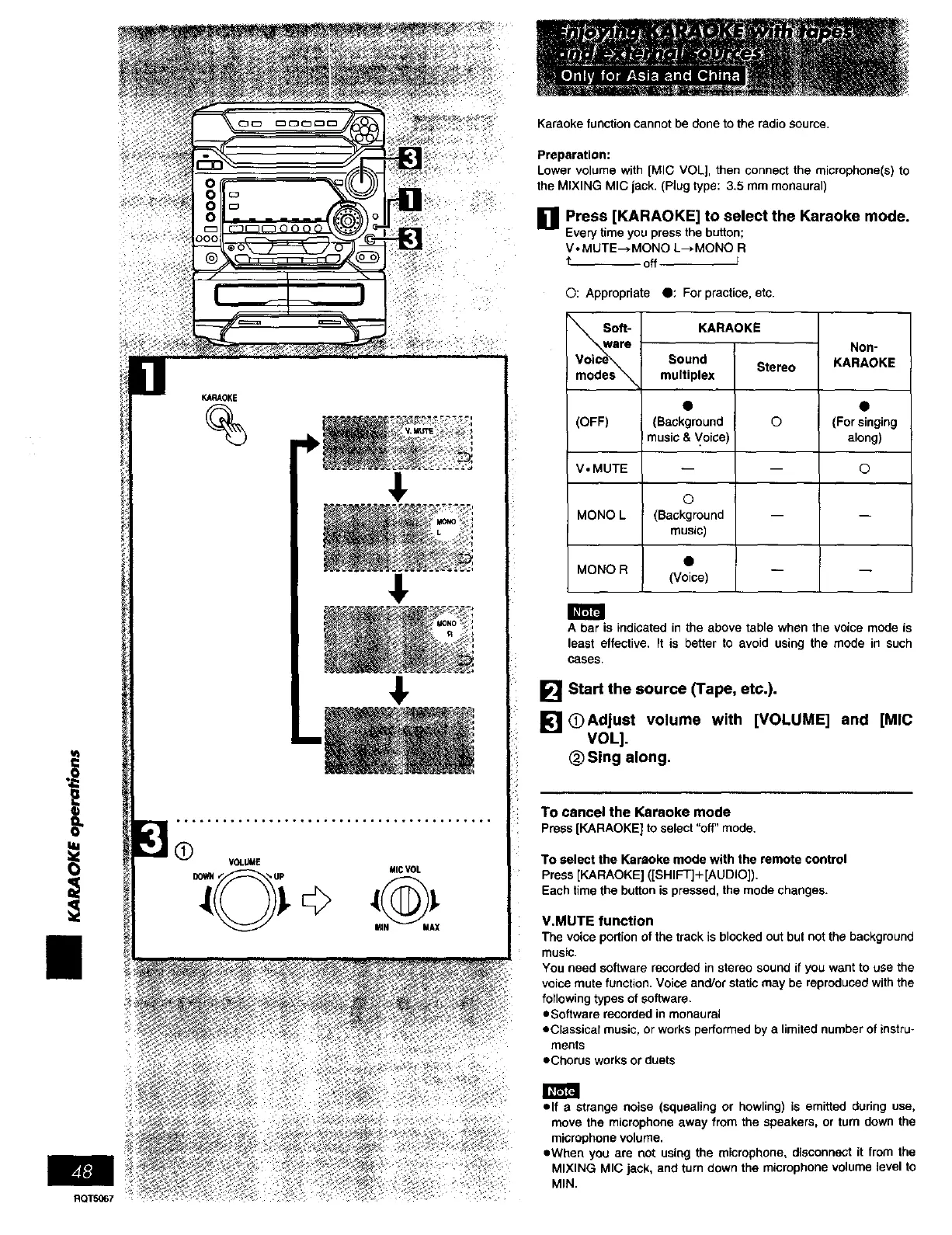
[] Press [KARAOKE] to select the Karaoke mode.
Everytime youpressthebutton;
VoMUTE--*MONO L_.MONO R
_- off
©: Appropriate O: For practice, etc.
KARAOKE
Non-
KARAOKE
Sound
Stereo
multiplex
(Background ©
music & Voice)
©
(Background
music)
(Voice)
(OFF) (For singing
along)
V,MUTE ©
MONO L
MONO R
A bar is indicated in the above table when the voice mode is
least effective. It is better to avoid using the mode in such
cases,
[] Start the source (Tape, etc.).
[] OAdjust volume with [VOLUME] and [MIC
VOL].
(_ Sing along.
To cancel the Karaoke mode
Press[KARAOKE] to select"off"mode,
To select the Karaoke mode with the remote control
Press [KARAOKE] ([SHIFT]+[AUDIO]).
Each time the button is pressed, the mode changes.
V.MUTE function
The voice portion of the track is blocked out but not the background
music.
You need software recorded in stereo sound if you want to use the
voice mute function. Voice and/or static may be reproduced with the
following types of software.
eSoffware recorded in monaural
eCiassicaf music, or works performed by a limited number of instru-
ments
eChorus works or duets
elf a strange noise (squealing or howling) is emitted during use,
move the microphone away from the speakers, or turn down the
microphone volume.
eWhen you are not using the microphone, disconnect it from the
MIXING MIC jack, and turn down the microphone volume level to
MIN.















 To Next Page