EasyManua.ls Logo

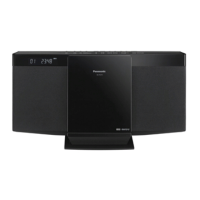
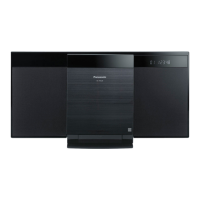
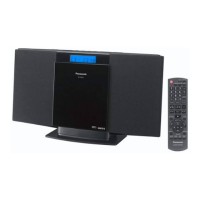
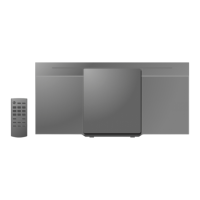
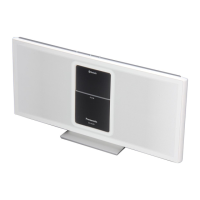
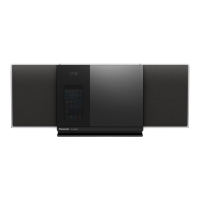
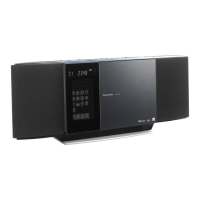
Panasonic SC-HC17 - User Manual

Panasonic SC-HC17
64 pages
Print Icon
To Next Page IconTo Next Page
Loading...
RQT9678-1E
Operating Instructions
Instrucciones de funcionamiento
Bruksanvisning
Betjeningsvejledning
Käyttöohjeet
Instrukcja obsługi
Návod k obsluze
Compact Stereo System
Sistema estéreo compacto
Kompakt stereosystem
Kompakt stereo-system
Kompakti stereojärjestelmä
Kompaktowy zestaw stereo
Kompaktní stereo systém
Model No. SC-HC17
EC
Thank you for purchasing this product.
For optimum performance and safety, please read these
instructions carefully.
Please keep this manual for future reference.
Muchísimas gracias por haber adquirido este aparato.
Lea con atención estas instrucciones para obtener las
máximas prestaciones y seguridad.
Guarde este manual para su consulta en el futuro.
Kiitos, että hankit tämän tuotteen.
Lue nämä ohjeet huolellisesti parhaan suorituskyvyn ja
turvallisuuden takaamiseksi.
Säilytä ohje tulevaa tarvetta varten.
Tak fordi du har valgt dette produkt.
Læs venligst denne betjeningsvejledning omhyggeligt,
således at optimal ydelse og sikkerhed opnås.
Gem vejledningen til senere brug.
Tack för valet av denna apparat.
Läs igenom bruksanvisningen noga för bästa resultat och
för säkerhets skull.
Spara denna bruksanvisning.
Dziękujemy za zakupienie tego produktu.
Proszę dokładnie zapoznać się z tą instrukcją obsługi,
aby jak najlepiej wykorzystać to urządzenie i zapewnić
jego bezpieczne użytkowanie.
Prosimy o zachowanie niniejszej instrukcji obsługi.
Niniejsza instrukcja została opracowana na podstawie
oryginalnej publikacji firmy Panasonic Corporation.
Děkujeme za zakoupení tohoto výrobku.
Pro dosažení optimálního výkonu a z bezpečnostních
důvodu si pečlivě přečtěte tyto pokyny.
Uschovejte si prosím tento návod k obsluze.
HC17_EC1_1en.indd 1HC17_EC1_1en.indd 1 5/16/2012 4:52:02 PM5/16/2012 4:52:02 PM

Questions and Answers

  • M
    Melanie AdkinsAug 17, 2025
    How to fix a Panasonic SC-HC17 remote control that is not working?
    • X
      xjacobsAug 17, 2025
      If your Panasonic Stereo System remote control isn't working, first, ensure the battery is installed correctly. If it still doesn't work, the remote control and the unit might be using different codes.
  • M
    Michael ThomasAug 20, 2025
    Why is the sound distorted or not working on my Panasonic Stereo System?
    • T
      Tammy LeachAug 20, 2025
      If you're experiencing distorted or no sound from your Panasonic Stereo System, it could be due to straining of the speakers from excessive volume or power, especially in hot environments. Try adjusting the volume. If that doesn't work, switch off the system, determine and correct the cause, then switch the system on again.
  • K
    Kevin BriggsAug 22, 2025
    What to do if my Panasonic SC-HC17 displays 'USB OVER CURRENT ERROR'?
    • O
      ortizkelseyAug 22, 2025
      If the Panasonic Stereo System displays 'USB OVER CURRENT ERROR', it means the connected USB device is drawing too much power. Remove the USB device and then switch the system off and on again to resolve the issue.
  • J
    Justin RileyAug 25, 2025
    Why does my Panasonic SC-HC17 display '--:--'?
    • J
      Jerry OrtegaAug 26, 2025
      If the Panasonic Stereo System displays '--:--', it indicates that the AC mains lead was connected for the first time or there was a recent power failure. You need to set the clock.
  • J
    jill43Aug 27, 2025
    Why does my Panasonic SC-HC17 Stereo System display 'ADJUST CLOCK'?
    • B
      Brenda Foster PhDAug 27, 2025
      If the Panasonic Stereo System displays 'ADJUST CLOCK', it means the clock is not set. You should adjust the clock accordingly.
  • A
    Amber RitterAug 30, 2025
    What to do if my Panasonic Stereo System displays 'NODEVICE'?
    • T
      Tony PhelpsAug 30, 2025
      If the Panasonic Stereo System displays 'NODEVICE', it means the USB device is not connected. Check the connection to ensure it is properly connected.
  • E
    emedinaSep 1, 2025
    Why does my Panasonic SC-HC17 Stereo System display 'NO DISC'?
    • C
      Chad WilliamsSep 2, 2025
      If the Panasonic Stereo System displays 'NO DISC', it indicates that no disc has been inserted into the system. Insert a disc to resolve this.
  • K
    kathy62Sep 4, 2025
    What does 'ERROR' mean on my Panasonic Stereo System?
    • C
      Cheryl AbbottSep 4, 2025
      If your Panasonic Stereo System displays 'ERROR', it indicates that an incorrect operation was performed. Review the instructions and try again.
  • A
    Ashley James MDSep 6, 2025
    Why does my Panasonic Stereo System display 'NO PLAY'?
    • J
      Justin DelacruzSep 6, 2025
      If your Panasonic Stereo System displays 'NO PLAY', it could be due to several reasons: You might have inserted a disc that the system cannot play, or a USB device with an unsupported format. Also, if there are more than 255 albums or folders (audio and non-audio) on your USB device, some MP3 files might not be read. Try transferring music albums to another USB device, or reformat the USB device, saving music albums before other non-audio folders.
  • A
    alankirbySep 9, 2025
    Why is there a beat sound coming from my Panasonic SC-HC17?
    • C
      Cody ShawSep 9, 2025
      If you hear a beat sound from your Panasonic Stereo System, it might be interference from nearby electronic devices. Try switching off the TV or moving it away from the system. Also, move mobile telephones away from the unit if the interference persists.

Summary

Safety Precautions

Unit Safety

General precautions for unit placement and operation to prevent fire or damage.

Battery Safety

Precautions for handling batteries to prevent explosion, leaks, and ingestion hazards.

Supplied Accessories

Product Disposal and Recycling

Overview of Controls

Remote Control Functions

Explains buttons and functions of the remote control.

Main Unit Controls and Ports

Details controls and ports on the main unit's top and front.

Getting Started

Initial Setup

Instructions for connecting the FM antenna, AC power, and preparing the remote control.

Media Handling

Guidance on inserting discs and connecting USB devices.

Basic Playback Operations

Playback Commands

How to play, stop, pause, skip tracks, search, and view information.

Playback Modes

Explains different playback modes like OFF, 1-TRACK, 1-ALBUM, RANDOM.

Compatible Media

Radio Operations

Station Presetting

Instructions for automatic and manual station presetting and selection.

Sound and Signal Features

Details FM mode, signal status, RDS, and sound effects for radio listening.

Clock and Timers

Setting the Clock

Instructions for setting the 24-hour clock and displaying it.

Play Timer

How to set a timer to wake up with audio, adjust start/end times, and check settings.

Sleep Timer

Instructions for setting the sleep timer to automatically switch off the unit.

Auto Off Function

How to enable or disable the auto-off feature that switches off the unit after inactivity.

Troubleshooting

Common Problems

Solutions for common issues like remote control, distorted sound, and humming noise.

Disc and USB Errors

Troubleshooting steps for disc not playing, dirty discs, or USB device read errors.

Radio and Display Issues

Resolving radio reception problems and main unit display messages.

Remote Control and Memory

Addressing remote control code issues and performing memory reset.

Maintenance

Specifications

Amplifier and General Details

Technical specifications for amplifier, power supply, mass, and dimensions.

Tuner and Terminals

Specifications for FM tuner, USB port, and headphones jack.

Disc and Speaker Systems

Technical details for disc playback, laser, audio output, and speaker system.

Panasonic SC-HC17 Specifications

General IconGeneral
KaraokeNo
Bass reflexYes
Speaker type1-way
RMS rated power10 W
Number of speakers2
Type-
Product colorBlack
Disc loading typeFront
Number of optical discs1 discs
Playback disc formatsCD audio, SACD
Tuner typeDigital
Supported radio bandsFM
Preset stations quantity30
Display typeFLT
Apple docking compatibilityNot supported
Headphone connectivity3.5 mm
USB 2.0 ports quantity1
Equalizer bands quantity5
Power sourceAC
Input voltage220-240 V
Input frequency50 - 60 Hz
Power consumption (standby)0.2 W
Power consumption (typical)12 W
Weight and Dimensions IconWeight and Dimensions
Depth110 mm
Width400 mm
Height213 mm
Weight2000 g

Related product manuals