6
VQT4E88
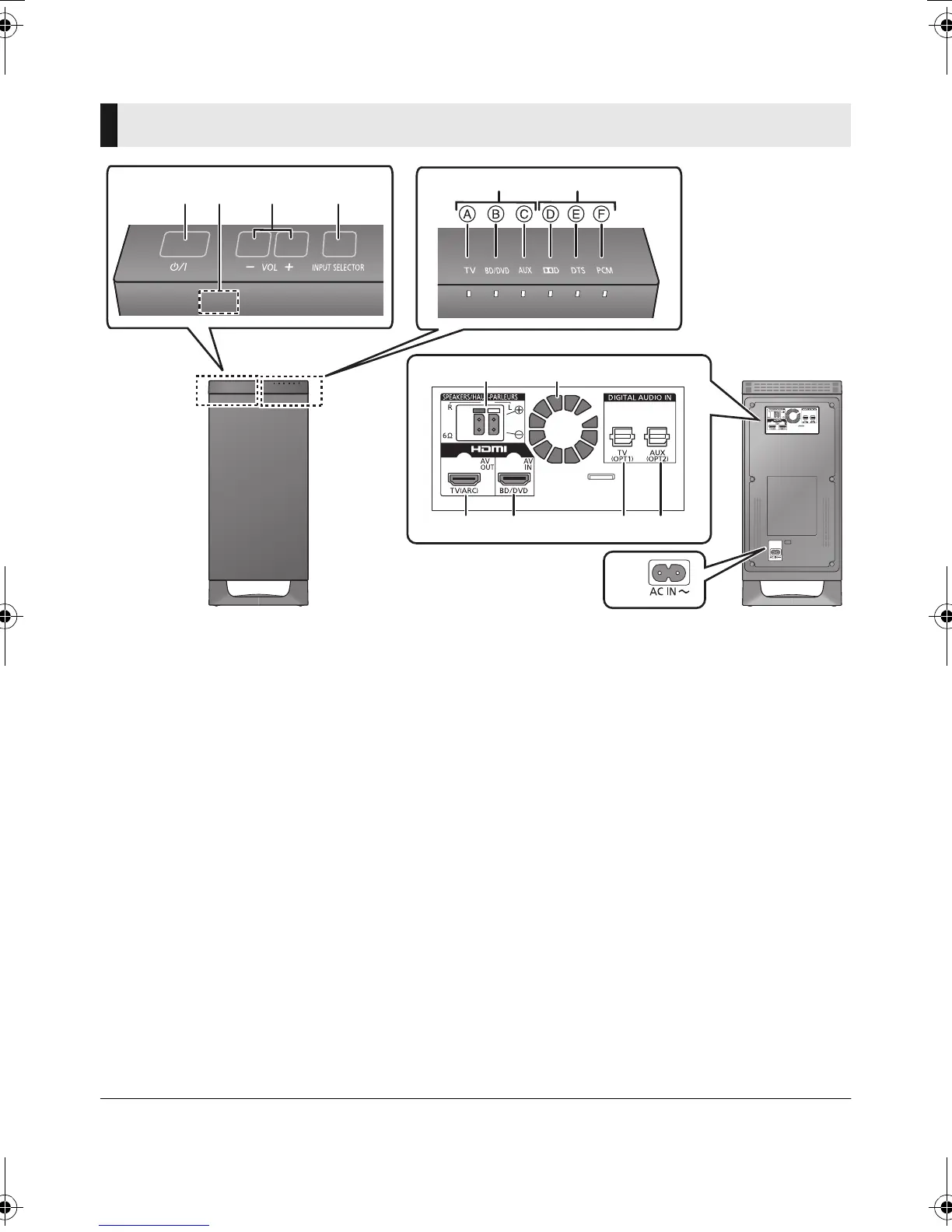
Control reference guide
1 Standby/on switch (Í/I)
Press to switch the unit from on to standby
mode or vice versa. In standby mode, the unit
is still consuming a small amount of power.
2 Remote control signal sensor (> 8)
3 Adjust the volume of the speakers
4 Select the input source
TV # BD/DVD # AUX
^----------------------------------}
5 Input selector indicators
§
A TV indicator
Lights green when the TV is the audio
source
B BD/DVD indicator
Lights amber when the device connected
to the BD/DVD terminal is the audio
source
C AUX indicator
Lights amber when the device connected
to the AUX terminal is the audio source
6 Audio format indicators
§
D Dolby
R
Digital indicator
Lights when Dolby
R
Digital is the current
audio format
E DTS indicator
Lights when DTS is the current audio
format
F PCM indicator
Lights when PCM (2ch, Multi-channel) is
the current audio format
7 Speaker terminals (> 11)
8 Cooling fan
9 HDMI OUT terminal (ARC compatible)
(> 9, 10)
10 HDMI IN terminal (BD/DVD) (> 10)
11 OPTICAL DIGITAL AUDIO IN terminal (TV)
(> 10)
12 OPTICAL DIGITAL AUDIO IN terminal (AUX)
(> 10)
13 AC IN terminal (> 13)
§ The indicators will also blink in various conditions (> 21)
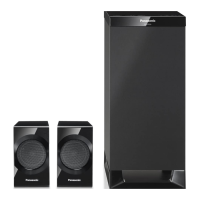
Active subwoofer
314
56
2
7 8
9 10 11 12
13
Active subwoofer (front)
Active subwoofer (rear)
SC-HTE50EB_VQT4E88.book 6 ページ 2012年2月24日 金曜日 午後7時54分











 To Next Page