CD operationsCD operationsCD operations
13
RQT5243
1
2
3
4
3
1
2
4
A
OPEN/CLOSE
∫
1/;
VOLUME
DOWN UP
dB
1
5
9
13
6
10
14
7
11
15
8
12
2 3 4
1
5
9
13
6
10
14
7
11
15
8
12
2 3 4
1
5
9
13
6
10
14
7
11
15
8
12
2 3 4
H/I
POWERH/I
: 9
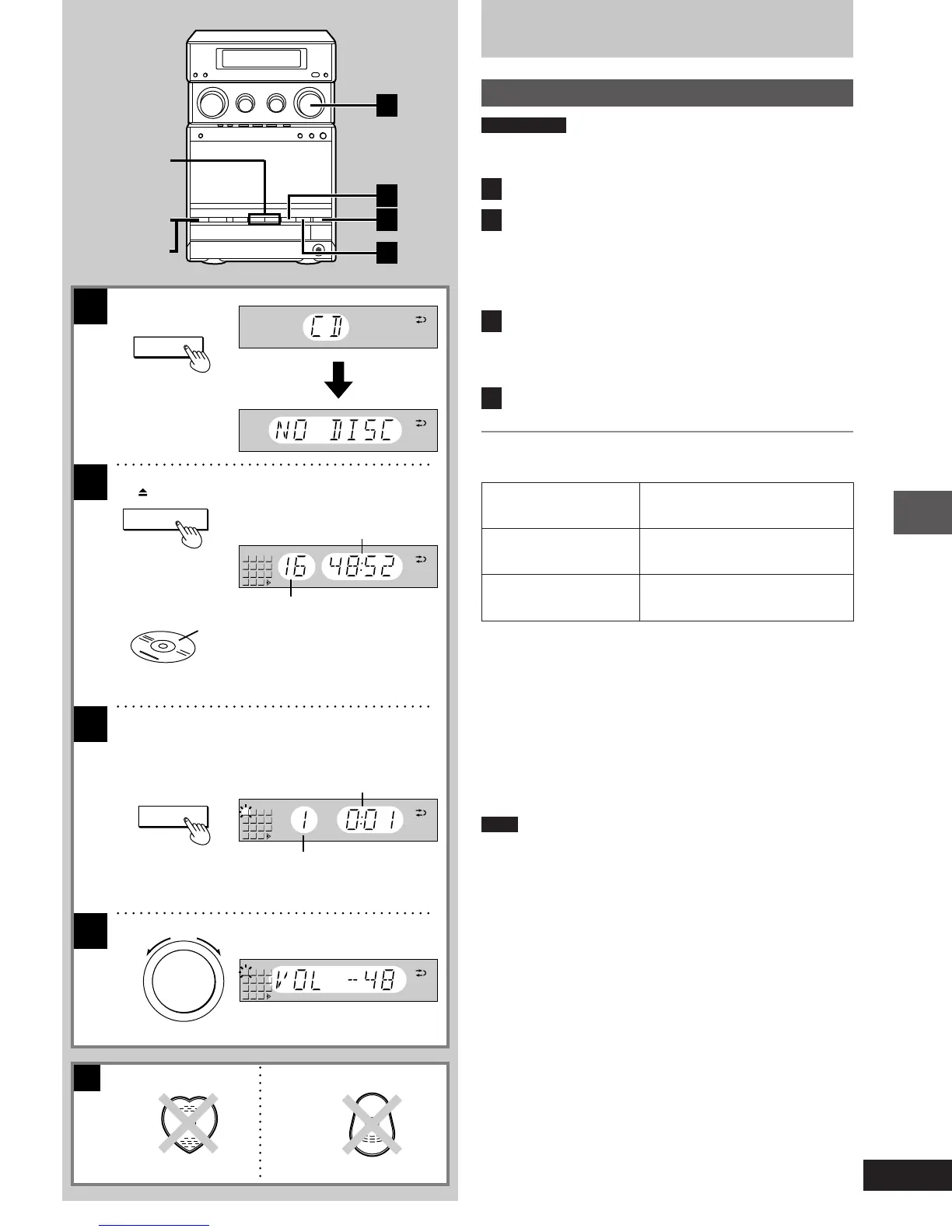
Listening to CDs
Normal play
Preparations
Press [ê/I].
The glide panel retracts enabling access to the operation buttons.
1
Press [º] to select the CD mode.
2
Press [< OPEN/CLOSE] to open the CD tray.
Insert the CD with label facing upward.
Press [< OPEN/CLOSE] to close the CD tray.
Total number of tracks and total playing time will appear on the
display.
3
Press [1/;].
Play will start from the first track on the CD.
Play will stop automatically when the last track on the CD finish-
es playing.
4
Adjust the volume .
To stop the CD
Press [º].
To select a track with the remote control
Press the numeric button(s) to select the desired track.
To select a two-digit track
Press [L] and then the two numbers you want.
For example
Track no. 20: [L]>[2]>[0]
Track no. 35: [L]>[3]>[5]
When “K” appears on the display
It indicates there are 16 or more tracks on the CD.
Note
³During random play (á page 14), you cannot skip to tracks which
have already been played.
³During program play (á page 15) or random play, you cannot
search forward or backward over tracks.
³During program play, skipping is always in the programmed order,
whether forward or backward.
One-touch play
When the system is OFF and a CD is loaded, playing starts automat-
ically when you press [1/;].
For your reference
³When the system is OFF, the power will come on automatically and
the tray is opened when you press [< OPEN/CLOSE].
³If you press [1/;] instead of [< OPEN/CLOSE] after inserting a
CD, the tray will close and play will start directly from the track 1.
To prevent damage A
Do not use irregular shaped CDs.
To pause
To search forward/
backward
To skip forward/
backward
Press [1/;] during playback.
To resume playback, press [1/;].
Press and hold [:] (backward)
or [9] (forward) during playback.
Press [: ] (backward) or [9]
(forward).
Total number of tracks
Total playing time
Label
Elapsed playing time
Track number
(For United
Kingdom)
(For Australia and N.Z.)
1-23e.p65 11/9/99, 4:34 PM13














 To Next Page