CD operations
14
RQT5243
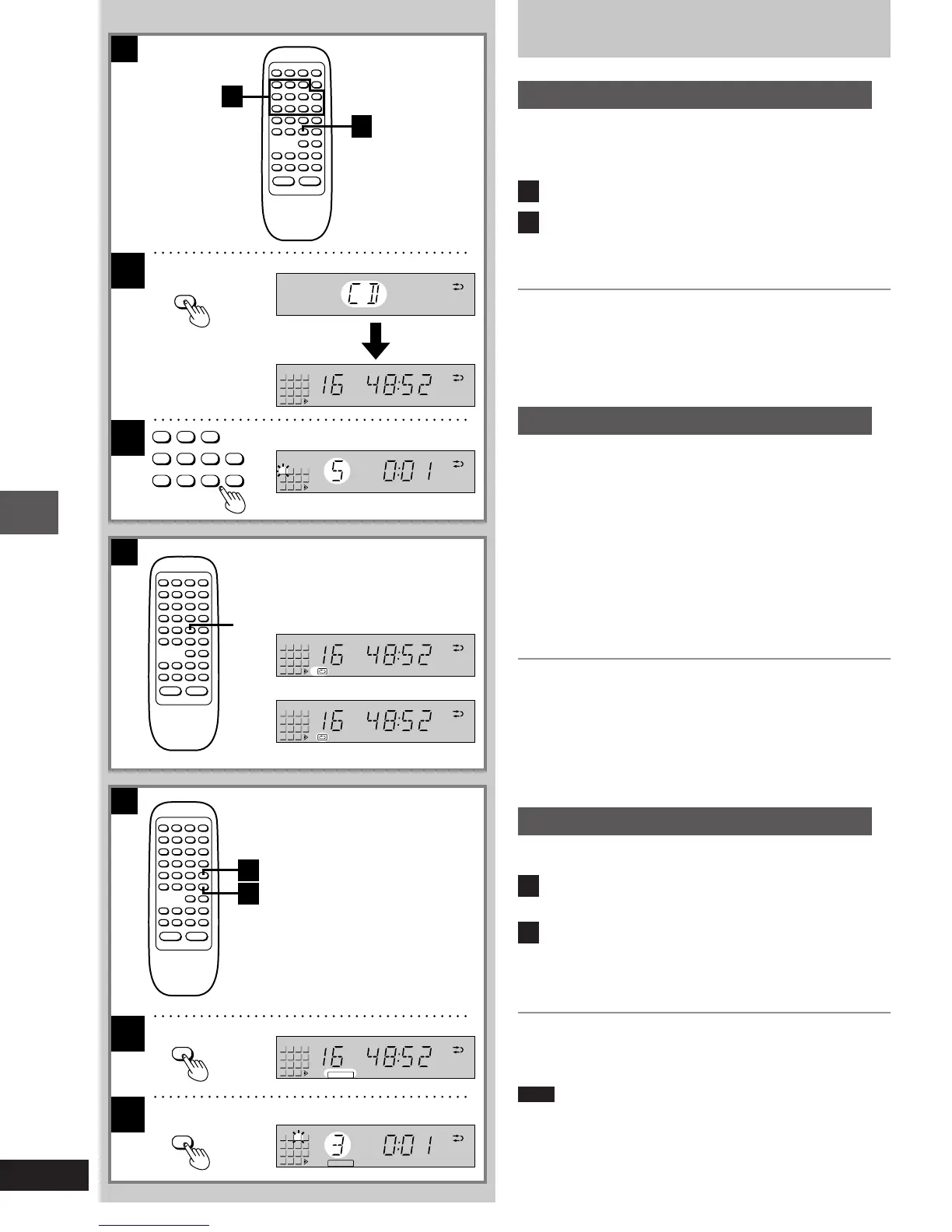
Listening to CDs
Direct access play
A
[by\remote\control\only]
Direct access allows you to start normal play from a specific track to
the last track on the CD.
1
Press [º] to select the CD mode.
2
Press the numeric button(s) to select the de-
sired track number.
Play will start with the track you select.
To select a two-digit track
Press [L] and then the two numbers you want.
For example
Track no. 20: [L]>[2]>[0]
Track no. 35: [L]>[3]>[5]
Repeat play
B
[by\remote\control\only]
Press [REPEAT] before or during play.
Each time you press the button; 1-a_-----)a
^---Original(-}
display
To repeat only one track
Press [REPEAT] to select “1-a”.
To repeat all tracks on the CD
Press [REPEAT] to select “a”.
To cancel repeat play
Press [REPEAT] to return to the original display.
To repeat programmed tracks
1 Program desired tracks (á steps [1] to [4] on page 15).
2 Press [REPEAT] to select “a”.
3 Press [1/;] to begin play.
Random play
C
[by\remote\control\only]
1
Press [RANDOM] when CD is in stop mode.
“ ” will appear on the display.
2
Press [1/;].
All tracks on the loaded CD will be played in random order. Play
will stop automatically when all tracks on the CD finish playing
randomly.
To cancel random play
Press [RANDOM] once again.
“” will go out.
Note
Program play cannot be used in combination with random play.
B
A
2
1
2
1
2
1
1
2
∫
RANDOM
1/;
REPEAT
C
1
5
9
13
6
10
14
7
11
15
8
12
2 3 4
1
5
9
13
6
10
14
7
11
15
8
12
2 3 4
-
1
1
5
9
13
6
10
14
7
11
15
8
12
2 3 4
5
9
13
6
10
14
7
11
15
8
12
RANDOM
1
5
9
13
6
10
14
7
11
15
8
12
2 3 4
RANDOM
1
5
9
13
6
10
14
7
11
15
8
12
2 3 4
1 2 3
4 5 6
7 8 9
0
j
1-23e.p65 11/9/99, 4:34 PM14














 To Next Page