Tape deck operations
16
RQT5243
1
2
3
4
3
2
1
4
A
REV MODE
OPEN
∫
21
VOLUME
DOWN UP
FWD
PLAY
dB
FWD
PLAY
FWD
H/I
POWERH/I
Front side
Tape direction
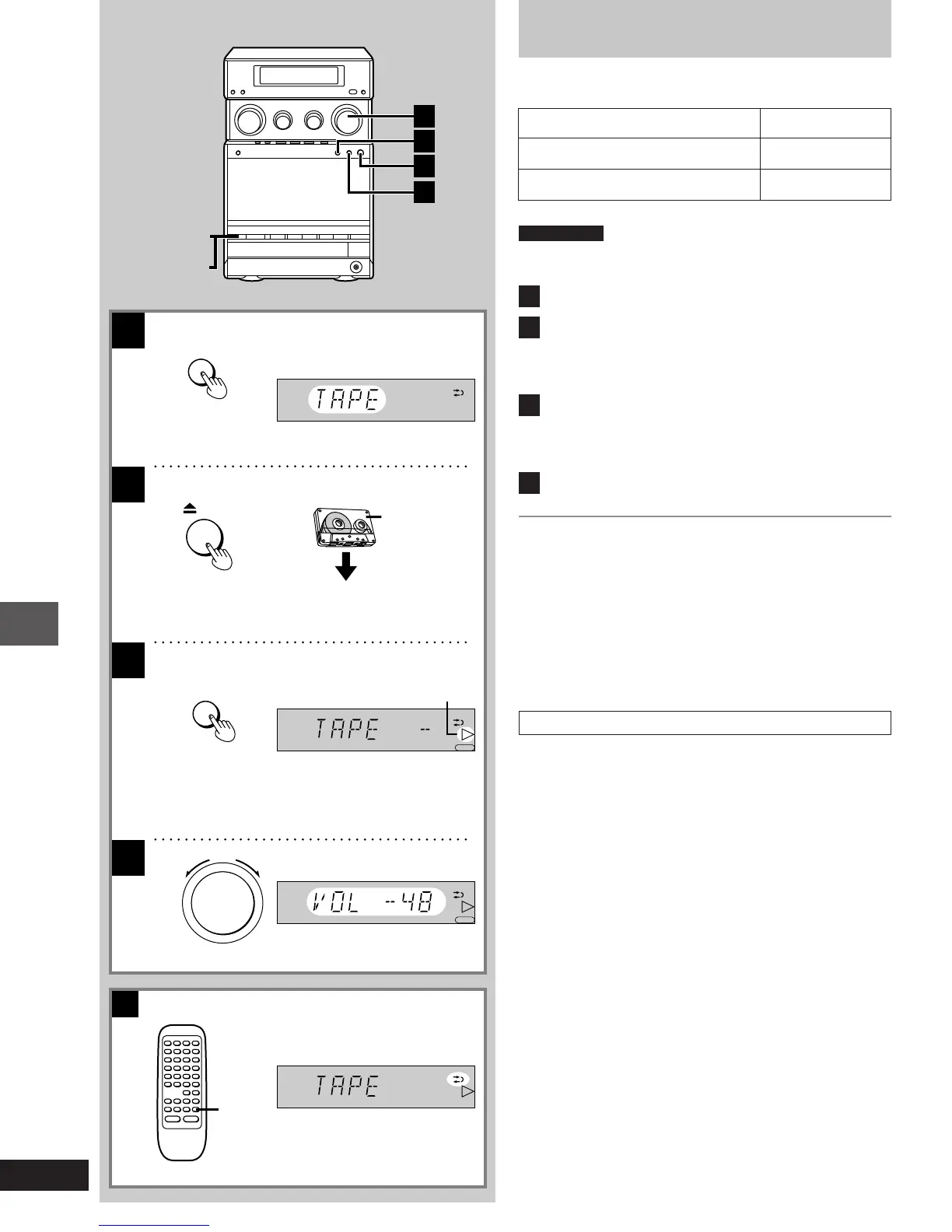
Listening to tapes
Types of tapes which can be played correctly
The system automatically identifies the type of tape.
NORMAL POSITION/TYPE I 4
HIGH POSITION/TYPE II 4
METAL POSITION/TYPE IV 4
Preparations
Press [ê/I].
The glide panel retracts enabling access to the operation buttons.
1
Press [º] to select the tape mode.
2
Press [< OPEN] and insert the tape.
Insert the tape with the exposed tape facing down.
Close the holder by hand.
Tape direction is automatically set to “I”.
3
Press [2 1] to start playback.
Each time you press the button; J,-.I
I: The forward side (front side) will play.
J: The reverse side will play.
4
Adjust the volume.
To stop tape playback
Press [º].
One-touch play
When the system is OFF and a tape is inserted, play starts automa-
tically when you press [2 1].
For your reference
When the system is OFF, the power will come on automatically and
the cassette holder is opened when you press [< OPEN].
To select the reverse mode A
[by\remote\control\only]
Press [REV MODE] to select the reverse mode.
Each time you press the button;
b>d>f
^-----------------------}
b: One side is played, then playback stops automatically.
d: Both sides (front side,-.reverse side) are played one time,
then playback stops automatically.
f: Both sides are played repeatedly until [º] is pressed.
(For United
Kingdom)
(For Australia and N.Z.)
1-23e.p65 11/9/99, 4:35 PM16














 To Next Page