EasyManua.ls Logo

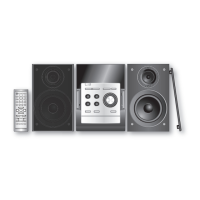
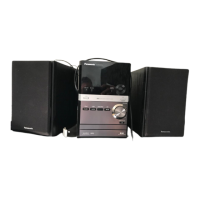
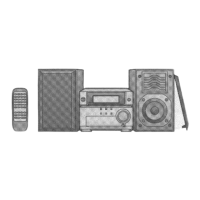
Panasonic SC-PM45 - User Manual

Panasonic SC-PM45
16 pages
Print Icon
To Next Page IconTo Next Page
Loading...
Operating Instructions
CD Stereo System
Model No. SC-PM45
Before connecting, operating or adjusting this product,
please read the instructions completely.
Please keep this manual for future reference.
RQTV0178-B
GN
GCS
Operations in these instructions are described using
remote control, but you can do the operations with
the main unit if the controls are the same.
Unless otherwise indicated, illustrations in these
operating instructions are for Australia and N.Z.
Your unit may not look exactly as illustrated.
Table of contents
Safety precautions ................................ 3
Placement of speakers .......................... 3
Getting started ....................................... 4
Overview of controls ............................. 6
Discs ....................................................... 8
Cassette tape ......................................... 10
FM/AM Radio .......................................... 11
Timer ....................................................... 12
Sound adjustment ................................. 13
External unit ........................................... 14
Troubleshooting guide .......................... 15
Specifi cations ........................................ 16
Maintenance ........................................... 16
SUPPLIED ACCESSORIES
Please check and identify the supplied accessories.
1 x Remote control
Australia and N.Z.
(N2QAYB000080)
1 x AC mains lead
Australia and N.Z.
South East Asia
(N2QAYB000078)
South East Asia
1 x AM loop antenna 1 x FM indoor antenna
2 x Remote control batteries
PM45_GN-En_new.indd 1PM45_GN-En_new.indd 1 1/24/07 12:43:57 PM1/24/07 12:43:57 PM

Questions and Answers

  • J
    Jeremy JacksonSep 2, 2025
    Why can't my Panasonic SC-PM45 read the USB drive?
    • M
      Michelle BlairSep 2, 2025
      The USB drive format or its contents may not be compatible with the system. The USB host function of this product may not work with some USB devices. USB devices with storage capacity of more than 8 gigabytes may not work in some instances.
  • W
    William MurrayAug 31, 2025
    What to do if Panasonic SC-PM45 Stereo System shows “USB OVER CURRENT ERROR”?
    • Q
      qfloresAug 31, 2025
      If your Panasonic Stereo System displays a “USB OVER CURRENT ERROR”, it means the USB mass storage device rating exceeds 500mA. Disconnect the USB device. If that doesn't work, turn the unit off and then back on.
  • S
    snyderdominiqueAug 29, 2025
    What to do if my Panasonic SC-PM45 Stereo System has no sound?
    • D
      dhillAug 29, 2025
      If your Panasonic Stereo System isn't producing any sound, sounds are unfixed, reversed, or coming from only one speaker, or if you hear humming, see an “ERROR”, “- -:- -”, or “F76” on the display, first, try turning up the volume. Check that the speaker cords are properly connected; if not, turn the unit off, correct the connections, and turn it back on. Also, check the speaker connections. Ensure that AC mains leads or fluorescent lights are kept away from the unit's cables. If possible, reverse the AC mains lead's polarity. If an incorrect operation was performed, read the instructions and try again. If you've just plugged in the AC mains lead or experienced a recent power failure, set the time. If a power supply problem exists, consult the dealer.
  • S
    Scott CortezAug 28, 2025
    How to fix TV picture disappearing or stripes appearing when using Panasonic Stereo System?
    • D
      Diana MillerAug 28, 2025
      If the picture on your TV disappears or stripes appear on the screen when using your Panasonic Stereo System, the location and direction of the antenna may be incorrect. If you are using an indoor antenna, change to an outdoor antenna. Separating the antenna wire of the TV set from the unit may also resolve the issue.
  • D
    David JonesAug 27, 2025
    How to fix a Panasonic Stereo System remote control that is not working?
    • W
      Wesley HoodAug 27, 2025
      If the remote control for your Panasonic Stereo System isn't working, first check that the batteries are inserted correctly. If they are, the batteries may be worn and need replacing.
  • D
    David WarrenAug 25, 2025
    What to do if my Panasonic Stereo System remote control doesn’t work?
    • C
      Christopher ContrerasAug 25, 2025
      If the remote control for your Panasonic Stereo System isn’t working, first check that the batteries are inserted correctly. If they are, the batteries may be worn, so try replacing them.
  • N
    Nicole WilkinsAug 22, 2025
    Why doesn't my Panasonic SC-PM45 Stereo System remote control work?
    • W
      williamconnerAug 22, 2025
      If the remote control for your Panasonic Stereo System isn't working, make sure the batteries are inserted correctly and replace them if they are worn out.

Summary

Safety Precautions and Warnings

General Safety Guidelines

Crucial warnings about laser, ventilation, flame hazards, and battery disposal.

Speaker Placement and Usage

Speaker Placement Guidelines

Instructions for optimal speaker positioning and magnetic shielding considerations.

Getting Started: Initial Setup

Connecting the System Components

Step-by-step guide for connecting antennas and speakers to the main unit.

Optional Connections and Settings

Remote Control Battery Installation

Procedures for inserting batteries into the remote control for operation.

Activating the DEMO Mode

How to enable or disable the unit's demonstration mode.

System Control Overview

Main Unit Controls

Identification and function of buttons and ports on the main system unit.

Remote Control Functions

Explanation of buttons and their operations on the remote control.

Disc Playback Operations

Basic Disc Playback

How to insert, play, pause, and stop CDs and MP3 discs.

Disc Play Modes and Display

Exploring playback modes and displaying track information.

Advanced Disc Playback Features

Repeat and Program Playback

Setting repeat modes and programming custom track sequences.

Cassette Tape Usage

Basic Cassette Playback

Inserting and playing cassette tapes on the unit.

Cassette Recording and Erasure

Instructions for recording audio and preventing accidental tape erasure.

Radio Reception and Tuning

Preset Radio Station Management

Storing and recalling favorite FM/AM radio stations using presets.

Manual Radio Tuning

Steps for manually finding and selecting radio stations.

FM Frequency Allocation

Adjusting the FM tuning step for specific broadcast frequencies.

Timer and Clock Settings

Sleep Timer Functionality

Setting the unit to automatically turn off after a designated period.

Setting the Unit Clock

How to set the 24-hour clock for accurate timer operations.

Play and Record Timer Setup

Programming the unit to turn on for timed playback or recording.

Sound Adjustment Options

Equalizer and Tone Controls

Adjusting preset EQ, bass, and treble for personalized sound.

Surround Sound Effect

Activating and deactivating the surround sound feature for enhanced audio.

External Device Connectivity

USB Device Playback

Connecting and playing MP3 files from USB mass storage devices.

Portable Audio Input

Connecting and playing audio from external portable devices.

Troubleshooting Common Issues

General System & Audio Problems

Solutions for sound, display, error messages, and radio reception issues.

Media Playback & Control Issues

Troubleshooting cassette, disc, and remote control operational faults.

USB & System Error Resolution

Resolving USB device errors and system operational faults.

Product Specifications

Key System Specifications

Technical data covering amplifier, CD, speaker, tuner, cassette, and USB sections.

Maintenance and Care

Cleaning Procedures

Guidelines for cleaning the unit's exterior and internal audio heads.

Panasonic SC-PM45 Specifications

General IconGeneral
RMS rated power40 W
Number of speakers2
Radio Data System (RDS)Yes
TypeHome audio micro system
Product colorSilver
Speaker depth141 mm
Speaker width138 mm
Speaker height227 mm
USB 2.0 ports quantity1
Weight and Dimensions IconWeight and Dimensions
Weight3400 g

Related product manuals