DAB Auto Scan
Press and hold [PLAY MODE] until “DAB Auto Scan”
appears.
When a frequency is tuned by Auto scanning on this unit,
the ensemble corresponding to the frequency is displayed
for approximately 2 seconds.
Note
• When updating memory with Auto scan, preset stations are not
erased or changed.
• When a frequency cannot be received, the previous memory is
restored.
• Total stations received is displayed for approximately 2 seconds.
Presetting
Presetting channel
Up to 20 channels can be set.
1
Press [ /4] or [ /¢] to select a station.
2
Press [PROGRAM].
3
Press the numeric buttons to select a channel.
4
To preset more stations, press [PLAY MODE] to
select “STATION TUNE” and then repeat steps 1 to 3.
Note
You cannot preset stations when the station is not broadcasting or
when you are selecting a secondary service.
Selecting a preset channel
1
Press [PLAY MODE] to select “PRESET TUNE”.
2
Press [ /4] or [ /¢] or numeric buttons to
select a channel.
Listening to the secondary
Listening to the secondary
service
Press the [DAB SECONDARY] to select the secondary
service.
“
” is displayed if there is a secondary service broadcast.
The secondary services are selected each time the button
is pressed. The primary service is returned to after the last
secondary service.
Display
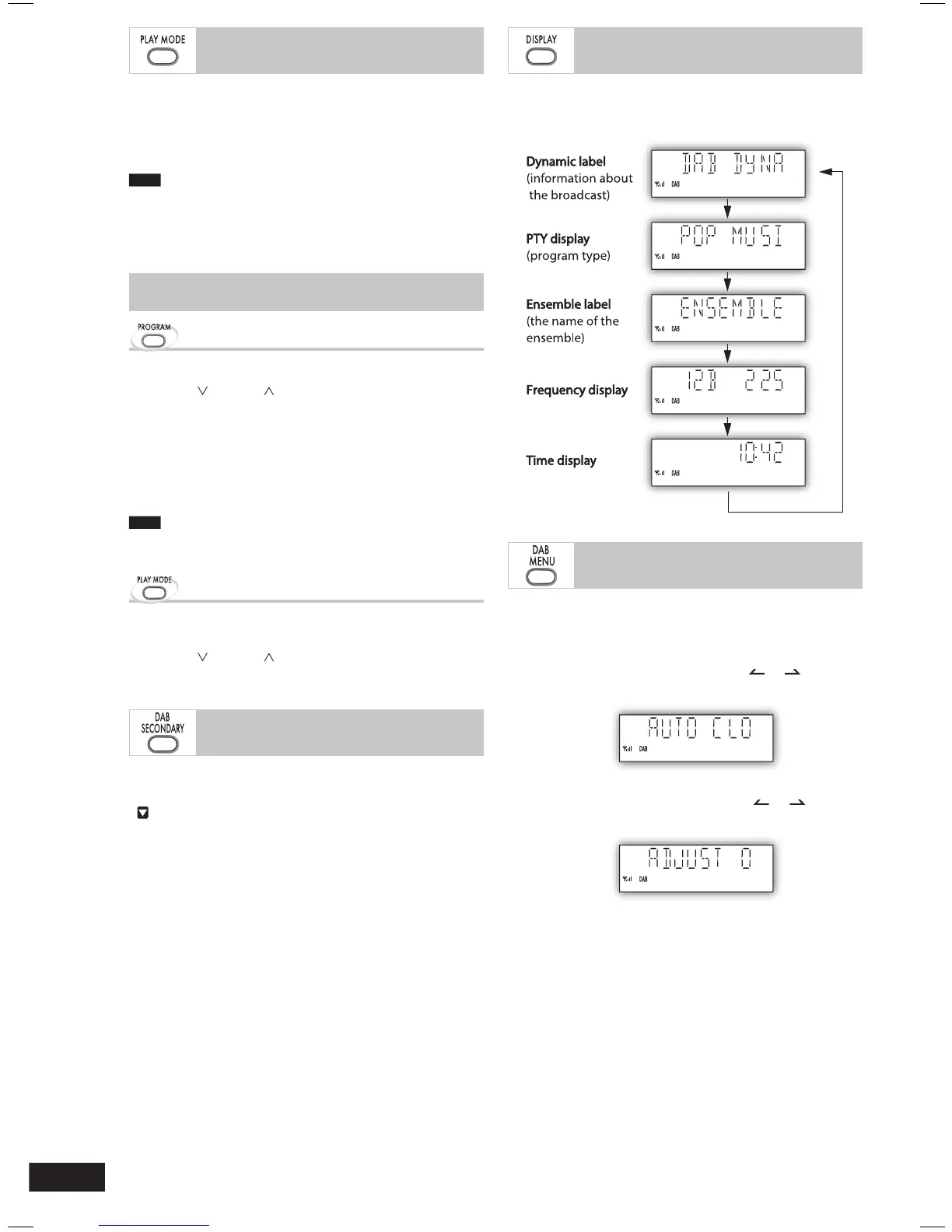
Press [DISPLAY] to select the display.
The information scroll through the display.
Each time you press the button:
adjustment function on
To adjust the time information during DAB broadcasting and
automatic time adjustment.
1
Press [DAB MENU] to enter menu mode.
2
Within 10 seconds, press [ALBUM or ] to select
“AUTO CLOCK ADJ.” and then press [ENTER].
3
Within 10 seconds, press [ALBUM or ] to
select “ADJUST ON” and then press [ENTER].
Select “ADJUST OFF” to turn the automatic clock adjustment
function off.
To exit
Press [DAB MENU] again.
PM4DB_EB.indd 10PM4DB_EB.indd 10 2/1/07 4:56:44 PM2/1/07 4:56:44 PM









 To Next Page