EasyManua.ls Logo

Panasonic SC-PT960 - User Manual

Panasonic SC-PT960
44 pages
Print Icon
To Next Page IconTo Next Page
Loading...
[_P_] [_PC_] [_PX_]
RQTX0105-4P
Operating Instructions
DVD Home Theater Sound System
Model No. SC-PT760
SC-PT960
SC-PT954
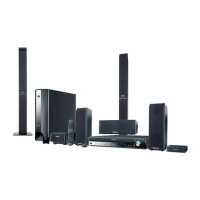
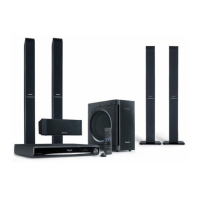
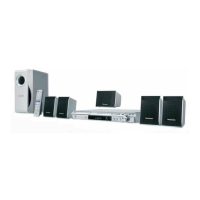
The illustration shows SC-PT760.
§
For Canada only: The word “Participant” is used in place of the word
“Partner”.
Before connecting, operating or adjusting this product, please
read the instructions completely.
Please keep this manual for future reference.
If you have any questions contact
In the U.S.A.: 1-800-211-PANA (7262)
In Canada: 1-800-561-5505
Region number
The player plays DVD-Video marked with labels containing the region
number “1” or “ALL”.
Example:
1 ALL
2
4
1
As an ENERGY STAR Partner,
Panasonic has determined that
this product meets the ENERGY STAR
guidelines for energy efficiency.
®
®
[U.S.A.[and[Canada[
Wireless surround
speakers
6
Sound enhancement
options
Surround Enhancer, Dolby Pro
Logic
II
and more.
28
iPod connectivity
Enjoy iPod music through the
speakers, view iPod photos or
videos on the TV.
30
SC-PT760-960P-PC_Cover_Eng.fm Page 1 Thursday, February 28, 2008 9:10 AM

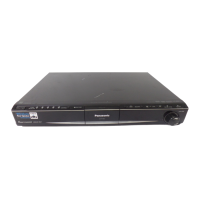
Table of Contents

Questions and Answers

  • A
    Allison RodriguezAug 21, 2025
    Why is my Panasonic SC-PT960 Home Theater System remote not working?
    • D
      Deanna MarquezAug 21, 2025
      If your Panasonic Home Theater System remote control isn't responding, the batteries are likely depleted. Replace them with new batteries.
  • R
    Ray NelsonSep 2, 2025
    What does “NOPLAY” mean on my Panasonic SC-PT960?
    • S
      Stephanie RomanSep 2, 2025
      If your Panasonic Home Theater System displays 'NOPLAY', it means you've inserted a disc the unit can't play, a blank disc, or a disc that hasn't been finalized. Insert a compatible disc.
  • M
    Michael SawyerSep 1, 2025
    How to fix “DVD U11” error on Panasonic SC-PT960?
    • G
      garciatamaraSep 1, 2025
      If your Panasonic Home Theater System displays 'DVD U11', the disc may be dirty. Wipe the disc clean.
  • M
    Mrs. Kristen SanfordAug 30, 2025
    What does “ERROR” mean on my Panasonic SC-PT960 Home Theater System?
    • R
      ramirezjoshuaAug 30, 2025
      If your Panasonic Home Theater System displays 'ERROR', it indicates an incorrect operation was performed. Review the instructions and try again.
  • D
    Dominique LopezAug 29, 2025
    What to do if my Panasonic SC-PT960 says “NODISC”?
    • M
      Micheal YoungAug 29, 2025
      If your Panasonic Home Theater System displays 'NODISC', it means either no disc is inserted, or the disc is not inserted correctly. Insert a disc properly.
  • J
    josephhillAug 27, 2025
    Why is there no sound from the TV connected to my Panasonic Home Theater System?
    • K
      Kyle GarciaAug 27, 2025
      If there is no sound from the TV connected to your Panasonic Home Theater System, confirm the audio connection. Press [N, O SELECT] to select the corresponding source.
  • R
    russellchristineAug 26, 2025
    Why is my Panasonic SC-PT960 Home Theater System not responding to button presses?
    • R
      Robert VasquezAug 26, 2025
      If your Panasonic Home Theater System is not responding when you press the buttons, it might be due to an external factor such as lightning or static electricity. Try turning the unit off and then back on. Alternatively, turn it off, disconnect the AC supply cord, and then reconnect it. Also, condensation might have formed. Wait 1 to 2 hours for it to evaporate.
  • J
    John HollandAug 25, 2025
    How to fix Panasonic SC-PT960 when it has no power?
    • S
      smithjodyAug 25, 2025
      If your Panasonic Home Theater System is not turning on, ensure the AC supply cord is securely inserted.
  • N
    ndavisAug 23, 2025
    What does error code “F61” mean on my Panasonic Home Theater System?
    • N
      Nancy ThompsonAug 23, 2025
      If your Panasonic Home Theater System displays 'F61', check and correct the speaker cable connections. If this does not fix the problem, consult the dealer.

Summary

Important Safety Instructions

General Safety Warnings and FCC Compliance

Essential safety guidelines and compliance information for preventing shock, fire, and damage.

Getting Started: Setup and Connections

Speaker Assembly, Positioning, and Connections

Step-by-step setup including speaker assembly, placement, and cable connections.

Initial System Setup and Configuration

Connecting power, preparing remote, quick setup, and radio station presets.

Basic Operations and Playback

Navigating Menus and Basic Playback

Utilizing START menu, basic playback, remote control, and various playback functions.

Advanced Playback and Navigation

Using navigation menus, on-screen menus for data discs, programs, and playlists.

Features, Settings, and Operation

Player Settings and Adjustments

Configuring player settings, speaker delay, sound effects, and audio/radio adjustments.

VIERA Link, iPod, and Other Equipment

Linked TV operations, iPod connectivity, and enjoying TV/digital audio sources.

Reference and Support

Discs, Maintenance, Troubleshooting, and Glossary

Information on discs, maintenance, troubleshooting common issues, and glossary of terms.

Specifications, Service, Warranty, and Accessories

Technical specs, service info, warranty details, and included accessories.

Panasonic SC-PT960 Specifications

General IconGeneral
RMS rated power1250 W
Audio output channels7.1 channels
Optical disc player typeDVD player
Surround speaker weight2358.2 g
Surround speaker dimensions (WxHxD)251.6 x 234.9 x 1123.1 mm
FM antennaYes
Weight and Dimensions IconWeight and Dimensions
Subwoofer weight264.1 g
Center speaker weight1315.1 g
Receiver dimensions (WxDxH)89.6 x 164.3 x 165.1 mm
Subwoofer dimensions (WxDxH)361.1 x 180.9 x 315.2 mm
Front speaker dimensions (WxDxH)1123.1 x 234.9 x 251.6 mm
Center speaker dimensions (WxDxH)93.6 x 95.2 x 269.8 mm

Related product manuals