15
RQT6945
Disc operations
Frame-by-frame viewing
(Motion picture parts only)
While paused
Press [w] or [q].
The frame changes each time you press the button.
¡The frames change in succession if you press and hold the
button.
¡Pressing [h] also activates forward frame-by-frame.
DVD-A
VCDDVD-VRAM
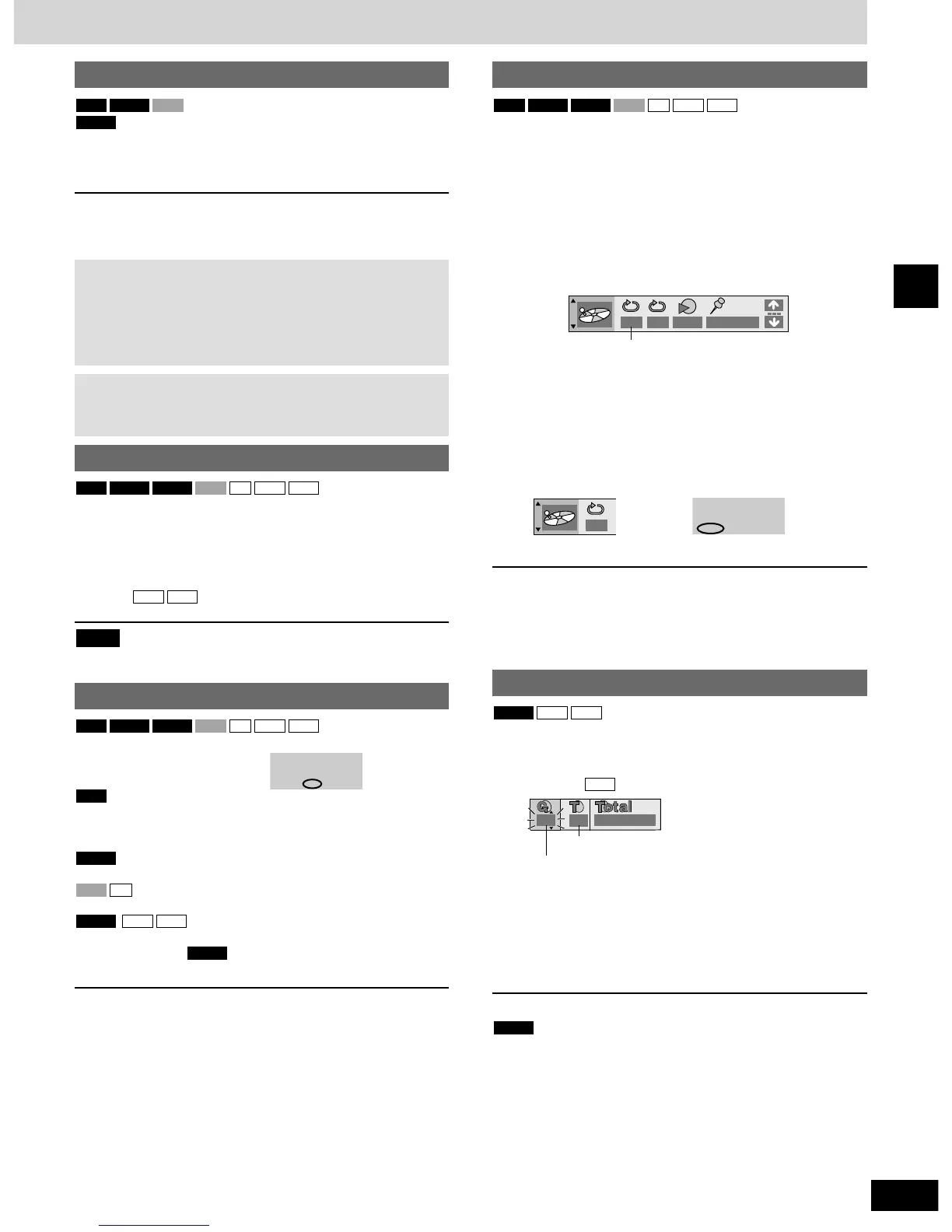
A-B repeat play
You can repeat a section between points A and B within a program,
title or track.
1 During play
Press [DISPLAY] until the unit
information screen is displayed
(
\\
page 22).
2 Press [e, r] to select the play menu.
A-B Repeat
3 Press [w, q] to select “A-B Repeat”
and
11
Press [ENTER] at the starting point
(A).
22
Press [ENTER] at the finishing
point (B).
A-B repeat starts.
To return to the normal play
Press [ENTER] again.
To clear the menus
Press [RETURN] until the menu disappears.
MP3WMACDVCDDVD-VDVD-ARAM
Notes
¡The speed of search and slow-motion increases up to
5 steps.
¡Press [q] (play) to restart play.
¡You cannot move backwards with Video CD during frame-
by-frame and slow-motion.
When playing Video CDs with playback control
Pressing buttons to perform skip, search or slow-motion may
take you to a menu screen.
Starting play from a selected item
Press the numbered buttons to select the
item.
Play starts from the selected item.
To select a 2-digit number
Example: To select track 23, press [
>
=
10] \ [2] \ [3].
: [2] \ [3] \ [ENTER]
This works only when stopped with some discs.
Note
MP3WMA
MP3WMACDVCDDVD-VDVD-ARAM
Repeat play
During play
Press [REPEAT].
Each time you press the button:
Program / All (Entire disc) / Off
¡During play list play
Scene / Playlist / Off
Chapter / Title
∗
/ Off
Track / All (Entire disc) / Off
Track / Group
∗
/ Off
∗
During all group ( ), program and random play
“All” is displayed.
■ To repeat only your favorite tracks/chapters
Start program play (\ page 16) and press [REPEAT] to select the
repeat mode.
DVD-A
MP3
WMADVD-A
CD
VCD
DVD-V
RAM
MP3
WMACDVCDDVD-VDVD-ARAM
Selecting groups to play
1 During play
Press [GROUP].
Example:
2 Press the numbered buttons to select
the group and press [ENTER].
3 Press the numbered buttons to select
the track number and press [ENTER].
¡You can also use [e, r, w, q] to select numbers.
Playing all the groups in succession (
\\
page 16, All group play).
Playing bonus groups
Some discs contain bonus groups. If a password screen appears
after selecting a group, enter the password with the numbered
buttons. Refer also to the disc’s jacket.
DVD-A
MP3
MP3WMADVD-A


 To Next Page