RAM
Selecting a program to play
—DIRECT NAVIGATOR
Use the program list to find programs to play.
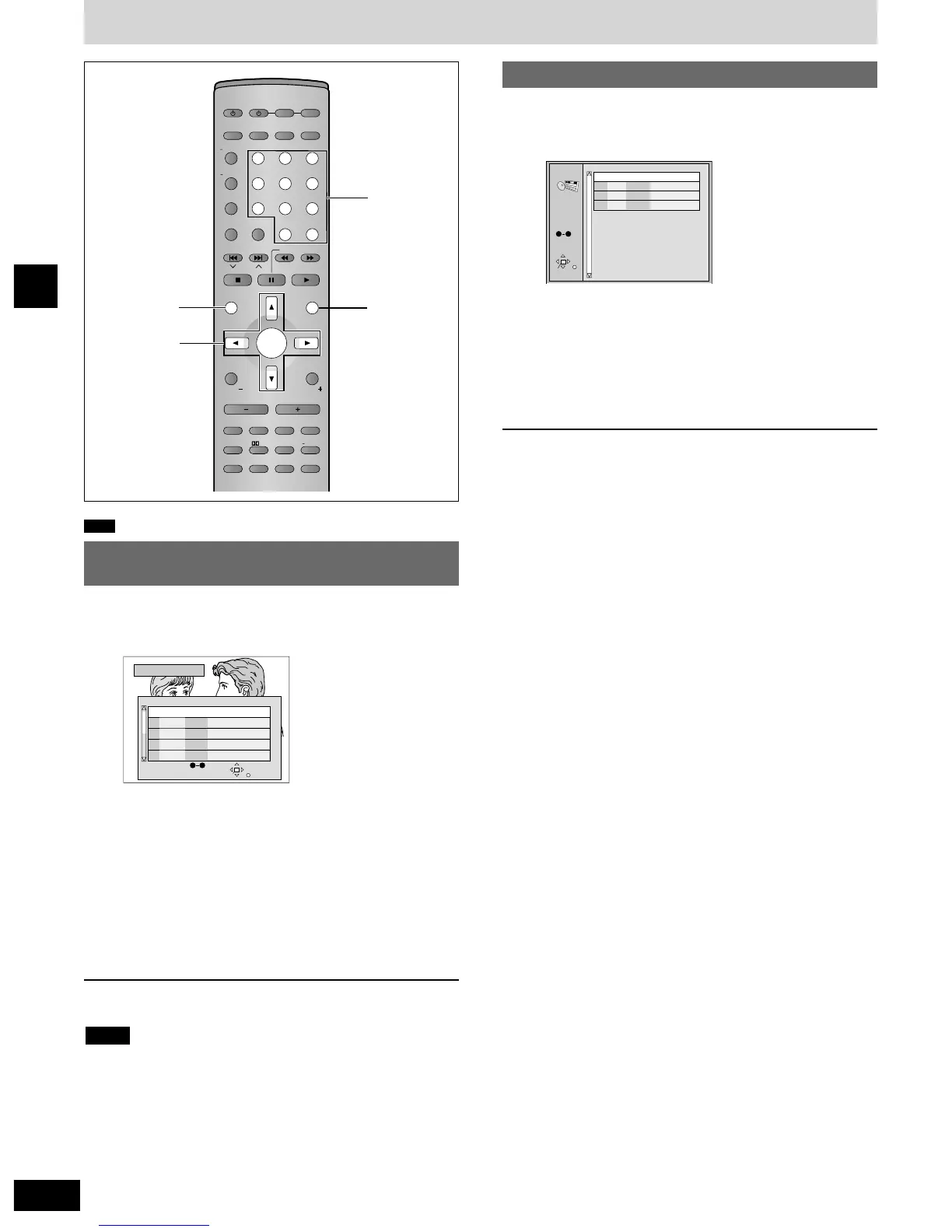
1 Press [DIRECT NAVIGATOR].
2 Press [e, r] to select the program.
The selected program plays in the background.
¡You can select programs with the numbered buttons.
To select a 2-digit number
Example: 23: [
>
=
10] \ [2] \ [3].
3 Press [ENTER].
The program being played in the background continues.
To clear the program list
Press [DIRECT NAVIGATOR].
¡Titles appear only if you have entered them.
¡You cannot change program and disc titles.
Note
Using the play list menu
You can play a group of scenes, a play list, created on other
equipment such as a DVD video recorder.
1 Press [PLAY LIST].
2 Press [e, r] to select the play list.
¡You can select play lists with the numbered buttons.
To select a 2-digit number
Example: 23: [
>
=
10] \ [2] \ [3].
3 Press [ENTER] to start play.
To clear the play list screen
Press [PLAY LIST].


 To Next Page