3
RQT6945
Getting started
Table of contents
Getting started
IMPORTANT SAFETY INSTRUCTIONS ................................4
Disc information
.........................................................................5
Control reference guide
...........................................................6
Disc operations
Discs—Basic play....................................................................13
Position memory function ............................................................14
Skipping items/Fast forward and rewind—SEARCH...................14
Slow-motion play .........................................................................14
Frame-by-frame viewing..............................................................15
Starting play from a selected item/Repeat play...........................15
A-B repeat play/Selecting groups to play ....................................15
Discs—Convenient functions...............................................16
All group play/Program play/Random play ..................................16
Soundtracks/Subtitles..................................................................17
Marking places to play again/Variable zoom function .................18
WMA/MP3 and CD text navigation menus........................19
Playing the programs or play lists on DVD-RAM
...........20
Selecting a program to play—DIRECT NAVIGATOR..................20
Using the play list menu ..............................................................20
Using On-Screen Menu lcons...............................................21
Common procedures/Progress indicator.....................................21
Disc information/Unit information.................................................22
Sound field/sound quality operations
Sound field.................................................................................25
Dolby Digital and DTS/Dolby Pro Logic.......................................25
Speaker level adjustments ..........................................................25
Super Surround/Sound Field Control ..........................................26
Center Focus...............................................................................26
Custom Sound Memory—Store the sound settings ....................26
Sound quality............................................................................27
Adjusting the bass .......................................................................27
Re-master—Enjoying more natural sound ..................................27
Other functions
Convenient functions .............................................................28
Muting the volume/Dimming the display......................................28
The sleep timer/Using headphones.............................................28
Changing settings ...................................................................29
Language code list
..................................................................31
Optional antenna connections
.............................................31
Operating a television or video cassette recorder
.........32
Reference
Glossary .....................................................................................34
Specifications
...........................................................................35
Troubleshooting guide
...........................................................36
Product Service
........................................................................38
Maintenance
..............................................................................38
Limited Warranty (U.S.A.)
......................................................40
Customer Services Directory (U.S.A.)
...............................40
Radio operations
The radio.....................................................................................24
Manual tuning/Preset tuning........................................................24
Accessories
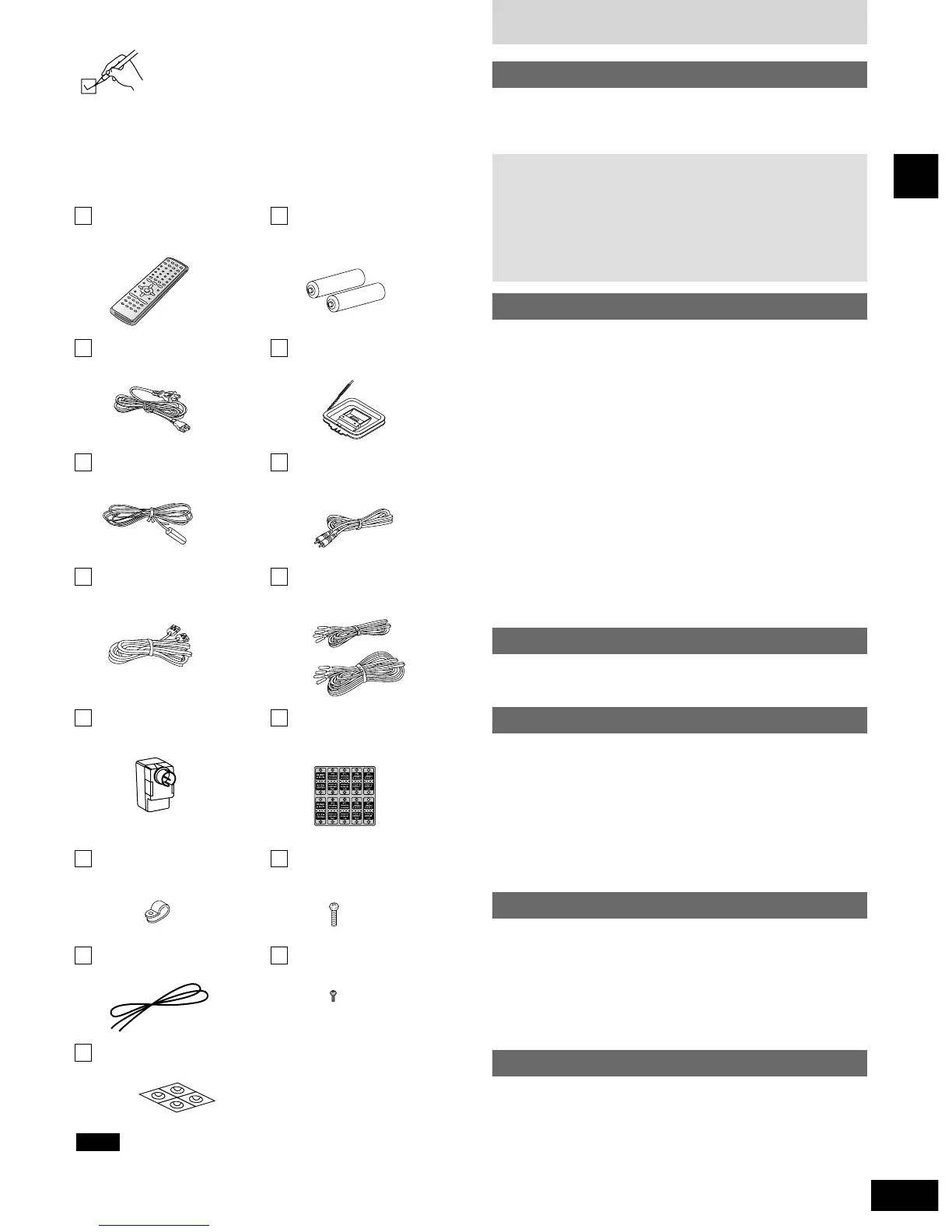
Please check and identify the supplied accessories.
Use numbers indicated in parentheses when asking
for replacement parts.
(Only for U.S.A.)
To order accessories contact 1-800-332-5368 or the website
(http:// www.panasonic.com).
(Only for Canada)
To order accessories, call the dealer from whom you have
made your purchase.
Simple setup
STEP 1 Speaker assembly................................................7
STEP 2 Positioning
.............................................................8
STEP 3 Connection
..........................................................10
STEP 4 The remote control
............................................12
STEP 5 QUICK SETUP
.....................................................12
1 Remote control
(EUR7623X20)
2 Batteries
for remote control
1 AC power supply cord
(RJA0065-K)
1 AM loop antenna
(N1DAAAA00001)
1 FM indoor antenna
(RSA0007)
1 Video cable
(K2KA2HA00003)
1 System cable
(K1HA25JA0002)
5 Speaker cables
3 × 4 m (13 feet) (REE1203A)
2 × 10 m (33 feet) (REE1203C)
1 Antenna plug
(K2RC021B0001)
1 Sheet of speaker-cable
stickers
(RQCA1029)
4 Clips
(QWBG002AA)
8 Screws
(XSN5+16FN)
1 String for main unit
(RMF0321)
4 Black screws
(XTB3+10JFZ)
1 Sheet of speaker feet
(RFA1388A)
The included AC power supply cord is for use with this unit only.
Do not use it with other equipment.
Note


 To Next Page